
AI Audio11 min read
Podcasters: Turn Podcast Transcripts into 3 Social Clips with AmmarAI
Turn episode audio into diarized, editable transcripts with AmmarAI. Fix speaker labels, export SRT/DOCX/Markdown, and repurpose one transcript into show...
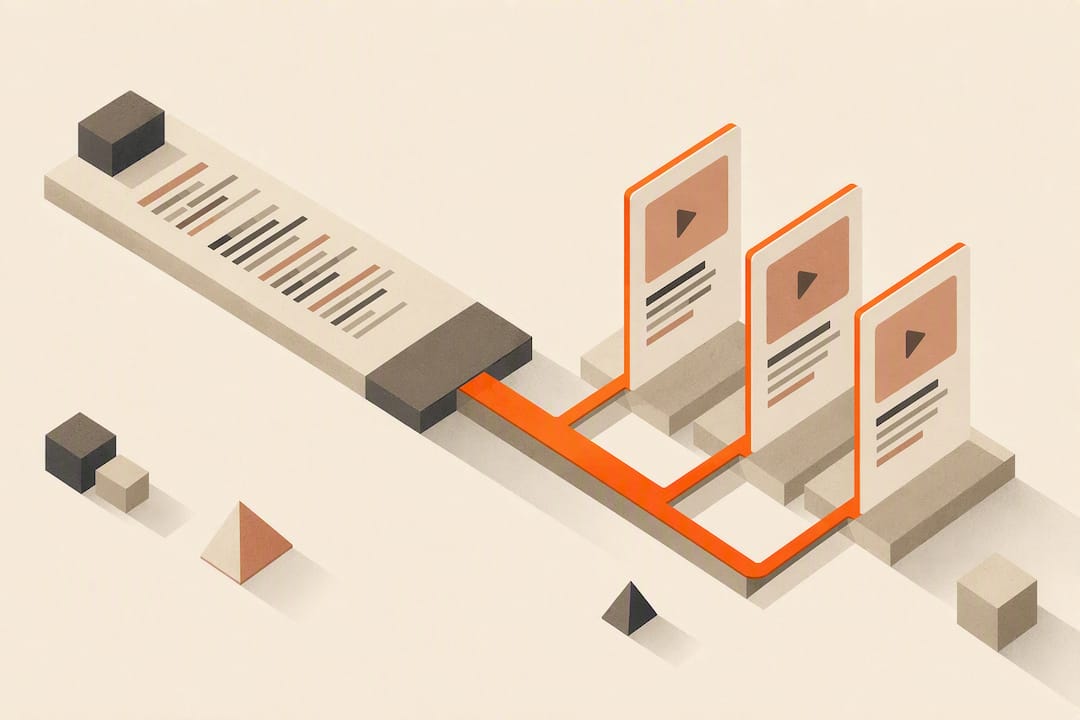
Podcasters: Turn Podcast Transcripts into 3 Social Clips with AmmarAI
Use an AI transcription workflow that accepts a podcast link or an uploaded file, turns on speaker diarization, and exports SRT or DOCX files for fast editing. Most hour-long episodes come back in a few minutes on modern models like Google Cloud’s Speech-to-Text. Paste your episode link into a transcription tool that supports multi-speaker shows, and start editing while the audio is still fresh in your head.
TL;DR:
- Speaker diarization works best on clear audio and may require manual corrections when multiple voices overlap or crosstalk occurs.
- Re-running only the problematic segments saves time, especially for episodes with long periods of noise or garbled speech.
- Batch processing and API integration are essential for transcribing multiple episodes efficiently and require a platform supporting these features.
- Improving accuracy involves customizing vocabularies, feeding the model recurrent names, and enhancing recording quality, especially in field environments.
- Human editing remains necessary for public or accessibility transcripts to ensure precision, particularly with proper nouns and low-quality recordings.
Table of Contents
- How Does AI Transcription Actually Work?
- The Step-by-Step Podcast Transcription Workflow
- Why Transcripts Still Have Errors, and How to Fix Them Fast
- What to Look For in a Podcast Transcription Tool
- One platform can run this entire workflow inside one workspace: transcription, exports, and text-to-speech alongside a variety of other content tools. You ingest the episode, get a diarization-ready draft, edit speaker labels and timestamps, and export straight to DOCX, SRT, or Markdown without switching tabs to write show notes or generate a clip caption. If you’re running more than one show, or you need the transcript to feed directly into blog posts and social content, an integrated workspace beats juggling multiple single-purpose apps and separate bills.
- Where AI Transcription Actually Saves You Time
- Try Podcast Transcription With an integrated AI workspace
- Standards and Documentation Worth Bookmarking
- Sources
- FAQ
How Does AI Transcription Actually Work?
Every automated transcript starts with an automatic speech recognition (ASR) model, and the model you pick determines your accuracy, cost, and speed. Cloud-based models process audio fast and improve continuously, while offline models like WhisperX run locally on your own hardware. That trade-off matters more than most creators realize: cloud tools win on speed and convenience, but a local pipeline means your audio never leaves your machine.
Speaker diarization is the feature that separates a usable interview transcript from a wall of text. Diarization partitions the audio by speaker identity so the transcript labels who said what. It works well on clean, separated audio and struggles when two people talk over each other or when a guest’s mic bleeds into the host’s channel. Expect to manually reassign a few lines on any episode with crosstalk.
Timestamps matter just as much as the words themselves. Word-level timing lets you jump straight to a quote for a social clip or align captions frame by frame, instead of scrubbing through fifty minutes of audio.
A few settings worth adjusting before you hit transcribe:
- Language detection, if your show mixes English with another language mid-episode
- Custom vocabulary or model adaptation for guest names, brand terms, and jargon
- Speed versus accuracy mode, depending on whether you’re transcribing a rough draft or a publish-ready script
Vocabulary hints and model adaptation measurably cut errors on names and technical terms that a generic model has never encountered.
The Step-by-Step Podcast Transcription Workflow
Getting from raw audio to a publish-ready transcript follows a predictable sequence. Skip a step and you’ll spend twice as long cleaning up the output.
- Prepare your audio. Record at 44.1kHz or higher, keep hosts and guests on separate channels if your setup allows it, and cut background noise before you export the file.
- Get the audio into the tool. Paste the podcast’s RSS or episode link, upload the raw file directly, or push episodes through an API for batch processing if you’re clearing a backlog.
- Choose your settings. Turn on speaker diarization for any show with more than one voice, set the language, and add custom vocabulary for recurring names or terms.
- Edit the draft. Fix speaker labels where the model guessed wrong, clean up filler words, and re-run just the messy 90-second segment instead of the whole episode.
- Export for where the transcript is going next. SRT or VTT for captions, DOCX or Markdown for a blog post or show notes, and short timestamped clips for social.
Pro Tip: Don’t re-transcribe an entire episode to fix one bad segment. Most tools let you select a timestamp range and re-run just that portion, which saves you from waiting on the other 55 minutes you already know are clean.
Batch and API-based ingestion changes the math entirely if you’re running a network with multiple shows. Instead of uploading files one at a time, automated pipelines can pull and process several episodes at once. This matters once you’re transcribing more than a handful of episodes a week. If you publish through a podcast hosting platform, check whether your show’s RSS feed is public. Directories like GOPcast index shows straight from their feeds, which is a useful gut check for whether your ingestion source is even reachable by outside tools.
Why Transcripts Still Have Errors, and How to Fix Them Fast
Every transcript has errors, and the smart move is triaging them instead of proofreading line by line. Three spots account for most mistakes: proper nouns and jargon the model has never seen, overlapping speech where two people talk at once, and low-signal segments recorded in a noisy room or on a bad mic.
Work through those three in order rather than reading top to bottom:
- Search for guest names and brand terms first. If the model got it wrong once, it probably got it wrong every time, and a find-and-replace fixes it in seconds.
- Jump to timestamps flagged as low-confidence and listen to just those seconds instead of the whole file.
- Reassign speaker labels around crosstalk, since diarization models tend to fail exactly where two voices overlap.
If an entire segment reads as garbled, don’t keep patching it manually. Split that section out and re-run it through the model on its own, or try a different model if the first one keeps stumbling on the same stretch. Diarization performance also improves noticeably when you break a three-person panel recording into shorter segments rather than feeding the model 90 uninterrupted minutes.
Accuracy depends heavily on recording conditions. A quiet studio with a decent microphone routinely produces a cleaner transcript than a phone-recorded interview in a coffee shop, and Google’s documentation on model adaptation notes that accuracy climbs further once you feed the model your show’s recurring names and terms. Treat any first-pass transcript from field audio as a draft, not a final copy.
What to Look For in a Podcast Transcription Tool
Cut through the marketing and check for five things before you commit to a tool.
- Flexible ingestion. You should be able to paste a podcast URL or RSS feed, upload a file directly, or batch multiple episodes through an API.
- A real editing interface. Look for speaker labeling you can correct, clickable timestamps, and a searchable transcript instead of a static text dump.
- Export variety. SRT and VTT for captions, TXT and DOCX for blogs and show notes, Markdown for web publishing, and clip export for social snippets.
- Privacy controls. Check the retention policy, whether your audio trains the underlying model, and whether a local processing option exists for sensitive interviews.
- Room to scale. Batch processing, API access, and team accounts matter once you’re transcribing more than one show or working with editors and VAs.
Tools that pair the transcript with automated show notes and clip suggestions save real time on the repurposing side, turning one recording session into a blog post, an episode summary, and a handful of social clips without a second pass through the audio.
One platform can run this entire workflow inside one workspace: transcription, exports, and text-to-speech alongside a variety of other content tools. You ingest the episode, get a diarization-ready draft, edit speaker labels and timestamps, and export straight to DOCX, SRT, or Markdown without switching tabs to write show notes or generate a clip caption. If you’re running more than one show, or you need the transcript to feed directly into blog posts and social content, an integrated workspace beats juggling multiple single-purpose apps and separate bills.
Where AI Transcription Actually Saves You Time
The honest trade-off is speed versus polish. A quick AI pass is enough for internal show notes or a rough blog draft. A public-facing transcript, especially for accessibility, deserves a human editing pass, because W3C’s guidance on media accessibility exists precisely because listeners who are hard of hearing depend on that transcript being right, not just close.
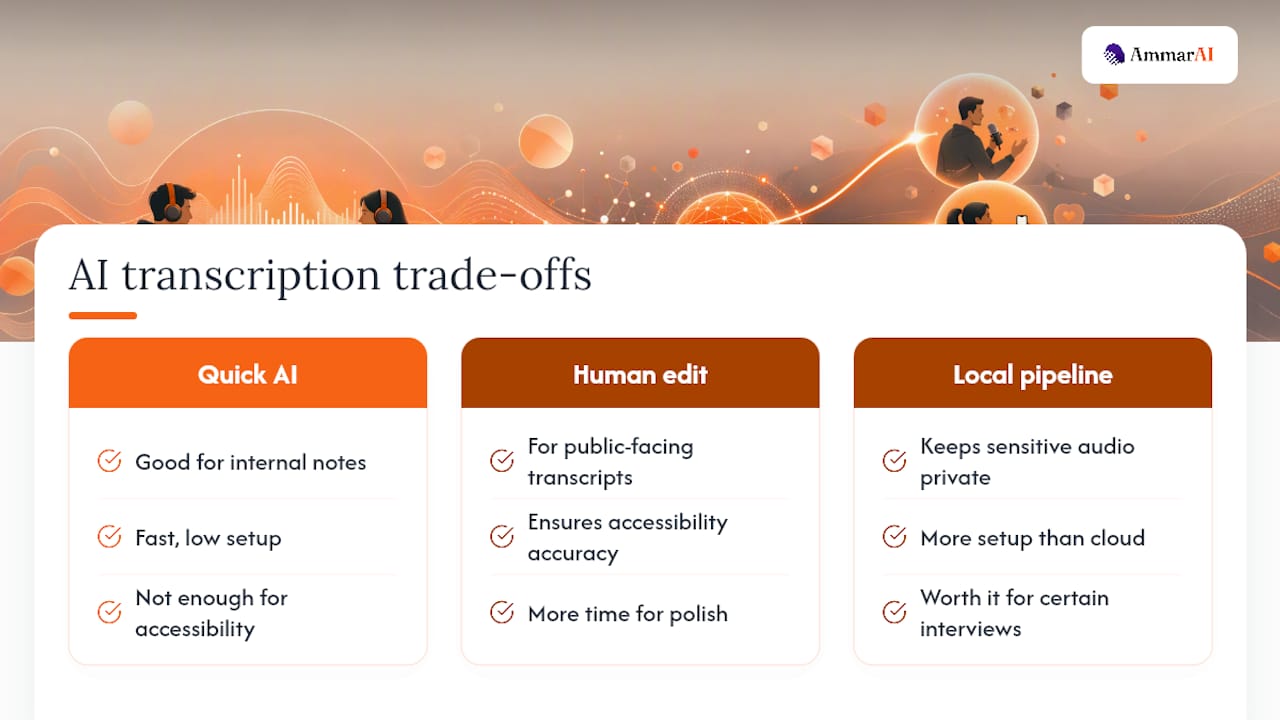
Privacy is the piece creators underestimate. If you’re transcribing a sensitive interview, a local pipeline avoids sending that audio to a third-party server at all. It’s more setup than pasting a link into a cloud tool, but for certain interviews, that trade-off is worth it.
Where AI transcription earns its keep is repurposing. One clean transcript becomes show notes, a blog post, and three social clips in the time it used to take to write show notes alone.
— Ahmed
Try Podcast Transcription With an integrated AI workspace
Such a platform can handle the whole loop: paste a podcast link or upload the file, get a diarized transcript with timestamps, edit speaker labels inline, and export to SRT, DOCX, or Markdown depending on where it’s headed next. Because transcription lives inside the same workspace as writing, image, and video tools, one transcript can become a blog post and a set of social clips without leaving the platform.

Start by checking the platform’s full feature set to see how transcription connects to the other 68 tools, or head straight to multi-model AI to see how AmmarAI picks the right model for a given task instead of forcing every job through the same engine. Upload one episode, run it through diarization and export, and see how it fits your current publishing routine before committing to anything.
Standards and Documentation Worth Bookmarking
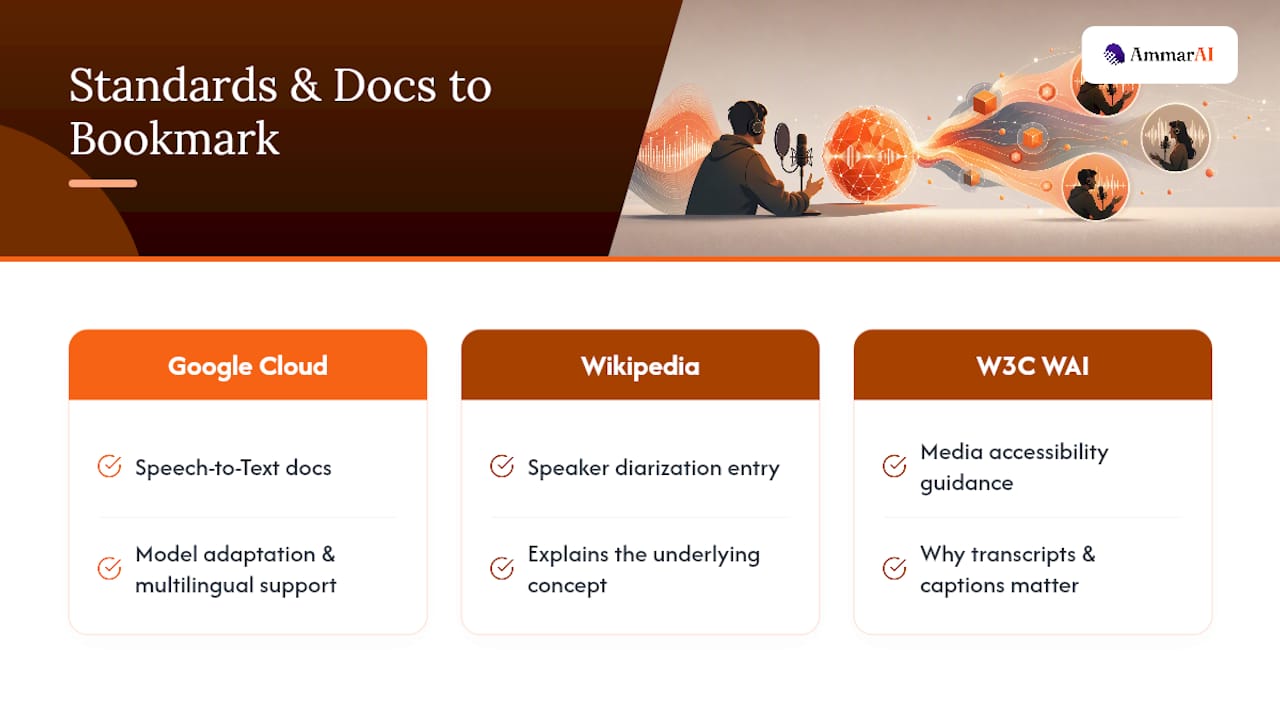
For deeper technical grounding, Google Cloud’s Speech-to-Text documentation covers model adaptation and multilingual support in detail. The Wikipedia entry on speaker diarization explains the underlying concept, and W3C WAI’s media accessibility guidance lays out why transcripts and captions matter beyond convenience.
Sources
- Speech-to-Text — Google Cloud
- Speaker diarisation — Wikipedia
- whisperx · PyPI
- Planning for media accessibility — W3C WAI
FAQ
How Can I Transcribe a Podcast for Free?
Most transcription tools, including AmmarAI, offer a free tier or trial that covers a limited number of minutes, enough to test one full episode before you commit to a paid plan.
What Is the Best App for Transcribing Podcasts?
The right choice depends on your workflow: creators running multiple shows benefit from an integrated workspace like AmmarAI that handles transcription, exports, and repurposing in one place, while a single-purpose tool can work fine for occasional one-off episodes.
Can I Turn a Spotify Podcast Into a Transcript?
Yes, if you have access to the raw audio file or a direct episode link, you can upload it or paste the link into a transcription tool; downloading audio you don’t have rights to distribute is a separate legal question worth checking against the platform’s terms.
Will Transcriptionists Be Replaced by AI?
AI has already taken over the bulk of first-draft transcription work, but public-facing and accessibility-focused transcripts still benefit from a human editing pass, so the work is shifting toward review and cleanup rather than disappearing entirely.
Recommended
Recommended for you
- Multimodal AI Content: What It Is and How to Make It
Multimodal AI content spans text, images, audio and video. See how it works, where it helps, the risks to check, and how to build a workflow that holds up.
- AI Transcription Accuracy: One Wrong Name Can Outweigh a Good WER
Learn what WER and entity recall miss, when AI transcripts need human review, and how to test accuracy on your own audio before relying on the results.
- AI Meeting Notes for Teams: Stop Stitching Tools Together
See how AI meeting notes can capture decisions, assign tasks, and connect with team tools. Learn what to test in a pilot and how privacy shapes deployment.
Tools to try next
- AI Text to Speech
Convert articles, documents and scripts into clear spoken audio, at length and at speed.
- AI Speech to Text
Fast, accurate conversion of speech into text, including live dictation and recorded audio.
- Sound Studio
Merge audio, add background music, adjust voice speed and loudness, and fine-tune voiceovers in one place.