
Create / AI Image
A complete image studio, not just a prompt box
Image Pro generates, edits and finishes. Start from a description or an upload, paint over the part you want changed, hold one character or house style across a whole set, then upscale and export every ratio your campaign needs.
Workflow
From input to outcome with AI Image Pro
A practical view of what you provide, what AmmarAI handles, and what you leave with.
What you provide
A visual brief, product direction, reference image, or campaign concept.
What AmmarAI does
AmmarAI turns the direction into images and lets you iterate on composition and style.
What you get
Original visual options for products, campaigns, posts, and creative production.
What is the AI Image Pro?
Image Pro is the whole picture workflow in one place. You can start from a written description, from a photograph you already own, or from a reference image whose look you want to borrow. From there you stay inside the same canvas: regenerate a region, replace a background, extend the frame, clean up an edge, then upscale and export.
The difference from a plain generator is control. Instead of rolling the dice on a new prompt every time something is nearly right, you mark the area you want changed and describe only that change. The rest of the image stays exactly as approved, which is what makes the output usable in real campaigns rather than a nice accident.
Consistency is the other half. Lock a character, a product angle or a house style as a reference and every following image inherits it, so a set of ten visuals reads as one deliberate campaign. Several image models sit behind the same canvas, so you can push a shot toward photographic realism or toward illustration without relearning anything.
Capabilities
What you can do with the AI Image Pro
How it works
Using the AI Image Pro
- 01
Start from text or from an upload
Describe the picture, or drop in a photo you already own. Add reference images when you want a specific look, character or product carried over.
- 02
Pick the ratio and the register
Choose the size you will actually publish and whether you want photographic, illustrated or graphic output before the first pass.
- 03
Edit instead of restarting
Brush over the sky, the jacket, the label or the background and describe only that change. Everything outside the brush stays untouched.
- 04
Lock the look and produce the set
Save the approved image as a style or character reference, then batch out the rest of the campaign and upscale the finals.
Examples
What good input and output look like
AI Image Pro
Live demoWriting the prompt1/2You type
AmmarAI renders
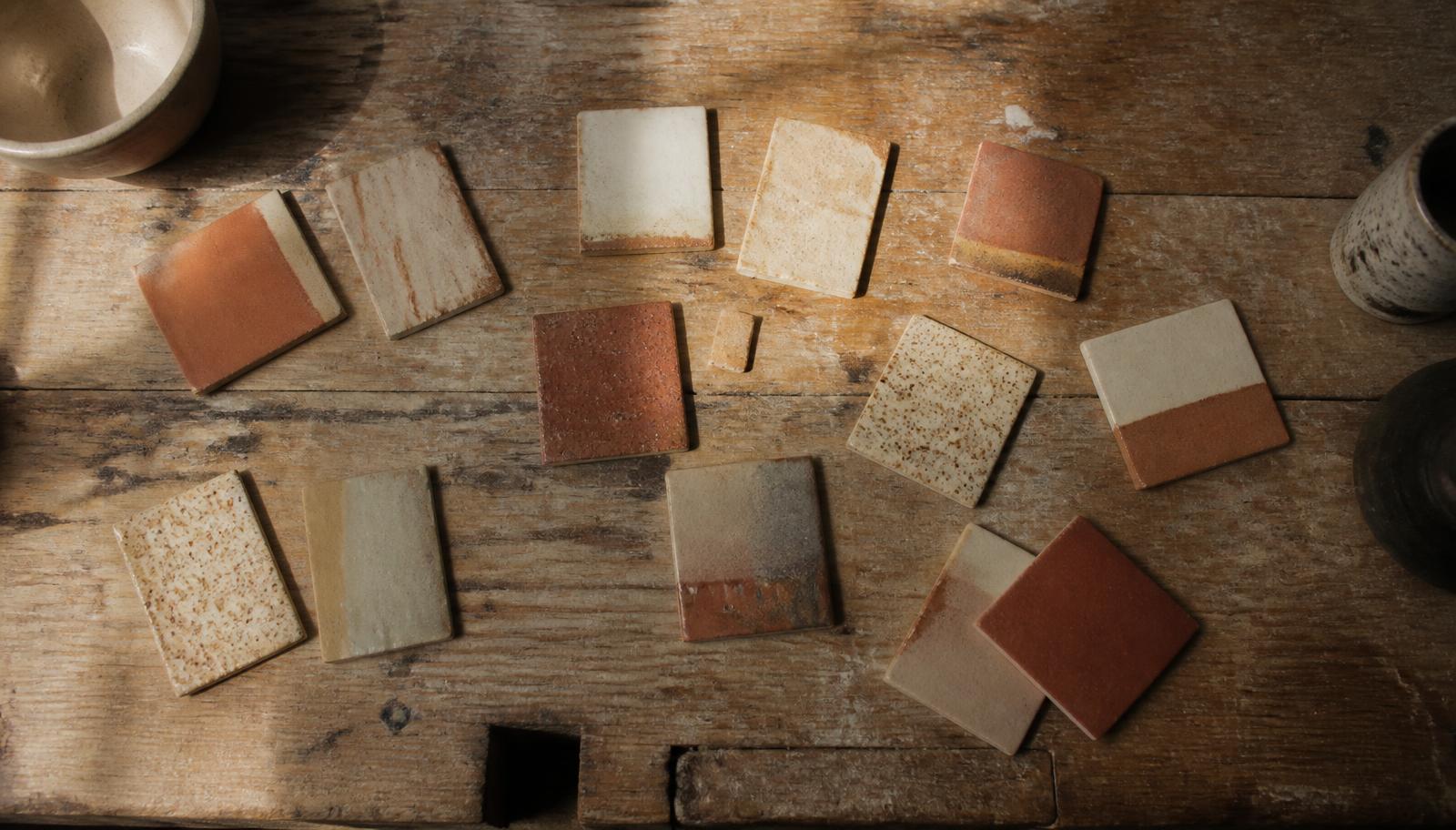
Sample output — a wide 16:9 editorial header in a warm, matte photographic style, usable without cropping.
Four wide compositions in a warm, matte photographic style, usable as a blog header without cropping, then upscaled for retina.
Editorial header
Input
Wide 16:9. Overhead shot of a wooden workbench with scattered ceramic glaze samples, morning light from a high window, muted terracotta and bone palette, film grain, no text, no hands.
Output
Four wide compositions in a warm, matte photographic style, usable as a blog header without cropping, then upscaled for retina.
Edit on an existing photo
Input
Uploaded product photo. Brushed over the background only: "replace with a pale concrete studio surface, soft window light from the left, keep the product and its shadow exactly as they are."
Output
The same product, untouched, on a clean studio background — plus square, 4:5 and story crops generated from the approved master.
Key features
What the tool gives you
Brush editing
Mark a region and describe the change. The rest of the image is preserved pixel for pixel, so approved work stays approved.
Background replace and remove
Cut the subject out cleanly, drop it on a new surface, or export a transparent file for layouts.
Frame extension
Grow the canvas beyond the original edges so one composition serves banner, square and story without a crop that ruins it.
Character and style consistency
Hold the same face, product or visual language across an entire set using reference images rather than repeated adjectives.
Upscaling and cleanup
Raise resolution and sharpen detail on a final you like, ready for large placements.
Multiple models, one canvas
Choose a faster model for exploration and a higher-fidelity one for the final, without leaving the workflow.
Batch export
Produce every required ratio and size from one approved master in a single pass.
Handoff to motion
Send any finished still into image-to-video to add camera movement or subtle animation.
Who it is for
People who get the most from this
Social media managers
Ship a week of on-brand visuals in every required ratio without a photoshoot or a stock subscription.
E-commerce teams
Clean up product shots, swap backgrounds and produce listing and ad variants from one photo.
Content teams
Give every article an original header in a house style that is recognisably yours.
Designers
Explore art direction fast, then refine the strongest direction with real editing control instead of re-prompting.
Small businesses
Produce presentable imagery for a site, a menu or a listing when a commissioned shoot is out of reach.
Workflows
Practical ways teams use it
Campaign visual set
Generate one hero image, approve it, save it as the reference, then batch the story, square and banner variants so the campaign reads as one thing.
Product photo rescue
Take a phone photo of the product, remove the cluttered background, place it on a clean studio surface and upscale it for the listing.
Article illustration system
Define one visual language for the blog, lock it as a style reference, and generate a header per article that always looks like you.
Pitch mockups
Visualise a concept convincingly enough to get it approved before spending money on production.
Tips that improve results
- Name the light. Direction, softness and time of day change an image more than any adjective about mood.
- When something is nearly right, brush and edit it — do not re-roll the whole prompt and lose what worked.
- Ask for negative space if text will sit on top of the image later.
- Add real typography in your layout rather than asking the model for words inside the image.
- Save your approved image as a reference; consistency comes from reuse, not from repeating adjectives.
- Upscale only the final you have chosen, not every exploratory pass.
Mistakes worth avoiding
- Writing prompts as keyword soup instead of describing a scene.
- Regenerating from scratch when a brushed edit would have fixed one detail.
- Generating square images and cropping them into every other format instead of extending the frame.
- Expecting an exact reproduction of a real person, or of your exact product from text alone — upload the photo and edit it instead.
- Publishing the first result without checking hands, edges and small detail.
AI Image Pro FAQ
Can I edit a photo I already have?
Yes. Upload it, brush over the area you want changed and describe only that change. The rest of the photo is preserved, which is the main reason to use Image Pro over a plain prompt box.
Can I use the images commercially?
Images you create on a paid plan are intended for commercial use in your own marketing and products. Avoid prompts that ask for trademarked characters, brand logos or the likeness of a real person, since those raise separate rights issues regardless of the tool.
How do I keep the same character or style across many images?
Approve one image and save it as a character or style reference, then generate the rest against it. Every new image inherits the locked look.
Why does text in my images look wrong?
Image models render lettering unreliably. Generate without words and add typography in your layout, which also keeps the type crisp and on brand.
Can I get a transparent background?
Yes. Remove the background on a finished image and export it as a transparent file to drop into layouts and mockups.
What resolution do I get?
All plans generate at sizes that work for web and social, and the upscaler raises a chosen final to a larger, sharper file suitable for print-adjacent use. Higher plans allow larger outputs.
Tutorial
How to use AI Image Pro
Create images in AmmarAI AI Image Pro by setting a prompt, variations, style, ratio and model, then reviewing the results. Step-by-step guide with screenshots.
Read the tutorialRelated
Tools that pair well with this
AI Image to Video
Animate a still image into a short clip with camera movement and controlled motion.
AI VideoAI Avatar Video Generator
Turn any image into a talking avatar video with realistic lip-sync and natural expressions. Ideal for product explainers, social content, training videos, and personal branding.
AI VideoAI Video Pro
Create short videos from text prompts or still images. Includes text-to-video, image-to-video, smooth transitions, and options for captions and voiceover.
AI TemplatesInstagram Reel Script Generator
Turn a topic or product into a scene-by-scene Reel script with hook, beats, and caption.
AI VisionAI Vision
Analyze images, chat with uploaded documents, or analyze any webpage — describe, extract text, compare, and question what you point it at.
Related workflows
See how this tool fits into real work
E-commerce Sellers
AI for E-commerce
Write product descriptions, titles, and listing copy across a whole catalog without hiring a copywriter per SKU.
Content Creators
AI for Content Creators
Turn one video or post idea into scripts, captions, and titles without losing a whole afternoon to it.
Marketing Teams
AI for Marketing Teams
Turn a single campaign brief into ads, emails, and landing pages without the usual back-and-forth.
Try the AI Image Pro free
One AI for everything you create. Start on the free plan and upgrade only when the volume demands it.