
AI for Business10 min read
Try 3 Quick Trials to Vet AI Proposal Writing with AmmarAI for Teams
A test first workflow for AI proposal writing. Run three quick trials, learn what to upload and how to verify results, then try AmmarAI.
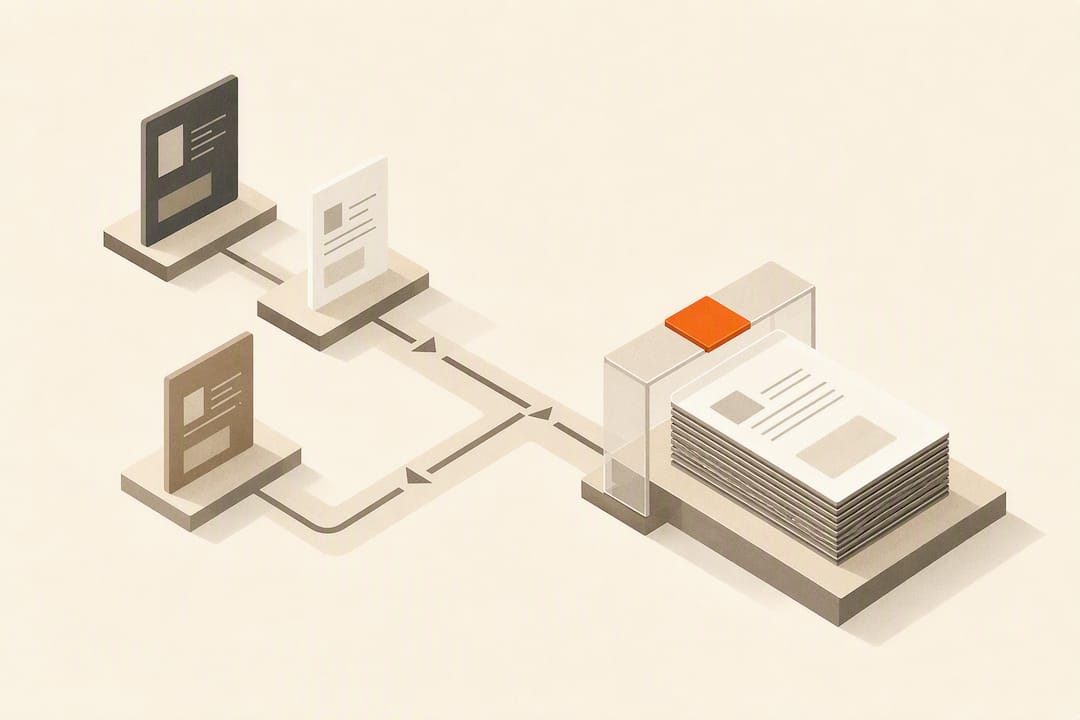
Try 3 Quick Trials to Vet AI Proposal Writing with AmmarAI for Teams
Yes. Modern AI tools produce usable, persuasive proposal drafts in minutes when you feed them structured inputs like meeting notes, past proposals, and clear evaluation criteria. The lowest-risk approach is an integrated AI workspace with proposal templates, file uploads, brand voice controls, and built-in revision tools rather than a bare chatbot. Human review still has to catch pricing, compliance, and factual details before anything goes out the door.
TL;DR:
- Most AI proposal tools produce a draft within two minutes when provided with structured inputs like meeting notes and RFPs, significantly reducing manual formatting time.
- Tools with retrieval-augmented generation can cite sources for claims, improving accuracy and trustworthiness compared to generic chatbots.
- Uploading source files such as PDFs and transcripts enhances draft quality and alignment with the client’s actual needs.
- Human review remains essential for verifying pricing, compliance, and factual accuracy before proposals are sent.
- Use AI mainly for high-volume, quick-turnaround proposals, avoiding complex legal or government bids that require detailed human oversight.
Table of Contents
- What AI Proposal Writing Tools Actually Do
- What Should You Look For When Choosing a Tool?
- How Do You Turn a Brief Into a Client-Ready Proposal?
- Why AmmarAI Fits This Workflow
- My Take: Use AI for Speed, Not for Judgment
- Get Ammarai for Faster, On-Brand Proposals
- Sources
- FAQ
What AI Proposal Writing Tools Actually Do
An AI proposal writing tool takes scattered inputs, a discovery call transcript, an RFP document, a pricing sheet, and turns them into a structured draft: executive summary, scope of work, timeline, budget, and terms, all auto-formatted to a consistent layout. That alone saves the two or three hours most freelancers and account managers burn reformatting last month’s proposal for this month’s client.
The better platforms go further. They use Retrieval-Augmented Generation, or RAG, which searches a controlled library of your own content, past winning proposals, approved policy language, case studies, instead of guessing from general training data. This is the real dividing line between a general chatbot and professional-grade proposal software, which layers in automated formatting, brand-consistent templates, and quality checks designed specifically to catch hallucinated claims before a client sees them.
File uploads matter more than most buyers expect going in. A tool that only accepts a typed prompt forces you to summarize the client’s needs yourself, which defeats the purpose. Tools built around uploading meeting notes, PDFs, and transcripts extract requirements directly from the source material, so the draft reflects what the client actually said rather than a generic template with their name swapped in.
The payoff shows up in two places. First, speed: a well-fed draft can come back in under two minutes. Second, and more valuable long term, consistency. Every proposal reads like it came from the same company, in the same voice, with the same structure a client’s procurement team has already learned to trust.
What Should You Look For When Choosing a Tool?
Not every “AI proposal generator” on the market does the same job, and the gap between a decent one and a weak one usually shows up only after you’ve already committed a few weeks of workflow to it. Run through these criteria before you sign up for anything beyond a free trial.
- Source grounding (RAG): Can you see which document or past proposal a claim came from, or does it just assert facts with no trail back to a source?
- File upload range: Does it accept meeting transcripts, PDFs, and audio, or only plain text pasted into a box?
- Templates and brand voice controls: Can you lock in your tone, logo, and structure so every team member’s output looks the same?
- Revision and audit trail: Can a non-technical reviewer request edits in plain English and see what changed?
- Export formats: Does it output clean Word, PDF, and PowerPoint files, or does formatting break on export?
- Collaboration workflow: Can multiple people comment, approve, and lock sections before it goes to the client?
- Trust or quality scoring: Does the tool flag low-confidence passages instead of presenting everything with equal certainty?
Before you commit, run three quick tests in the trial period. Upload a real (or anonymized) meeting note and see if the draft actually reflects it. Ask the tool to generate a pricing table with three tiers and check whether the math and formatting hold up on export. Then insert one specific compliance requirement and see whether the tool cites where it addressed it or just writes around it.
Pro Tip: If a vendor can’t show you where a specific claim in the draft came from, treat every other claim in that draft as unverified too, even the ones that sound right.
Red flags that should end the evaluation fast: no visible source citations, no file upload option beyond copy and paste, exports that mangle formatting, and no way to save your brand’s approved language for reuse.
How Do You Turn a Brief Into a Client-Ready Proposal?
The workflow that actually saves time follows a consistent order, and skipping steps is where most of the “AI wrote something wrong” complaints come from.
- Gather your inputs first. Pull the meeting notes, client emails, the RFP text itself, and, if you have one, a past proposal that won similar work. The more concrete material you feed the tool, the less it has to invent.
- Generate the draft. Pick a template that matches the proposal type, upload your files, set the tone (formal for government work, warmer for a small business client), and let the tool produce a first pass. Expect a usable draft in roughly 60 to 90 seconds once the inputs are in place.
- Verify and ground everything. Read every claim against your source documents. Map each section to the client’s stated evaluation criteria one by one, not just at a glance. Route pricing and technical sections to the subject matter expert who actually knows the numbers.
- Finalize and export. Clean up formatting, export to Word or PDF, and save the polished sections back into your content library so the next proposal starts from a stronger base.
That fourth step is the one people skip and shouldn’t. Community spaces and prompt-sharing forums can speed up your first few drafts, but they’re no substitute for a grounded content library that gets stronger every time you feed a winning proposal back into it.
Why AmmarAI Fits This Workflow
AmmarAI was built as a consolidated workspace, not a single-purpose bot, and that structure matches the evaluation checklist above almost point for point. It combines writing tools, a shared templates library, file uploads, and team workspaces that let a proposal move from draft to approved without leaving the platform. The AmmarAI approach centers on brand voice consistency, so a proposal drafted by a freelancer and one drafted by a project manager on the same account read like they came from the same desk.
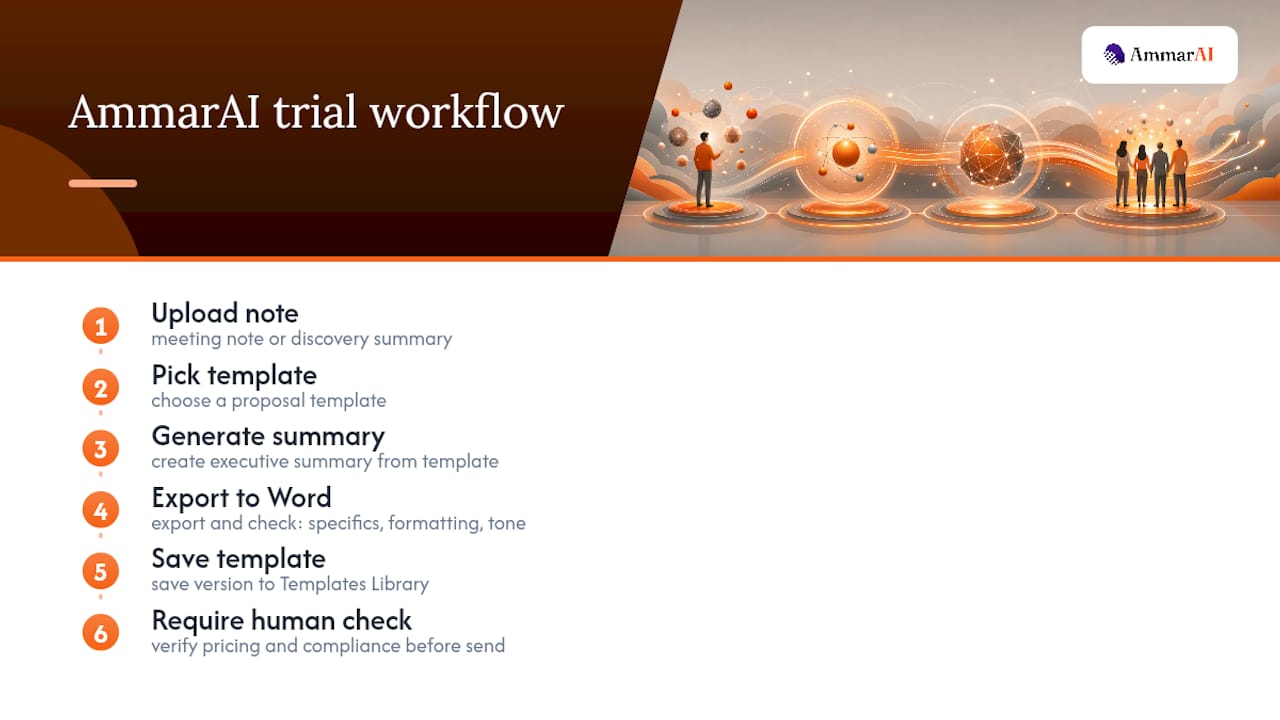
Here’s the trial worth running before you decide anything: upload a real meeting note or discovery call summary, pick a proposal template, generate an executive summary from it, and export the result to Word. Check three things on that export: does the summary reflect specifics from your note rather than generic filler, does the formatting survive the export cleanly, and does the tone match how your business actually talks to clients.
Once you have a version you like, save it into your Templates Library instead of starting from scratch next time. Set one hard rule alongside it: no AI-assisted proposal goes out without a human checking pricing and any compliance language first. That single habit is what separates a tool that saves time from one that quietly creates liability.
My Take: Use AI for Speed, Not for Judgment
Adopt AI for the proposals where volume or turnaround time is the real constraint, weekly client pitches, fast-turnaround RFIs, repeat business proposals with minor variations. That’s where the time savings compound and the risk of an overlooked error stays low.
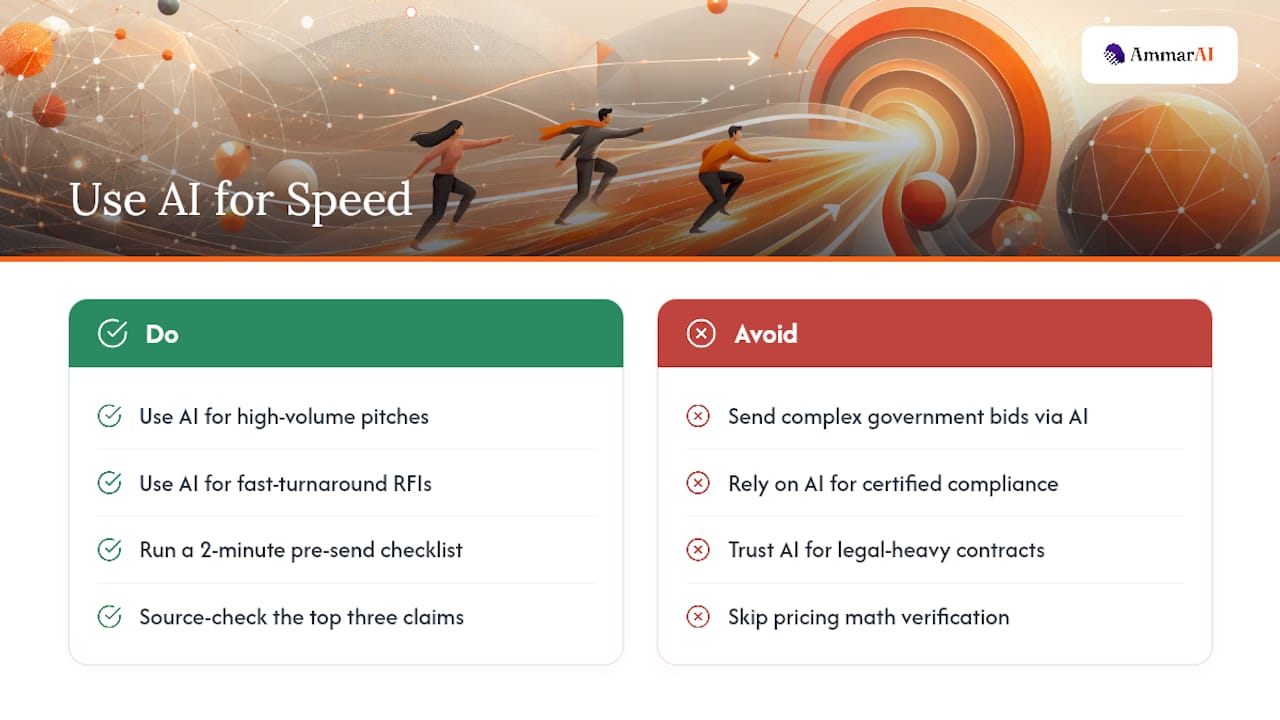
I’d draw a hard line at complex government bids, anything with certified compliance language, or legal-heavy contracts. Those need a human who understands the specific liability at stake, not a model optimizing for plausible-sounding text.
My practical suggestion: build a two-minute checklist your team runs before sending any AI-assisted proposal, source-check the top three claims, verify pricing math, confirm the tone matches the client, confirm nothing from a competitor’s name slipped in from a template. It’s tedious. It’s also the difference between AI as a genuine accelerant and AI as the reason you lost a client’s trust.
— Ahmed
Get Ammarai for Faster, On-Brand Proposals
Some AI platforms offer an all-in-one workspace that handles drafting, formatting, and brand consistency together, which can suit freelancers and small teams who need proposals to look and sound consistent without using multiple separate tools.

If you followed the workflow above, gather inputs, generate a draft, verify against your sources, export, you already know what to do next. Upload a real meeting note into AmmarAI, generate an executive summary using the Templates Library, and export it to Word to see how it holds up against your current process. Set your brand voice once, and every proposal after that starts from the same consistent baseline instead of a blank page.
Sources
Gartner’s listing on DeepRFP’s AI proposal and RFP software documents how RAG and quality-check features work in professional tools. AmmarAI’s product pages let you test the templates-and-workspace workflow described above firsthand.
- DeepRFP — AI proposal and RFP software (Gartner listing)
- DeepRFP — AI proposal generator (product page)
FAQ
Is There an AI Tool Built Specifically for Proposal Writing?
Yes. Platforms like AmmarAI combine writing tools, templates, file uploads, and team workspaces specifically to support proposal drafting, rather than relying on a general-purpose chatbot with no structure.
Can AI Write a Research Proposal?
AI can draft the structural elements of a research proposal, background, objectives, methodology outline, but the underlying research questions, citations, and methodology choices need review from someone with subject matter expertise.
Can I Use ChatGPT to Write a Business Proposal?
You can use a general chatbot to draft rough sections, but it lacks source grounding, brand templates, and file upload workflows, so you’ll do more manual fact checking and reformatting than with a dedicated proposal workspace.
Can AI Write a Full Business Proposal From Start to Finish?
AI can generate a complete first draft, executive summary through terms, when given enough source material, but pricing accuracy and compliance language still require a human check before it goes to a client.
How Long Does It Take AI to Generate a Proposal Draft?
Specialized proposal platforms commonly return a first draft in 60 to 90 seconds once you’ve uploaded sufficient source material like meeting notes or an RFP document.
Recommended
Recommended for you
- AI Phone Answering for Restaurants: Setup Checklist
Set up AI phone answering for restaurants with a practical checklist for forwarding, hours, menu updates, sold-out items, escalation, and safe routing.
- Restaurant Answering Service: What to Check
Compare restaurant answering service options for FAQs and phone orders. Check POS fit, menu modifiers, scheduling, escalation, privacy, and pricing.
- Best AI Tools for Small Business: Budget Picks
Compare the best AI tools for small business by task, price, pros and cons. Find practical picks for writing, design, CRM, video and automation tools.
Tools to try next
- Brand Voice
Define how your brand sounds once, and have every writing tool follow it.
- AI Agent Builder
Build agents that run real workflows on a schedule or trigger — reading, deciding and acting without you.
- AI Social Media Agent
An agent that plans, writes, schedules and adjusts a month of social posts across your accounts.