
AI Video12 min read
Stay On Brand with AI Brand Video Scripts: 8 Prompts for Marketers
Generate AI brand video scripts from source material and a locked brand kit. Includes 8 prompt templates, scene timing checks, and a 5 minute brand review.

Stay On Brand with AI Brand Video Scripts: 8 Prompts for Marketers
Yes. Modern AI tools can draft production-ready brand video scripts, complete with a hook, body, and call to action, tied directly to your brand assets and channel specs. The best results come from feeding the AI source material (a URL, PDF, or deck) plus a locked brand kit, not a blank prompt. Your next move: generate one draft now, then run it through a five-minute brand and timing review before it touches a storyboard.
TL;DR:
- Using source material like URLs, PDFs, or decks ensures AI-generated scripts are accurate and compliant, especially important in regulated industries.
- Locking a brand kit with tone, phrases, and CTA rules prevents drift and maintains consistent voice across all script variants.
- Post-generation editing should focus on clarity, timing, and legal review, with human oversight necessary despite AI’s drafting capabilities.
- A unified AI workspace streamlines the entire process from script creation to voice cloning and video rendering, reducing delays and file transfers.
- Starting with a pilot campaign and tracking KPIs like time-to-draft and view metrics ensures AI tools genuinely accelerate production workflows.
Table of Contents
- What AI Video Script Generators Actually Produce
- Source Material vs. Prompts: What to Feed the AI
- From Script to Storyboard: Mapping Scenes and Timing
- Keeping AI Scripts on Brand With a Locked Brand Kit
- Editing and Review: Where Humans Still Do the Real Work
- 8 Prompt Templates for Brand Video Scripts
- Why a Unified AI Workspace Speeds Up Script Production
- What Rollout Actually Looks Like in Practice
- Ready to Generate Your First On-Brand Script
- Sources
- FAQ
What AI Video Script Generators Actually Produce
An AI video script generator doesn’t just spit out paragraphs. It produces a structured set of artifacts you can hand straight to a production team: a hook line, a body section with supporting points, a CTA, scene notes, rough timing marks, caption drafts, and often a voiceover-ready version of the same copy. That’s a meaningfully different output than a generic writing tool, because it’s built to map onto a timeline, not just a page.
The smartest way to use these outputs is to treat the script as your control point, leveraging advanced AI tooling and app integrations from WOVA. Every scene, every voiceover line, every caption traces back to it, so reviewing the script catches problems before they compound in editing. This is a review-first workflow: draft, check, then render.
Where automated rendering genuinely earns its place:
- Pulling stock B-roll that matches scene descriptions automatically
- Generating AI voiceover in a consistent voice across dozens of variants
- Auto-burning styled captions for muted, sound-off social feeds
Skip the auto-render step and you’re back to manually syncing visuals to a script line by line, which is exactly the bottleneck AI is supposed to remove.
Source Material vs. Prompts: What to Feed the AI
A prompt alone gives you speed. Source material gives you accuracy. Feeding the AI script generator a URL, PDF, deck, or transcript keeps the output grounded in facts you already approved, rather than plausible-sounding claims the model invented. That distinction matters most in regulated categories (finance, health, anything with a legal reviewer in the loop), where a hallucinated stat can cost you a full approval cycle.
Prompt-only generation still has a place. It’s faster for early ideation and works fine when a human is going to rewrite most of the draft anyway. Just budget more editing time for it.
Three input templates worth stealing:
- Product launch from a product page. Paste the URL, specify the CTA (waitlist, purchase, demo request), and ask for a 30-second hook-body-CTA structure.
- Explainer from a slide deck. Upload the PDF, ask the tool to convert each slide’s key point into one script beat with a matching visual cue.
- UGC ad from a one-line brief. Give it the product, the pain point, and the tone (“skeptical friend recommending a fix”), and generate three hook variants.
Pro Tip: Keep a running folder of your best-performing hooks and CTAs from past videos. Feeding those into a prompt as reference examples pushes new drafts toward your proven voice instead of a generic one.
From Script to Storyboard: Mapping Scenes and Timing
Once a script is approved, each line needs a home on the storyboard. A single script beat typically becomes one scene: a line of dialogue or voiceover, paired with a visual direction (product shot, talking head, text overlay), and a timing estimate. Tools that keep the script connected to an editable storyboard let you adjust pacing without rebuilding the whole sequence from scratch.
Timing norms differ by format. A social clip usually runs 15 to 30 seconds with a hook inside the first three seconds. Long-form YouTube or webinar content can carry a slower build, with the CTA held until the value is delivered.
Before rendering, check:
- Caption timing against spoken pace, not just scene length
- B-roll cues that actually match what’s being said in that beat
- CTA placement (too early reads as pushy, too late gets skipped)
- Transitions between scenes that don’t cut mid-sentence
Keeping AI Scripts on Brand With a Locked Brand Kit
A script generator without brand guardrails will drift. It might nail the structure and miss your voice entirely. The fix is feeding the AI a brand kit before generation starts, not correcting tone after the fact.
A workable brand kit for script generation needs:
- A defined tone (three adjectives beat a paragraph of description)
- An approved-phrases list for product names, taglines, and claims
- A blocked-phrases list for anything legal or leadership has flagged
- CTA rules: which offer to push, and which wording is off-limits
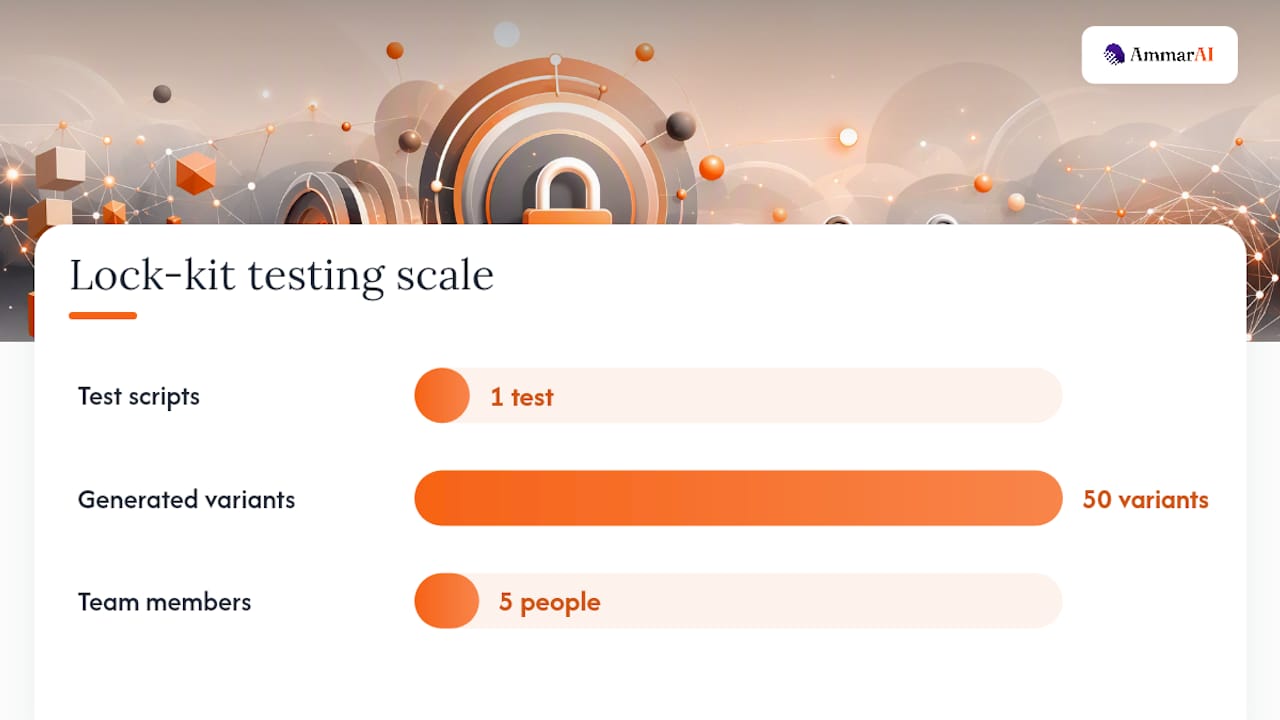
Locking approved and blocked phrases into the brand kit keeps every generated variant compliant, even when five people on your team are generating drafts in parallel.
Pro Tip: Run one test script through the brand kit before a big batch generation. If it slips on tone once, it’ll slip on all fifty variants the same way.
Before final approval, confirm: tone match, zero blocked phrases, correct CTA, and no unverified claims.
Editing and Review: Where Humans Still Do the Real Work
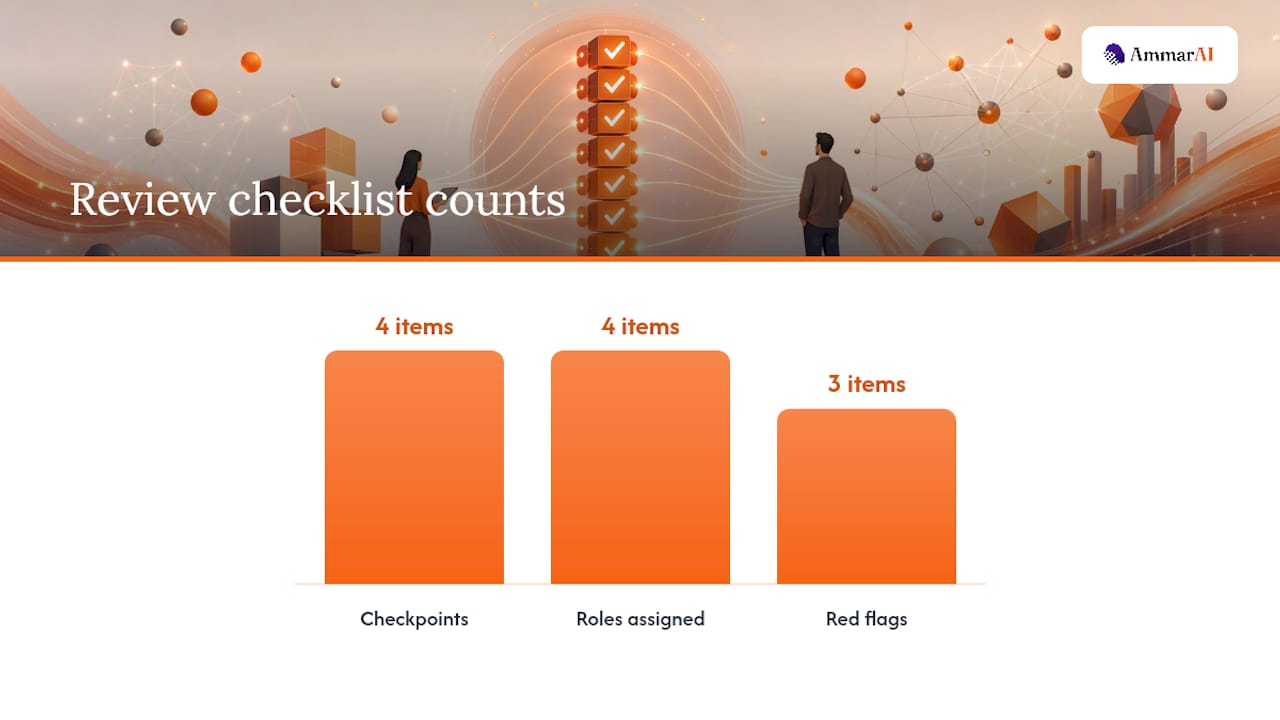
AI drafts are a starting point, not a finished asset. The efficient path runs through four checkpoints in order:
- Clarity edit. Cut anything a viewer would have to rewatch to understand.
- CTA alignment. Confirm the call to action matches the actual campaign goal, not a generic default.
- Time check. Read the script aloud with a stopwatch. If it runs long, cut lines, don’t just speed up the voiceover.
- Legal and brand sign-off. Final pass for claims, phrasing, and compliance before it moves to production.
Assign this across roles: the writer owns clarity, the brand manager owns tone and phrase compliance, the producer owns timing and feasibility, and QA owns the final read before render.
Watch for three red flags every time: invented statistics or claims the source material never mentioned, phrasing that technically fits the brief but sounds nothing like your brand, and a script that reads fine but runs 45 seconds over your format’s limit.
8 Prompt Templates for Brand Video Scripts
Different formats need different structures, and a single generic prompt won’t serve a 15-second teaser and a three-minute founder story equally well.
- UGC ad: “Write a 30-second UGC-style script for [product] targeting [pain point], tone: casual, skeptical-friend recommendation, three hook variants.”
- Product demo: “Script a 45-second product demo covering [feature 1, 2, 3], ending on a free-trial CTA.”
- Feature explainer: “Explain [feature] in under 60 seconds using the attached deck as source material, one visual cue per beat.”
- Founder story: “Write a 90-second founder narrative from this transcript, emphasizing the problem that started the company.”
- Social teaser: “Write a 15-second teaser with a curiosity-gap hook and no CTA beyond a follow prompt.”
- Tutorial: “Script a step-by-step tutorial for [task], numbered beats, one action per scene.”
- Case study clip: “Summarize this case study PDF into a 60-second script with a before/after structure.”
- Long-form brand story: “Write a three-minute brand story from this brand deck, building slowly to the CTA.”
For A/B testing, generate three hook variants and two CTA variants per script, then let performance data pick the winner rather than internal opinion.
Why a Unified AI Workspace Speeds Up Script Production
Running script generation, brand kit enforcement, voice cloning, and URL-to-video conversion in one workspace cuts the handoffs that slow most teams down. Instead of exporting a script from one tool, pasting it into a voiceover tool, then importing that into an editor, the brand kit and script history travel with you across every step.
AmmarAI applies a saved brand kit automatically across its ad and script generators, supports URL-to-video for source-led drafts, includes voice cloning for consistent narration, and handles bulk generation when you need ten variants instead of one. For a marketing team, that means fewer file transfers, one consistent voice across every output, and faster turnaround on the second, third, and tenth variant of a campaign.
What Rollout Actually Looks Like in Practice
Start with a pilot: one campaign, one product line, three to five script variants generated and reviewed over two weeks. Track time-to-draft, variant count produced per hour, approval-cycle length, and downstream view metrics once the videos publish. Measuring these operational KPIs tells you fast whether the tool is actually saving time or just moving the bottleneck.
The real barrier isn’t the AI. It’s teams skipping the brand-kit setup step because it feels slow upfront, then wondering why drafts miss the mark. Set the kit up once, properly, and every draft after it improves. Speed from AI, judgment from your team. Neither replaces the other.
Ready to Generate Your First On-Brand Script
Ammarai gives marketing teams one workspace instead of five separate subscriptions for the workflow described above. Script generation, brand kit enforcement, voice cloning for narration, and URL-to-video conversion live in the same platform with one shared history, so a script drafted from your product page carries the same brand voice into voiceover and captions without re-uploading anything.

If you’re producing creator-style ads, the AI UGC generator handles the casual, testimonial-style scripts that outline templates above described. For a full end-to-end draft, from source material to a script ready for storyboard, start with the AI video generator and feed it a URL or deck from a recent campaign. Upload one asset, generate a draft, and run it through your brand kit before your next production meeting.
Sources
FAQ
How Do You Create Brand Videos With AI?
Start with source material (a product page, PDF, or deck) and a locked brand kit, then generate a hook-body-CTA script. Review it for tone and accuracy, map it to a storyboard with scene timing, and hand it to a script-to-video tool for voiceover and captions.
Which AI Is Best for Writing Video Scripts?
The right pick depends on whether you need source-led accuracy or fast draft speed. Tools built around uploading URLs, PDFs, or transcripts tend to produce more factually grounded scripts, while consumer-facing generators prioritize quick drafts for social and marketing copy, as VEED’s script tool does.
What Is a Video Script?
A video script is the written blueprint for a video: the spoken lines, on-screen text, and visual direction organized by scene, usually broken into a hook, body, and call to action. It also carries timing marks so editors know how long each beat should run.
Can AI Video Generators Produce 18+ Content?
Mainstream AI video and script tools, including AmmarAI, are built for brand, marketing, and business use and enforce content policies that exclude explicit adult material. If your query is about age-restricted content, that falls outside what general-purpose brand video tools are designed or permitted to generate.
How Much Editing Does an AI-Generated Script Need?
That depends on the input. A script built from source material and a brand kit usually needs a light clarity and timing pass. A prompt-only draft typically needs a heavier rewrite, especially for tone and factual accuracy, before it’s ready for storyboard.
Recommended
Recommended for you
- How to Create Videos With an AI UGC Video Generator
Use an ai ugc video generator to script, cast, voice, lip-sync, review, and publish consent-based creator ads. Follow this practical workflow today.
- How to Enhance Video Quality With an AI Video Enhancer
Use an AI video enhancer to restore soft, compressed, or low-resolution footage step by step while preserving motion, faces, edits, and original audio.
- Best AI Tools for YouTube: A Buyer’s Guide
Compare the best AI tools for YouTube for scripting, editing, captions, thumbnails, and publishing, with pricing notes, pros, cons, and ideal users.
Tools to try next
- UGC Factory
Produce creator-style videos at volume with virtual actors, digital twins, voiceover and lip-synced delivery.
- Viral Clips
Turn one long video into a set of short vertical clips built for TikTok, Reels and Shorts.
- AI Video Enhancer
Upscale and restore video frame by frame for sharper detail and a higher output resolution.