
Think / AI Vision
Upload an Image and Ask AI What's In It
Drop in a photo, screenshot, or scan and ask questions directly — what's shown, what text says, what's different between two images — and get answers grounded in what the image actually shows.
What is the Chat With Image?
Chat With Image lets you upload a picture and have a real conversation about it: identify objects, read and explain text in a screenshot, describe a scene, or answer a specific question like 'what's the total on this receipt.' It looks at the actual pixels you upload, not a generic guess based on a text description.
It's built for the everyday moments where a picture holds information faster than typing it out would — a whiteboard photo, a confusing error screenshot, a diagram, a menu in another language — and you want a direct answer rather than transcribing it yourself first.
Capabilities
What you can do with the Chat With Image
How it works
Using the Chat With Image
- 01
Upload the image
Add a photo, screenshot, or scan you want to ask about.
- 02
Ask your question
Type what you want to know — a description, a detail, or a specific question.
- 03
Get a grounded answer
AmmarAI answers based on what's actually visible in the image.
- 04
Keep the conversation going
Ask follow-up questions without re-uploading; the image stays in context.
Examples
What good input and output look like
Chat With Image
Live demoWriting the prompt1/2You upload + type
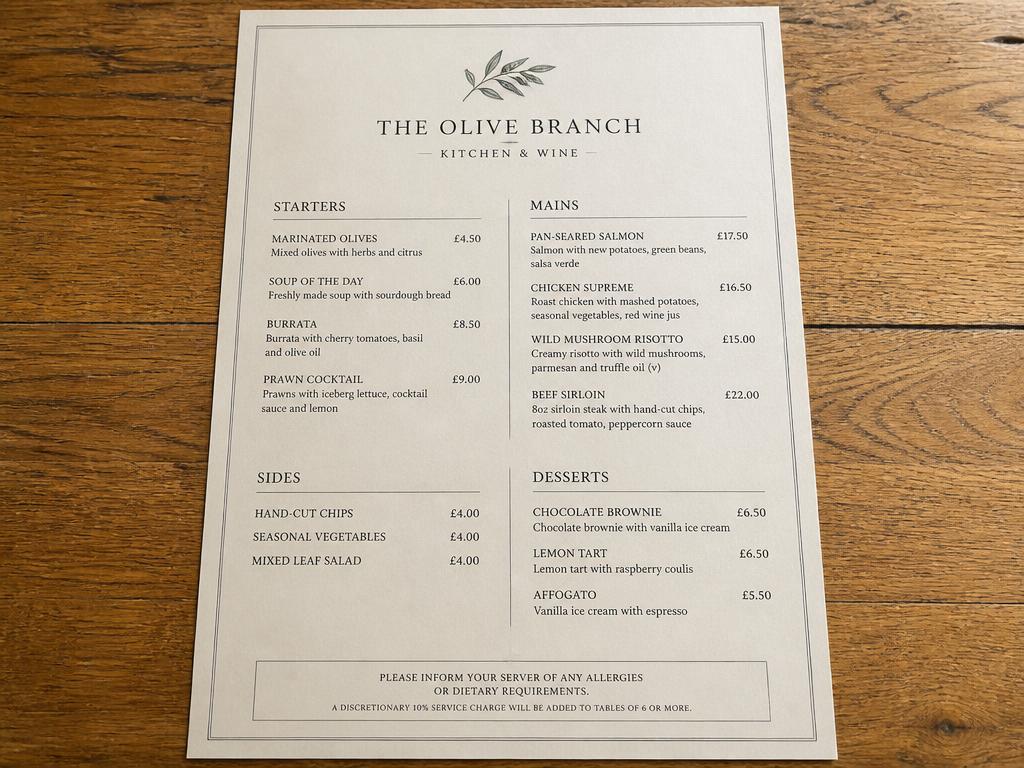 Source image attachedUploaded photo: a printed restaurant menu card on a wooden table
AmmarAI writes
Error screenshot
Input
Screenshot of a software error dialog, question: 'what's causing this and how do I fix it?'
Output
An explanation of the error message shown, what it typically indicates, and a suggested next step based on the visible text.
Receipt photo
Input
Photo of a restaurant receipt, question: 'what was the tip percentage?'
Output
A direct calculation based on the subtotal and tip amount visible on the receipt.
Key features
What the tool gives you
Grounded in the actual image
Answers reference what's genuinely visible rather than a generic guess.
Text reading
Reads and explains text embedded in photos, screenshots, or scans.
Detail-level questions
Handles specific asks, not just broad descriptions.
Multi-turn context
Keeps the image in context across a back-and-forth conversation.
Who it is for
People who get the most from this
Support teams
They troubleshoot from customer screenshots without back-and-forth clarification.
Students
They get help understanding diagrams, notes, or textbook photos.
Everyday users
They get quick answers about menus, labels, receipts, or signs in photos.
Workflows
Practical ways teams use it
Troubleshooting from a screenshot
Upload an error message and get an explanation plus a next step, without describing it in words first.
Understanding a diagram
Upload a chart or whiteboard photo and ask what it's showing or what a specific label means.
Tips that improve results
- Upload a clear, well-lit image — blurry photos reduce answer accuracy.
- Ask specific questions rather than just 'what is this' when you need a particular detail.
- Use follow-up questions in the same chat instead of re-uploading the image.
- For text-heavy images, mention which part you care about to skip past irrelevant details.
Mistakes worth avoiding
- Uploading low-resolution or heavily cropped images and expecting full detail recognition.
- Asking about something not actually visible in the image and expecting an accurate answer.
- Not verifying critical numbers or text readings against the original when accuracy really matters.
Chat With Image FAQ
What image formats can I upload?
Common formats like JPG, PNG, and screenshots work directly.
Can it read text inside an image?
Yes, it can read and explain text found in photos, screenshots, and scans.
Can I ask follow-up questions about the same image?
Yes, the image stays in context so you can keep asking without re-uploading.
Can it compare two images?
Yes, upload both and ask what's different or similar between them.
Related
Tools that pair well with this
AI Vision
Analyze images, chat with uploaded documents, or analyze any webpage — describe, extract text, compare, and question what you point it at.
AI ChatWeb Page Chat
Paste a URL and ask questions about the page's content directly, without reading the whole thing.
AI DocumentsAI Document Analyzer
Chat with uploaded documents — PDF, Word, CSV — and get summaries, answers with citations, and extracted structured data.
AI ChatAI Chat Pro
A multi-model chat with personas, reusable skills, smart memory, live web search, file uploads and organised folders — and it hands finished work to the rest of the platform.
AI ImageAI Image Editor
Edit a photo by describing the change — swap the background, remove objects, extend the frame, fix the light.
Try the Chat With Image free
One AI for everything you create. Start on the free plan and upgrade only when the volume demands it.