
Create / AI Image
Your clothes, on models, without booking anyone
Upload the flat shot of the garment you already have. Get it worn — correct fit, real fabric drape, the model and setting you choose — for product pages, lookbooks and ads.
Workflow
From input to outcome with AI Fashion Studio
A practical view of what you provide, what AmmarAI handles, and what you leave with.
What you provide
A flat-lay garment photo and the model, body type and setting you want to show it in.
What AmmarAI does
AmmarAI renders the garment worn — keeping prints, seams and trims accurate — across models, colourways and views.
What you get
Front, side and detail shots for the product page, with one consistent model across a collection.
What is the AI Fashion Studio?
Apparel sells on being worn. A folded flat lay tells a shopper nothing about fit, length or drape, and every model shoot means casting, studio, styling and a wait — repeated for each colourway.
The try-on tool takes the garment photo you already have and renders it worn: sleeve length in the right place, fabric behaving like the fabric it is, print and seams intact, shadows sitting where a real garment would create them.
Because the model is generated, you can show the same piece on different body types, ages and skin tones — the range of customers you actually sell to, not the one model you could afford.
Capabilities
What you can do with the AI Fashion Studio
How it works
Using the AI Fashion Studio
- 01
Upload the garment
A flat lay or mannequin shot, evenly lit, whole item visible, prints and details in focus.
- 02
Pick the model and setting
Body type, height, hair, skin tone, pose and location — or reuse a saved model so the collection matches.
- 03
Generate and check the fit
Review sleeve and hem length, drape and print placement. Adjust in words and regenerate.
- 04
Publish the set
Export product-page views, lookbook shots, story crops and a short product video from the same session.
Examples
What good input and output look like
AI Fashion Studio
Live demoWriting the prompt1/2You upload + type
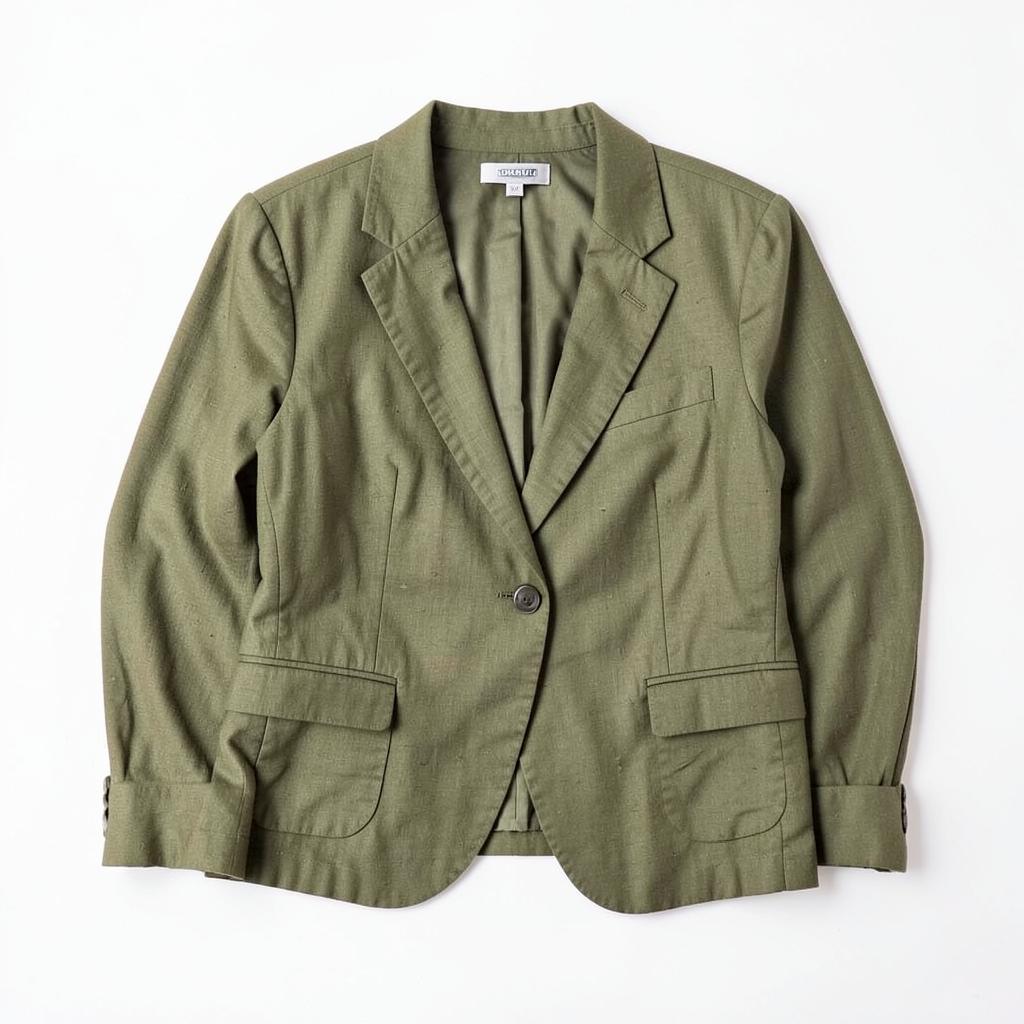 Source image attachedUploaded flat lay: an olive green linen blazer on a white background
AmmarAI renders
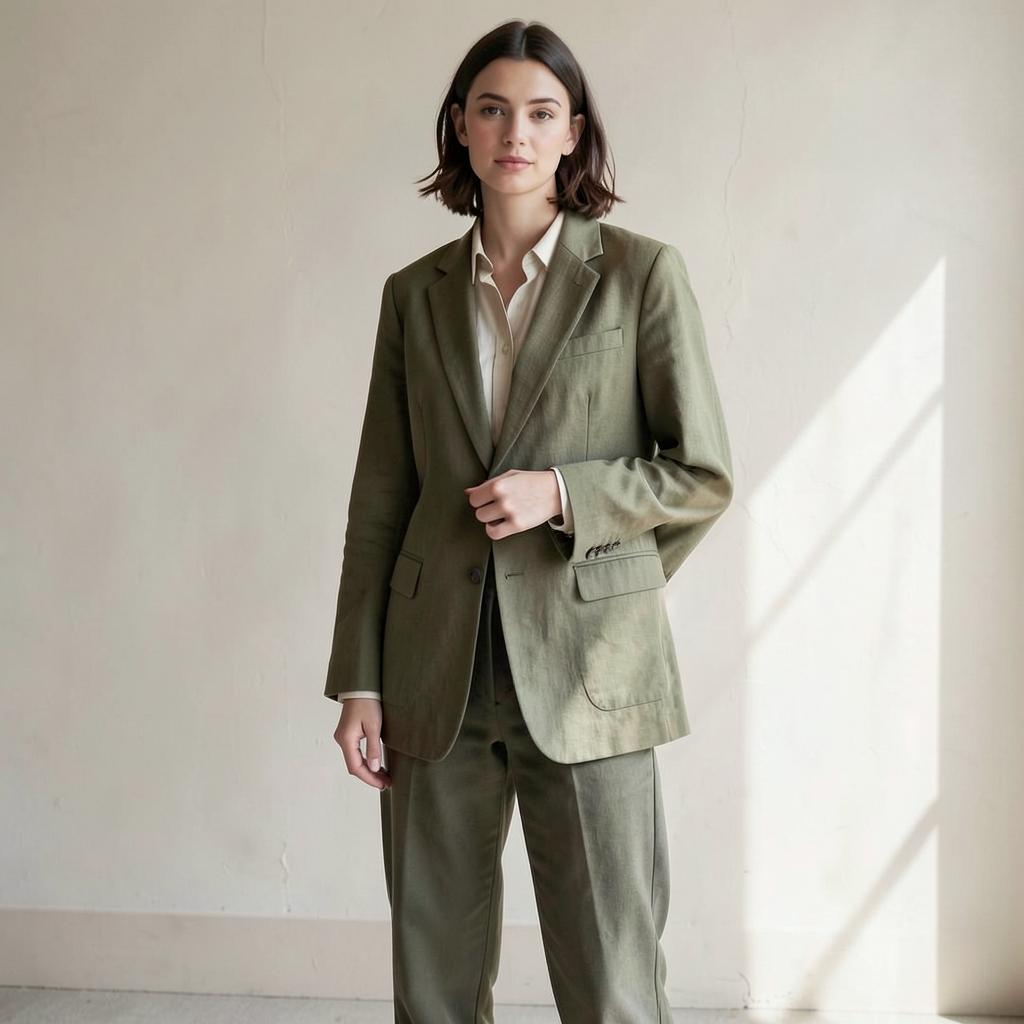
Sample try-on — the same blazer worn on a model, linen creasing and lapels intact.
The same blazer worn open on a model against a warm neutral wall — linen creasing correctly, lapels and buttons intact, plus a three-quarter and a detail crop.
Flat lay to lookbook
Input
A folded olive linen blazer photographed on white. Direction: neutral studio wall, soft daylight, relaxed pose.
Output
The same blazer worn open on a model against a warm neutral wall — linen creasing correctly, lapels and buttons intact, plus a three-quarter and a detail crop.
Flat T-shirt to model shot
Input
A cobalt blue T-shirt with thin white stripes and a small wave emblem, photographed flat. Direction: warm neutral studio, soft daylight, relaxed pose.
Output
The same striped T-shirt worn naturally on a model, with the collar, cotton texture, stripe spacing and chest emblem preserved in a polished lookbook shot.
Key features
What the tool gives you
Accurate fit and drape
Fabric behaves by type — linen creases, knit clings, denim holds structure — instead of looking painted on.
Print and detail fidelity
Graphics, stripes, seams and hardware are carried across from your photo, not reinvented.
Diverse models on demand
Show the same piece across body types, ages and skin tones so shoppers can picture themselves in it.
Reusable models
Save a model and reuse them across the whole collection for a coherent brand look.
Outfit layering
Combine several garments into one styled look to sell the full outfit, not the single item.
Every colourway
Photograph one sample and generate the entire colour range for the product grid.
Who it is for
People who get the most from this
Fashion brands
New drops need on-model imagery faster than shoots can be booked.
Online clothing stores
Supplier flat lays convert badly; worn imagery answers the fit question shoppers actually have.
Print-on-demand sellers
Show designs on real-looking garments and people instead of the same generic mockup.
Marketplace sellers
Stand out in a grid where everyone is using the identical supplier photo.
Workflows
Practical ways teams use it
Pre-launch imagery
Build the product page and the ads from a single sample before bulk stock arrives.
Inclusive size representation
Show the same garment across the sizes you sell, which reduces returns as much as it improves conversion.
Seasonal lookbooks
Restyle the existing range into a new season's setting without reshooting the collection.
Tips that improve results
- Photograph the garment flat and wrinkle-free — the model inherits whatever creases you upload.
- Say the fabric out loud in the prompt ("heavy linen", "ribbed knit") so the drape is right.
- Reuse one saved model across a collection; mixed models make a grid look chaotic.
- Check hem and sleeve length against the real garment before publishing.
Mistakes worth avoiding
- Uploading a garment on a hanger with the shape distorted and expecting an accurate fit.
- Generating a fit that flatters more than the real item does — that is a returns problem.
- Ignoring size representation and showing only one body type.
- Skipping a flat product shot; shoppers still want to see the item itself.
AI Fashion Studio FAQ
Does the garment stay accurate?
Yes — colour, print, seams and trims come from your photo. The model, pose and setting are generated around it.
Can I use the same model across products?
Yes. Save a model and reuse them so the whole collection looks shot in one session.
Do I need to disclose AI imagery?
Rules vary by market and platform. Be accurate about the product, and follow the disclosure rules of the channels you sell on.
Does it work for accessories and shoes?
Yes, worn accessories, bags and footwear work the same way; for pure product scenes use the Product Photoshoot tool.
Tutorial
How to put a garment on a model with AI Fashion Try-On
Turn the flat garment photo you already have into worn product imagery — correct fit and drape, several body types, one consistent look across a collection.
Read the tutorialRelated
Tools that pair well with this
AI Product Photoshoot
Turn one plain product photo into a full commercial shoot — studio, lifestyle and seasonal scenes.
AI ImageAI Image Editor
Edit a photo by describing the change — swap the background, remove objects, extend the frame, fix the light.
AI ImageAI Image Pro
A full image studio: generate from text, edit with a brush, keep one character or style consistent, swap backgrounds, upscale and export every size you need.
AI ImageAI Creative Suite
A drag-and-drop design editor with AI image generation — ads, social posts, invitations and banners that all match.
AI TemplatesWhy Choose This Product
Write a clear, persuasive 'why choose us' section that highlights what actually sets your product apart.
Related workflows
See how this tool fits into real work
E-commerce Sellers
AI for E-commerce
Write product descriptions, titles, and listing copy across a whole catalog without hiring a copywriter per SKU.
Marketing Teams
AI for Marketing Teams
Turn a single campaign brief into ads, emails, and landing pages without the usual back-and-forth.
Try the AI Fashion Studio free
One AI for everything you create. Start on the free plan and upgrade only when the volume demands it.