
AI Voice11 min read
Best AI Voice Generator: 6 Tools Compared
Find the best AI voice generator for narration, cloning, dubbing, and teams. Compare speech quality, language coverage, consent rules, pricing, and fit.
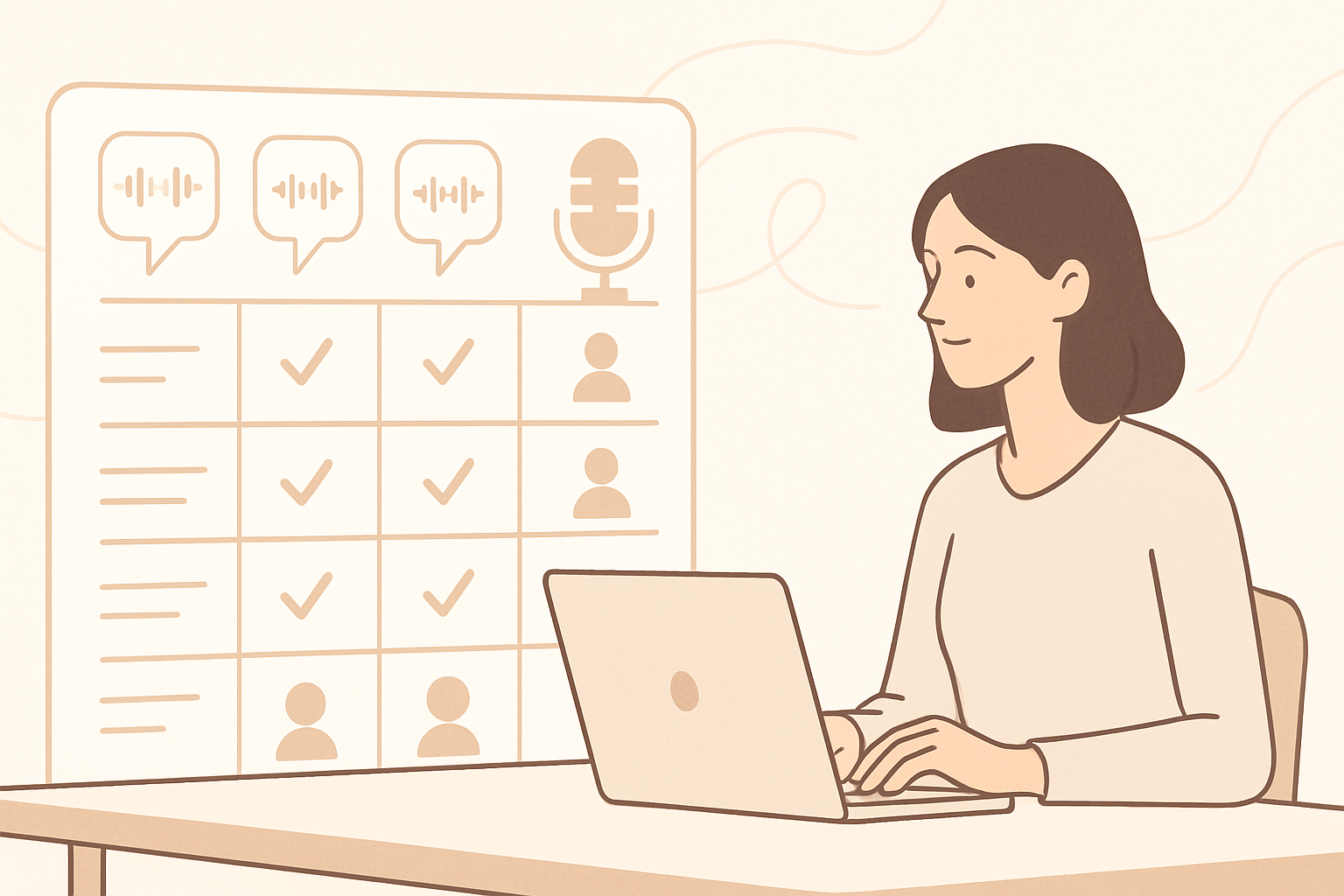
The best AI voice generator depends on the job: ElevenLabs suits expressive narration, PlayAI serves API-led production, Murf supports business teams, Descript is strongest for edit-first workflows, Speechify Studio fits fast creator voiceovers, and AmmarAI makes sense when voice is one step in a broader content workflow. We evaluated each on speech quality, language coverage, workflow, pricing structure, and voice-cloning safeguards.
How we evaluated AI voice generators
A polished demo is not enough to judge a voice platform. We tested the factors that affect real production work: pronunciation, pacing, emotional range, editing effort, language availability, export controls, and the rules governing cloned voices.
Language counts can be misleading because not every voice supports every language equally well. Before subscribing, test your exact script, including names, abbreviations, dates, technical terms, and any required regional accent.
- Speech quality: natural pacing, stable pronunciation, and limited artifacts across both short and long scripts.
- Language coverage: available languages, regional accents, and whether the same voice can speak across languages.
- Production controls: pronunciation tools, timing, emphasis, revisions, exports, and API access.
- Cloning safeguards: consent requirements, identity checks, permitted use, and removal procedures.
- Commercial fit: licensing, team features, usage limits, and the amount of work required outside the platform.
| Criterion | What to check before buying |
|---|---|
| Naturalness | Generate at least one full paragraph; short demos can hide pacing and consistency problems. |
| Language support | Confirm the specific voice-language pair rather than relying on the total language count. |
| Voice cloning | Check who may be cloned, how consent is documented, and whether verification is required. |
| Commercial rights | Read the plan terms for advertising, client work, redistribution, and synthetic voice use. |
| Workflow | Measure how many external tools are needed for scripting, cleanup, dubbing, video, and publishing. |
| Cost | Compare character or minute allowances, overage rules, cloning access, API charges, and team seats. |
AI voice generator comparison
Pricing models are included below instead of fixed amounts because vendor prices, usage allowances, and feature gates change. Follow the linked pricing page and confirm the current plan terms before purchasing.
Quality labels are relative, not guarantees. Results vary by voice, language, script structure, and generation model.
| Tool | Best for | Speech and language coverage | Voice cloning and consent | Pricing |
|---|---|---|---|---|
| ElevenLabs | Expressive narration, audiobooks, and multilingual voice work | Highly expressive speech with broad, model-dependent multilingual coverage | Professional Voice Cloning is limited to the user's verified voice; other cloning use still requires permission and compliance with platform rules | Tiered subscription and usage plans; see current ElevenLabs pricing |
| PlayAI | Developers and teams building voice into products | Broad multilingual catalog with real-time and API-oriented options; performance varies by model | Users must have the rights and consent needed for uploaded voice material; verification and cloning availability can vary | Subscription and API usage pricing; see current PlayAI pricing |
| Murf | Business presentations, training, and managed brand-voice projects | Business-focused voice catalog covering multiple languages and regional styles | Custom voice work is generally handled through controlled business arrangements and requires authorization from the voice owner | Tiered individual, business, and enterprise plans; see current Murf pricing |
| Descript | Podcast and video teams that edit voice by editing text | Strong English-first editing workflow with multilingual features; verify each required voice-language pairing | Voice creation includes an authorization process and should only be completed by or with the voice owner's consent | Tiered creator and team subscriptions; see current Descript pricing |
| Speechify Studio | Creators producing straightforward voiceovers quickly | Broad selection of voices, languages, and accents, with output varying across individual voices | Cloning requires the necessary permission and rights; users should review current eligibility and commercial-use terms | Subscription-based studio plans; see current Speechify pricing |
| AmmarAI | Marketers who want voice alongside writing, video, image, SEO, and other AI tools | Multilingual voice and dubbing workflows; check the current voice picker for a required language or accent | Only upload or clone material you own or are licensed to use; confirm current cloning availability and in-product requirements | One subscription covering 151 tools; see current AmmarAI plans |
Best for expressive narration and voice applications
ElevenLabs — Best for: expressive long-form narration and projects that need a large multilingual voice catalog. Pros: convincing pacing, useful emotional range, multilingual models, dubbing features, and developer access. Cons: usage can become expensive at scale, quality varies by voice and language, and users must understand the distinction between instant cloning and verified professional cloning.
ElevenLabs says Professional Voice Cloning is for cloning your own verified voice. Permission is still essential for any other voice material, and having an audio recording does not automatically give you the right to create a synthetic version of that speaker.
PlayAI — Best for: developers building real-time or programmatic voice experiences. Pros: API-oriented tooling, broad voice selection, real-time use cases, and multilingual options. Cons: developers need to manage integration and usage costs, the best model can depend on latency requirements, and cloning permissions remain the customer's responsibility.
PlayAI is a better fit when speech generation is part of an application rather than a file-by-file creator workflow. Test response latency and pronunciation through the intended API configuration, not only through a web demo.
| Tool | Choose it when | Watch for |
|---|---|---|
| ElevenLabs | Narrative expression and cross-language voice consistency matter most | Plan allowances, model-specific language support, and cloning verification rules |
| PlayAI | You need an API, streaming speech, or voice embedded in a product | Integration effort, latency-quality trade-offs, and variable usage charges |
Best for business teams and edit-first production
Murf — Best for: training, presentations, explainers, and business teams that need controlled production. Pros: structured project workflow, presentation-friendly voices, team features, and options for managed brand voices. Cons: it can feel restrictive for highly dramatic performances, advanced custom voice work may require an enterprise conversation, and language quality should be checked individually.
Descript — Best for: podcasters and video teams that want to revise spoken content by editing a transcript. Pros: text-based audio editing, recording and transcription in the same workflow, stock AI speakers, and convenient correction of selected lines. Cons: it is less focused on large-scale multilingual generation than dedicated speech platforms, and users who only need text-to-speech may pay for editing features they do not use.
Speechify Studio — Best for: creators who need quick narration for videos, presentations, or educational content. Pros: accessible workflow, broad voice selection, speed controls, and support for multiple languages. Cons: expressiveness varies across voices, advanced production controls may be less granular than specialist platforms, and commercial rights depend on the selected plan and voice.
For all three tools, test a complete scene rather than isolated lines. A voice that sounds clear in a ten-second sample can become repetitive during a training module or long video.
| Tool | Best voice job | Main advantage | Main limitation |
|---|---|---|---|
| Murf | Training, presentations, and brand-controlled business audio | Organized team and project workflow | Custom voice requirements may involve enterprise access |
| Descript | Podcast corrections and transcript-led video editing | Voice generation is integrated with recording and editing | Not the most focused option for multilingual TTS at scale |
| Speechify Studio | Fast creator narration and educational voiceovers | Simple path from script to usable audio | Control and consistency depend heavily on the selected voice |
Where AmmarAI fits
AmmarAI — Best for: marketers and creators who need voice generation as one part of a larger content workflow. Its AI voice generator workspace sits alongside writing, video, image, agent, SEO, and marketing tools, with 151 tools covered by one subscription.
Pros: fewer subscriptions for mixed-media work, convenient movement from script creation to voice and video, and adjacent tools for localization and cleanup. Cons: a specialist such as ElevenLabs may provide finer voice controls, while Descript offers a deeper transcript-based editor; AmmarAI can also be more platform than necessary if text-to-speech is the only feature you need.
For localization, the AI dubbing workflow is more relevant than basic text-to-speech because it addresses translated or replacement dialogue. If the source recording contains background noise or mixed audio, use the voice isolation tool before generating or replacing speech.
Creators who need a repeatable production process can also follow this guide to generating AI voiceovers. As with every platform in this guide, confirm the current language, licensing, and cloning options inside the product before committing a client project.
Voice cloning rules and consent requirements
Voice cloning is not simply another audio effect. A recording can contain biometric and identity information, and the speaker may retain publicity, privacy, contractual, or employment rights even when you legally possess the audio file.
Platform approval does not replace legal permission. Keep a consent record that identifies the speaker, permitted uses, duration, territories, distribution channels, compensation terms, and a process for withdrawing or updating consent. For sensitive or high-profile uses, obtain legal advice in the relevant jurisdiction.
Do not use a synthetic voice to impersonate someone, mislead an audience, bypass authentication, or imply an endorsement. Disclose synthetic speech when the context could reasonably cause confusion, especially in advertising, news-like content, customer support, political communication, or personal messages.
- Use stock voices according to the platform's license and your subscription terms.
- Clone your own voice only after completing any required identity or authorization checks.
- For another person's voice, obtain specific written consent before uploading recordings.
- Do not assume public speeches, podcasts, interviews, or social clips are available for cloning.
- Store source recordings and generated files with access controls appropriate to biometric or personal data.
- Review consent and licensing again before reusing a voice for a new client, market, or campaign.
| Voice source | Minimum requirement | Recommended record |
|---|---|---|
| Licensed stock voice | Follow the platform license and plan restrictions | Copy of applicable terms and project records |
| Your own voice | Complete platform verification and avoid deceptive use | Verification record and a list of authorized accounts |
| Employee or contractor | Obtain voluntary, specific permission beyond a general recording release | Signed consent defining uses, term, payment, and withdrawal process |
| Actor or hired voice talent | Secure explicit synthetic-voice and reuse rights | Contract covering model training, generated output, channels, and territories |
| Celebrity, public figure, or private individual | Do not clone without clear authorization and legal review | Direct authorization plus documentation of publicity and commercial rights |
Our pick by user type
Our pick is not one universal winner. Choose ElevenLabs for expressive narration, PlayAI for embedded voice applications, Murf for structured business production, Descript for transcript-led editing, Speechify Studio for quick creator voiceovers, and AmmarAI when voice is part of a broader marketing or content workflow.
Start with a real script and generate the same 60 to 90 seconds in each shortlisted platform. Include difficult names, a number, an abbreviation, a question, and at least one emotional transition. Then compare correction time, not just the first output: the best AI voice generator is the one that produces publishable audio with acceptable licensing, consent controls, and total workflow cost.
| User or job | Our pick | Reason |
|---|---|---|
| Audiobook or expressive long-form narrator | ElevenLabs | Strong control over natural delivery and broad multilingual voice options |
| Developer building a real-time voice feature | PlayAI | API and streaming-oriented speech generation |
| Corporate training or presentation team | Murf | Structured projects, collaboration, and business-friendly production |
| Podcast or talking-head video editor | Descript | Generated speech works inside a transcript-based editing environment |
| Creator making straightforward voiceovers | Speechify Studio | Accessible workflow and broad voice selection |
| Marketer producing scripts, voice, video, and SEO assets | AmmarAI | Voice is included within a 151-tool workspace rather than sold as an isolated workflow |
Frequently asked questions
What is the best AI voice generator for natural speech?
ElevenLabs is a strong starting point when expressive narration is the priority, but naturalness depends on the specific voice, language, and script. Test a full paragraph with your real terminology because polished demo clips do not show long-form consistency.
Can I legally clone someone else's voice?
Only with clear permission and the necessary contractual, privacy, publicity, and commercial rights. Owning a recording or finding it online does not grant permission to build a synthetic voice from it.
Do AI voice generator plans include commercial rights?
Commercial use depends on the platform, plan, voice, and intended distribution. Check restrictions covering advertising, client work, paid media, redistribution, and cloned voices before publishing.
What is the difference between text-to-speech and AI dubbing?
Text-to-speech turns a written script into audio, while dubbing replaces or localizes speech within existing video or audio. Dubbing usually adds translation, timing, speaker matching, and synchronization requirements.
How should I test an AI voice generator before paying?
Run the same representative script through each shortlisted tool and export the result in your required format. Compare pronunciation corrections, pacing edits, language accuracy, generation limits, licensing, and the time needed to reach a publishable result.
Recommended for you
- Branded Content Teams: 5 Step Structured Data for AI, One Workspace
Scale branded content with structured data for AI. Create voice docs, JSON schemas, and validation to run 5 step bulk batches in one integrated workspace.
- Broadcast Quality in Minutes: AI Voiceovers for Creators
Practical workflow for creators and marketers to produce broadcast quality AI voiceovers. Use SSML, manage latency, and keep a single brand voice in one...
- Automate YouTube Shorts in an Afternoon: Blueprint for Engineers
An engineer friendly blueprint to automate YouTube Shorts: every pipeline stage mapped to tools, a checklist, and a one workspace shortcut.
Tools to try next
- AI Voiceover & Voice Clone
Generate natural-sounding voiceovers in 150+ languages and dialects. Clone your own voice or choose from a large library of neural voices, with control over tone, speed, and emotion.
- Realtime Voice Chat
Talk out loud with AI and get spoken replies back, in a live back-and-forth conversation.
- AI Agent Builder
Build agents that run real workflows on a schedule or trigger — reading, deciding and acting without you.