
AI Voice10 min read
Broadcast Quality in Minutes: AI Voiceovers for Creators
Practical workflow for creators and marketers to produce broadcast quality AI voiceovers. Use SSML, manage latency, and keep a single brand voice in one...
Broadcast Quality in Minutes: AI Voiceovers for Creators
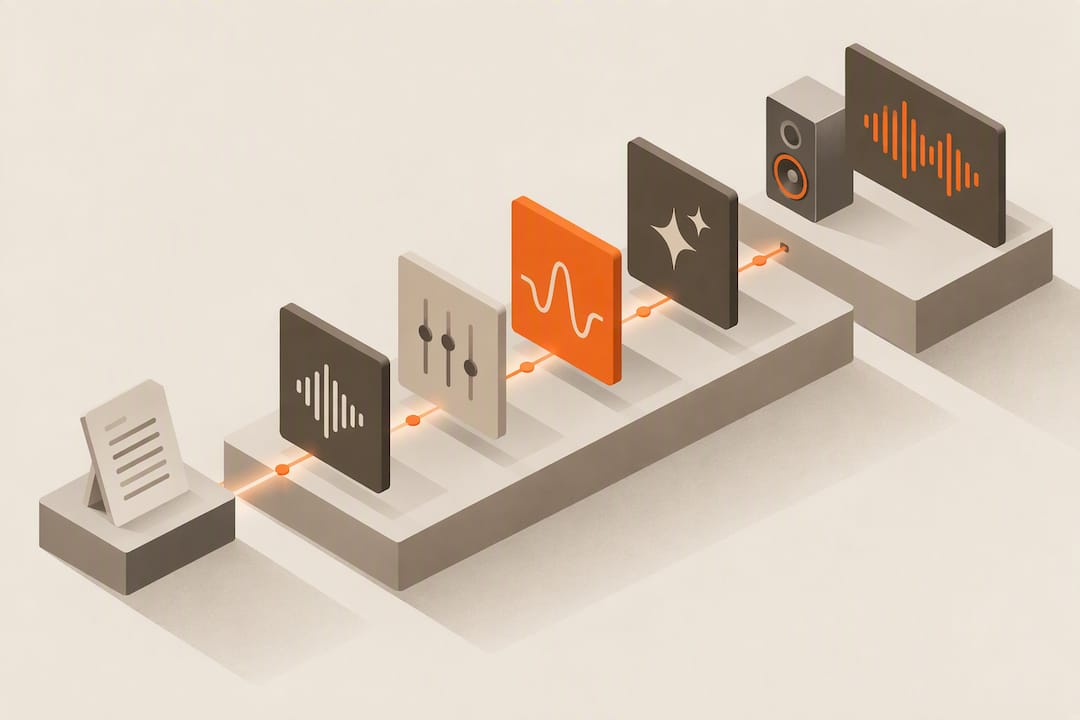
Modern AI voiceover tools can produce commercial ready narration in minutes, and the difference between a flat robotic clip and a broadcast quality one usually comes down to two things: the model you pick and the controls you actually use. Yes, this technology is ready for ads, explainer videos, and podcasts today. Paste a short script, generate a test clip, and listen before you commit to a full production run.
TL;DR:
- High-quality AI voiceover depends heavily on proper controls, with emotional tone adjustments and SSML support being critical for natural delivery.
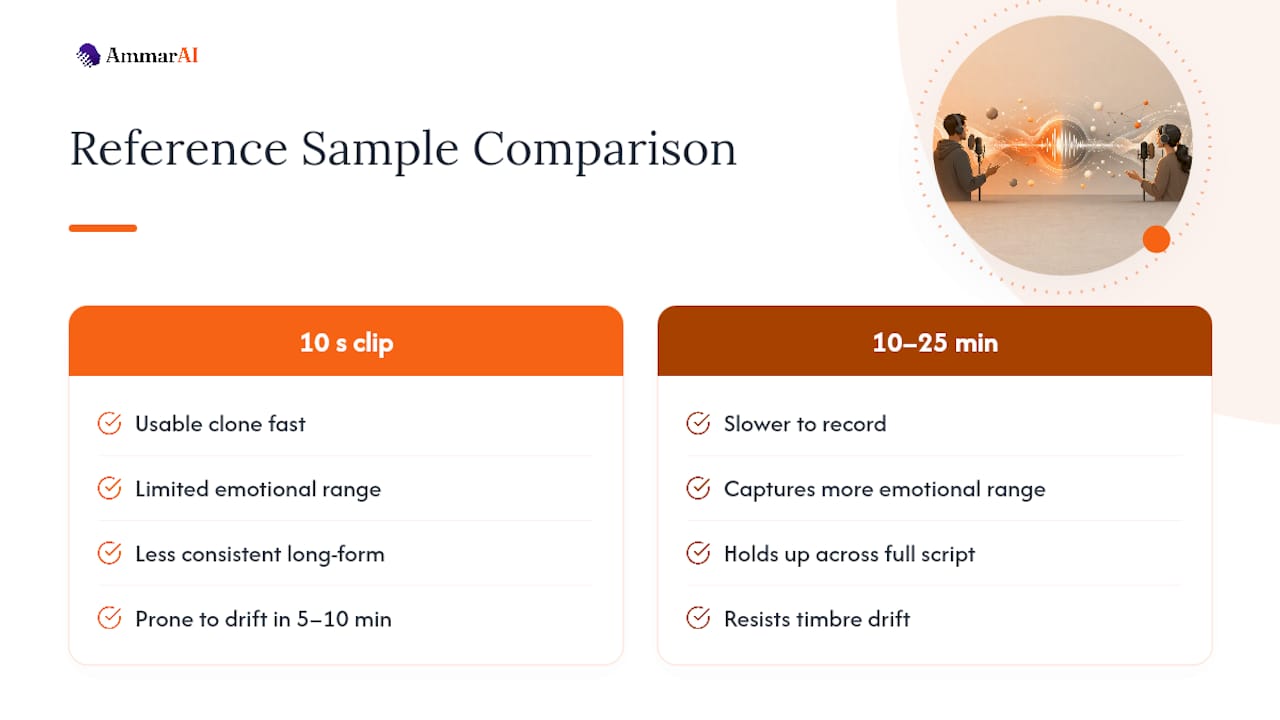
- Voice cloning requires at least 10 seconds of clear audio for basic results, but 10 to 25 minutes yield more emotionally rich and consistent voices.
- For long-form narration, models optimized for extended speech are necessary to prevent tone drift after a few minutes.
- Export formats like WAV for video and MP3 for podcasts are standard, but confirm platform specifications before final production.
- Using a single workspace that integrates scripting, voice generation, and editing enhances consistency and reduces quality loss during project handoffs.
Table of Contents
- What Can an AI Voiceover Tool Actually Do?
- How Do You Choose the Right Voiceover Approach?
- From Script To Finished Audio: A Step-By-Step Workflow
- Advanced Techniques For Production-Grade Voiceovers
- Why A Single Workspace Changes The Output
- Try AmmarAI’s Voiceover Tools
- Where To Verify The Technical Details
- Sources
- FAQ
What Can an AI Voiceover Tool Actually Do?
An AI voiceover tool converts written text into spoken audio using neural speech models trained on thousands of hours of recorded speech. That is the technical term, text to speech, or TTS, and it is worth knowing because most product pages use it interchangeably with “AI voiceover.” Underneath the marketing language, every platform is doing the same basic job: predicting how a sentence should sound, then rendering it as audio.
What separates a usable tool from a mediocre one is the feature set layered on top of that core function.
- Preset voices with emotional controls. Good platforms let you dial tone up or down (excited, calm, serious) rather than forcing one flat delivery across an entire script.
- Multilingual and cross-lingual synthesis. Google Cloud’s Text-to-Speech service covers 75+ languages and more than 380 voices, and it supports zero-shot cross-lingual generation, meaning a voice’s character can carry over even when the language changes.
- Voice cloning with different sample requirements. Some platforms build a usable clone from a 10-second clip; professional-grade clones with fuller emotional range typically need 10 to 25 minutes of clean reference audio.
- SSML and pronunciation control. Amazon Polly supports SSML tags and custom lexicons, which is how production teams fix a mispronounced brand name or product term.
- Flexible output formats. Look for direct MP3, WAV, or OGG export, plus straightforward importing into video editors and podcast hosting platforms.
- Latency options for different use cases. Pre-recorded video narration can use higher-fidelity, slower models; live agents need near-instant response.
How Do You Choose the Right Voiceover Approach?
The right approach depends on what you are producing, not which tool has the flashiest demo. A 30-second promo and a two-hour audiobook chapter need different models, different controls, and different budgeting logic.
- Match voice style to content type. Ads and social clips benefit from expressive, punchy short-form voices; long-form narration needs a model built to hold a consistent timbre for extended runs.
- Plan for language and localization early. If you are dubbing into multiple markets, decide whether you need full dubbing or subtitle-based translation, since that choice affects script structure from the start.
- Know your latency requirement. Batch-generated video narration tolerates a few seconds of processing time; interactive voice agents do not. MAI-Voice-2 is built for exactly that split, offering both long-form optimization and a flash, low-latency mode for real-time use.
- Check for the controls you’ll actually need. SSML support, custom lexicons, multi-speaker assignment, and batch export separate hobbyist tools from production ones.
- Understand the pricing model. Some platforms bill by character count, others by audio minutes generated, and commercial licensing terms vary. Confirm before you scale a campaign.
- Document consent for any cloned voice. If you are cloning your own voice or a colleague’s, keep a record of consent and usage rights. This matters more as cloning becomes standard practice in marketing production.
Pro Tip: Generate the same 15-second script through two or three voice options before locking a decision. Small differences in pacing become obvious only when you hear the same words rendered by different models back to back.
From Script To Finished Audio: A Step-By-Step Workflow
Good voiceover production is a checklist, not a single click. Here is the sequence that keeps quality consistent from the first draft to the final export.
- Write for the ear, not the eye. Shorten sentences, cut subordinate clauses, and mark where a pause or emphasis should land. A script that reads clean on a page often sounds rushed out loud.
- Generate short test samples before committing. Run the same paragraph through two or three voices and compare pacing, warmth, and how naturally each handles punctuation.
- Apply SSML or built-in prosody controls. Insert pauses around key phrases, add emphasis on product names, and fix pronunciation issues before generating the full script.
- Decide between cloning and a preset voice. Clone when brand consistency across dozens of videos matters; use a preset when you need speed and the voice itself is not part of your brand identity.
- Export in the right format for your destination. Video editors typically want WAV at a consistent sample rate; podcast hosts are usually fine with MP3. Confirm your platform’s import specs before final render.
- Run final quality checks. Normalize loudness, apply light EQ if the voice sounds thin, and listen to the clip inside your actual video or podcast, not in isolation.
Quick pre-export checklist:
- Script reviewed for awkward phrasing when read aloud
- Pronunciation of names and technical terms confirmed
- SSML pauses placed around key transitions
- Export format matches your video editor or podcast host
- Loudness normalized and checked in context, not solo
Advanced Techniques For Production-Grade Voiceovers
SSML is the tool most creators underuse, and it is the fastest way to close the gap between “obviously synthetic” and “sounds like a real person.” A tag like <break time="200ms"/> inserted before a key phrase recreates the breathing pause a human narrator takes naturally, and Amazon Polly’s SSML documentation shows how emphasis tags stack with those breaks to control cadence at a granular level.
For long-form work, timbre drift is the real risk. Conversational models tuned for short clips can start to sound subtly different after five or ten minutes of continuous speech, so long-form–optimized models matter more than most people realize once you’re narrating anything past a two-minute video.
Voice cloning quality scales with sample length. A 10-second clip gets you a usable clone fast, but longer reference recordings, in the 10 to 25 minute range, capture more emotional range and hold up better across an entire script.
If you’re building anything interactive, like a voice-driven customer support agent, test inference speed directly rather than trusting a spec sheet. Flash or low-latency modes exist for a reason.
Pro Tip: Run a final pass with a podcast-standard loudness target (around negative 16 LUFS for most podcast platforms) and a touch of compression. It smooths out volume spikes that make synthetic voices sound harsh on headphones.
Why A Single Workspace Changes The Output
Handoffs are where voiceover projects lose quality. A script gets written in one tool, cloned in another, edited into video somewhere else, and by the third handoff nobody remembers which take had the right pronunciation. Working inside one workspace with a saved brand voice preset cuts that friction to almost nothing. Run one short test project start to finish, script to final export, before you commit to a bigger campaign. You’ll feel the difference immediately.
— Ahmed
Try AmmarAI’s Voiceover Tools
Some platforms give AI text to speech, voice cloning, and dubbing inside the same workspace where you can write scripts, generate video, and manage brand assets. That means no exporting a script to one tool, a clone to another, and video to a third. One brand voice preset carries across every voiceover generated, so a product launch narrated in March sounds like the same brand in October.

Marketers use it to voice ad variants without rebooking a studio; podcasters use it to keep a consistent host voice across episodes recorded weeks apart; small business owners use it to add professional narration to product videos without hiring outside talent. If you’re ready to hear what your script sounds like, try AI Text to Speech or explore voice cloning and narration tools to generate your first clip today.
Where To Verify The Technical Details
For readers who want to check language coverage, SSML syntax, or latency specs directly:
- Google Cloud Text-to-Speech for language and voice-count details
- Amazon Polly for SSML tag reference
- MAI-Voice-2 for long-form and low-latency model specs
- Tts for engine-by-engine trade-offs
Sources
- Text-to-Speech: Lifelike AI voices and speech synthesis | Google Cloud
- Amazon Polly - AI Voice Generator
- Tts
FAQ
Can AI voiceovers sound as good as a human narrator?
For most ads, explainer videos, and podcast intros, yes, especially when you use SSML controls for pacing and emphasis rather than relying on default settings. Long-form narration needs a model built to hold timbre steady over time, since some conversational models drift after five to ten minutes of continuous speech.
How much audio do I need to clone a voice?
A usable clone can be built from as little as 10 seconds of clean audio on some platforms, but professional-grade clones with fuller emotional range generally need 10 to 25 minutes of reference recording. Longer, cleaner samples across varied phonetic contexts produce more consistent results in multilingual dubbing.
What file format should I export my voiceover in?
WAV at a consistent sample rate works best for importing into video editors, while MP3 is standard for most podcast hosting platforms. Check your destination platform’s import specs before your final render to avoid a quality mismatch.
Do I need SSML to make voiceovers sound natural?
You don’t need it for a quick draft, but it makes a noticeable difference in production work. Tags that control pause timing and emphasis recreate natural breathing patterns and conversational rhythm that flat text-to-speech output tends to miss.
Is AmmarAI good for creating AI voiceovers for videos?
AmmarAI includes AI text to speech, voice cloning, and dubbing inside the same workspace used for scripting and video editing, which keeps brand voice consistent across a whole campaign. You can test a short clip through AI Text to Speech before committing to a full script.
Recommended
Recommended for you
- AI Collaboration for Teams: How to Make It Work
What AI collaboration for teams really means, what research shows it can and can't do, and a practical rollout plan for shared context, brand voice and review.
- Brand Prompts for AI: Copy-Ready Templates for Your Brand
Copy-ready brand prompts for AI: audience, positioning, voice, story, visuals and daily content, plus how to review the output before it goes live.
- Best AI Voice Generator: 6 Tools Compared
Find the best AI voice generator for narration, cloning, dubbing, and teams. Compare speech quality, language coverage, consent rules, pricing, and fit.
Tools to try next
- AI Voiceover & Voice Clone
Generate natural-sounding voiceovers in 150+ languages and dialects. Clone your own voice or choose from a large library of neural voices, with control over tone, speed, and emotion.
- Realtime Voice Chat
Talk out loud with AI and get spoken replies back, in a live back-and-forth conversation.
- Brand Voice
Define how your brand sounds once, and have every writing tool follow it.