
AI Tools10 min read
Best All in One AI Platform: 6 Tools Compared
Compare the best all in one ai platform options by features, pricing, trade-offs, and ideal user, plus the cost of a separate specialist stack today.
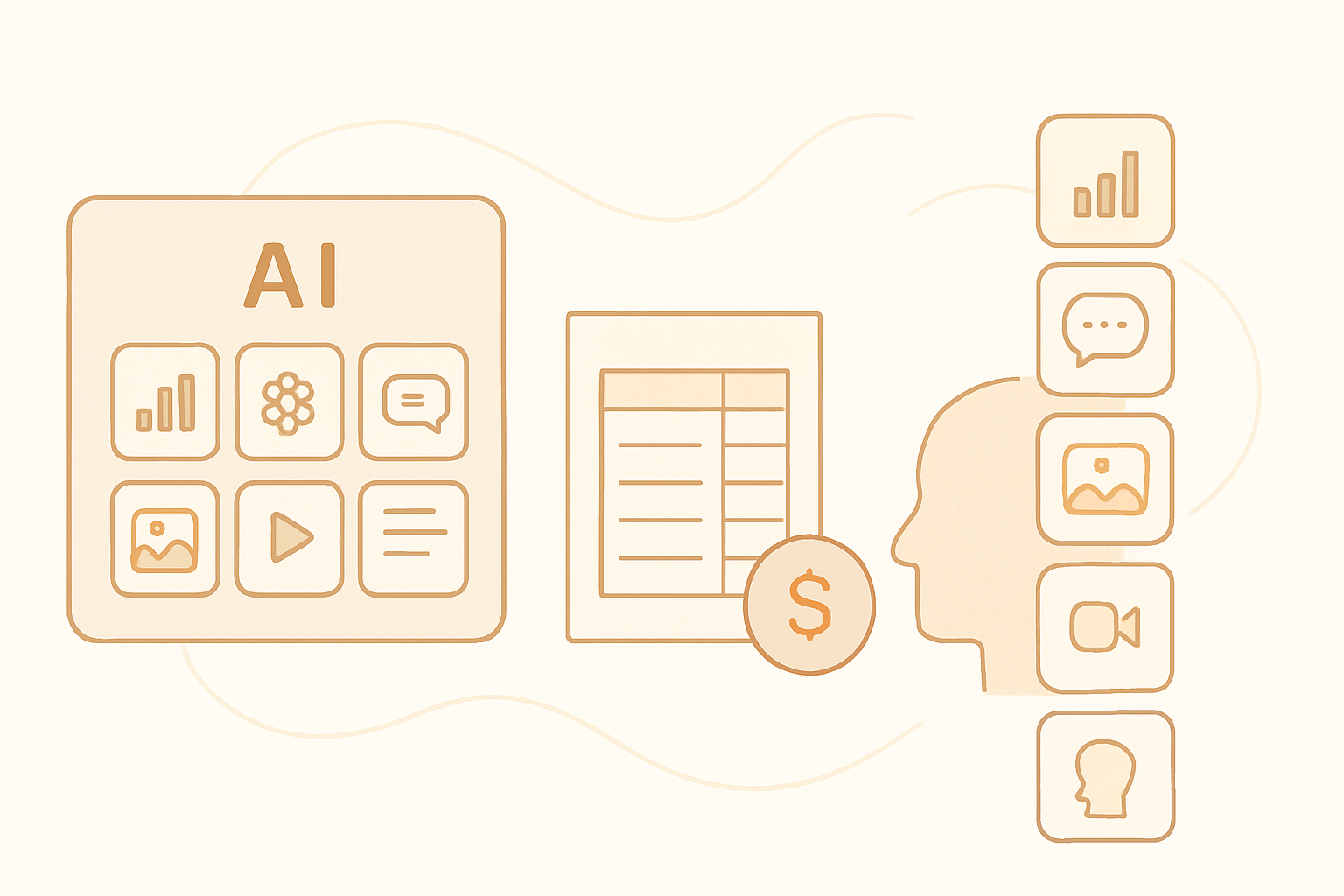
The best all in one ai platform is the one that replaces the most tools your team actually uses without weakening its core workflow. AmmarAI fits multi-format creators, Canva suits design-led teams, ChatGPT handles general assistance, and Jasper supports governed marketing. Specialists remain stronger for advanced SEO, voice, video editing, and image control.
How we evaluated all-in-one AI platforms
This guide evaluates breadth, output quality, workflow depth, ease of use, pricing transparency, and the practical number of subscriptions each platform can replace. We also considered whether a platform offers connected workflows or merely places unrelated generators in one dashboard.
Breadth alone is not enough. A bundle becomes useful when its writing, image, video, voice, SEO, and automation features cover routine production without forcing users to export every asset into another service. AmmarAI’s platform capabilities, for example, span several content formats, while design-led platforms concentrate more heavily on visual production.
- Breadth: writing, images, video, voice, SEO, agents, and marketing tools.
- Depth: control, editing options, brand consistency, and output quality within each feature.
- Workflow: templates, asset reuse, collaboration, exporting, and connected tasks.
- Limits: generation caps, credits, storage, seats, and access to premium models.
- Value: how many existing subscriptions the platform can realistically replace.
- Ideal user: the team or creator most likely to benefit from the platform’s strengths.
All-in-one AI platform comparison
Pricing changes frequently, and plans often differ by region, billing cycle, usage limits, and seats. The pricing column therefore links to each vendor rather than presenting potentially outdated current quotes.
The pros and cons focus on practical purchasing trade-offs. A platform with more features is not automatically better if its strongest tools do not match your main production workflow.
| Platform | Best for | Pricing | Pros | Cons |
|---|---|---|---|---|
| AmmarAI | Best for creators and lean marketing teams producing several content formats | See current AmmarAI plan details. | One subscription covers 151 tools across writing, video, image, voice, agents, SEO, and marketing; broad enough to consolidate routine production. | A specialist editor or model may provide more precise controls for a single advanced task; teams focused on only one format may not use the full catalog. |
| ChatGPT | Best for general assistance, research support, drafting, analysis, and conversational workflows | Pricing changes; see OpenAI’s ChatGPT plans. | Strong conversational interface; useful for reasoning, file analysis, drafting, and flexible custom workflows. | Not a complete SEO, publishing, brand-asset, or production-editing suite; output still requires verification. |
| Canva | Best for design-led teams creating presentations, social graphics, and reusable brand assets | Pricing changes; see Canva plan pricing. | Accessible visual editor; large template ecosystem; good collaboration and brand-kit workflows. | Long-form writing, technical SEO, agent workflows, and advanced audio production are not its main strengths. |
| Jasper | Best for marketing departments that need brand-controlled content workflows | Pricing changes; see Jasper’s pricing page. | Marketing-focused workflows; brand voice controls; campaign-oriented features for teams. | Less useful as a broad creative suite for users prioritizing image editing, voice, or full video production; cost may be difficult to justify for occasional writing. |
| Simplified | Best for social teams wanting content generation, design, and publishing in one interface | Pricing changes; see Simplified plan options. | Combines writing, design, video, and social workflows; convenient for recurring channel content. | Breadth can come with less depth than dedicated editors; plan limits and included features need close review. |
| Adobe Express | Best for users who want quick branded content within the Adobe ecosystem | Pricing changes; see Adobe Express plans. | Good templates, brand controls, quick visual editing, and access to Firefly-powered creation features. | Not a full replacement for advanced professional editors; writing, SEO, and agent functions are less comprehensive than broader AI workspaces. |

What a separate specialist subscription stack can cost
The table below is a historical cost illustration, not a current quote. Figures are US monthly list prices checked on June 30, 2024, using monthly billing before tax and without annual discounts. Visit each linked vendor page to verify current prices and limits.
At those historical prices, the five-tool example totaled $184.94 per month. It is not a perfect feature-for-feature comparison: each service has different credits, quality levels, and usage rules, while some teams would need higher tiers.
A bundle only saves money when it replaces subscriptions you would otherwise pay for. Compare the stack total with the plan shown on the AmmarAI subscription page, then account for any specialist tool you would still keep.
| Tool or stack item | Historical monthly list price | Best for | Pros | Cons |
|---|---|---|---|---|
| ChatGPT Plus | $20 | General drafting, analysis, and conversational assistance | Flexible across many text and reasoning tasks. | Does not replace dedicated SEO, design, publishing, or media-editing software. |
| Canva Pro for one person | $14.99 | Template-based design and brand assets | Fast visual production with a familiar editor. | Advanced generative controls and non-design workflows remain limited. |
| ElevenLabs Starter | $5 | AI voice generation | Focused voice tools and a low-cost entry tier at the checked date. | Usage allowances are limited, and it does not cover writing, design, SEO, or full video editing. |
| Descript Creator | $15 | Transcript-based audio and video editing | Convenient editing for podcasts and talking-head content. | Not intended to replace a complete marketing, SEO, or design workspace. |
| Semrush Pro | $129.95 | SEO research, tracking, and competitive analysis | Deeper SEO datasets and reporting than most broad bundles. | The largest cost in this example; broader creative generation is not its core function. |
| Separate specialist stack total | $184.94 | Teams requiring dedicated tools across five workflows | Greater depth in several individual categories. | Five bills, separate interfaces, duplicated features, and assets spread across services. |
| AmmarAI bundle | Verify current plan | Creators who need routine writing, image, video, voice, SEO, agent, and marketing tools | One subscription and a consolidated catalog of 151 tools. | May not eliminate a high-end specialist subscription used for demanding production work. |
Where bundles win and specialists remain stronger
Bundled platforms usually win on convenience, predictable administration, and routine content production. They reduce context switching and make it easier for one person to move from a brief to copy, visuals, narration, and promotion.
Specialists still tend to beat bundles on individual features. A dedicated SEO suite can offer larger datasets and deeper reporting; a focused voice service can provide finer delivery controls; and a professional video editor can handle timelines, color, audio mixing, and revisions more precisely.
Writing follows the same pattern. Broad workspaces are efficient for drafts and repurposing, but teams with a narrow editorial requirement should compare dedicated products in this guide to AI writing software.
| Approach | Best for | Pros | Cons |
|---|---|---|---|
| All-in-one AI platform | Solo creators, small teams, agencies with varied deliverables, and marketers consolidating subscriptions | One account; lower administrative overhead; connected formats; less duplicated functionality. | Individual generators and editors may offer fewer expert controls than category specialists. |
| Specialist point-tool stack | Production teams with demanding requirements in one or two disciplines | Deeper features, finer controls, and workflows designed for a specific professional task. | Higher combined cost; multiple interfaces; fragmented files, billing, permissions, and learning curves. |
| Hybrid setup | Teams with broad everyday needs plus one business-critical specialty | A bundle handles routine work while one specialist provides depth where quality matters most. | Some subscription overlap remains, so savings depend on actively cancelling redundant tools. |
How to choose without paying for unused features
Start with the work completed during a normal month, not an aspirational feature list. Record which tools are used, who uses them, what each plan costs, and which outputs need substantial correction.
Next, run the same representative task through each shortlisted platform. For marketing content, that might mean creating a brief, article draft, social variations, image, short video, narration, and SEO metadata. Review the time spent editing rather than judging only the first generated result.
Finally, inspect plan limits before moving a workflow. Video minutes, voice characters, image credits, model access, exports, storage, and seats can change the effective price substantially.
- List the subscriptions you can genuinely cancel after switching.
- Test with a real brief containing your usual brand and formatting requirements.
- Check commercial-use terms and data-handling policies for your organization.
- Measure editing time, failed generations, and export steps during the trial.
- Keep a specialist tool when its extra control materially affects revenue, compliance, or production quality.
- Review the available AI tool catalog rather than assuming every listed category has the same depth.
Our pick by user type
There is no universal winner. The practical choice depends on which workflow must be deepest and how many subscriptions you want to consolidate.
AmmarAI fits users who regularly cross formats and want writing, images, video, voice, agents, SEO, and marketing tools under one subscription. It is less compelling for a team that only needs one highly specialized production feature and already has a preferred professional tool.
| User type | Our pick | Why | Important compromise |
|---|---|---|---|
| Solo creator producing multiple formats | AmmarAI | Its 151-tool workspace can cover routine ideation, writing, visual, voice, video, SEO, and promotion tasks without assembling a large stack. | Keep a specialist editor if one format requires advanced production control. |
| Small marketing team consolidating subscriptions | AmmarAI | Broad coverage and one subscription make it a practical consolidation candidate. | Audit usage limits and test brand consistency before migrating every workflow. |
| Design-first social team | Canva | Its editor, templates, brand assets, and collaborative design workflow are more mature than those of many general AI workspaces. | Expect to use another service for deep SEO, agent, or advanced writing workflows. |
| General knowledge worker | ChatGPT | The conversational interface is effective for drafting, file analysis, planning, and flexible assistance. | It is not a complete content operations or publishing environment. |
| Marketing department requiring brand governance | Jasper | Its positioning and workflows are built around controlled marketing content. | It may not replace dedicated visual, video, voice, or SEO production systems. |
| Social publishing team wanting a broad interface | Simplified | Creation and channel workflows are brought together for recurring social output. | Test the depth of each included feature before replacing specialist services. |
| Existing Adobe-oriented team | Adobe Express | It provides a straightforward route to branded visual creation within a familiar ecosystem. | Advanced production work may still require more capable professional editors. |
| Team with one critical specialist workflow | Hybrid setup | Use an all-in-one platform for routine output and retain the one specialist that materially improves results. | This preserves some overlapping cost, but usually avoids rebuilding an entire point-tool stack. |
Frequently asked questions
What is an all in one AI platform?
An all in one AI platform combines several AI creation or productivity functions under one account and subscription. Common categories include writing, images, video, voice, automation, agents, SEO, and marketing tools, although the depth of each category varies.
Is an AI bundle cheaper than separate tools?
It can be, but only when the bundle lets you cancel subscriptions you currently use. Compare monthly costs, seats, credits, and the value of any specialist service that still needs to remain in your stack.
Can one AI platform replace every specialist tool?
Usually not. Bundles handle routine cross-format work efficiently, while specialist products often provide deeper controls, larger datasets, or more mature editing workflows for demanding tasks.
What limits should I check before subscribing?
Check generation credits, video minutes, voice allowances, model access, storage, export quality, seats, and commercial-use terms. A low advertised price can become less attractive if normal production requires a higher tier.
Who is AmmarAI best suited to?
AmmarAI is suited to creators and lean marketing teams that regularly need writing, video, image, voice, agent, SEO, and marketing functions. Teams dedicated to one advanced discipline should test that feature carefully and may prefer a hybrid setup with a specialist tool.
Recommended for you
- AI Comment Reply Agent: Automate DMs and Comments
Build an ai comment reply agent to automate Instagram and Facebook DMs, capture leads from comments, moderate replies, and manage YouTube comments safely.
- 3–5 Email Pilot for Safe AI Sales Email Sequences With Human Review
Pilot a 3–5 email AI sequence with human review, deliverability checks, KPIs, prompt ready templates, and AmmarAI workflow tips to scale safely.
- Only 15% of AI Code Generation Is Correct and Secure: For Developers
Security-first guide for developers using AI code generation. Adopt shift-left tests, plan-mode prompts, two-person review, and NIST and OWASP controls to...
Tools to try next
- Brand Voice
Define how your brand sounds once, and have every writing tool follow it.
- AI Agent Builder
Build agents that run real workflows on a schedule or trigger — reading, deciding and acting without you.
- AI Social Media Agent
An agent that plans, writes, schedules and adjusts a month of social posts across your accounts.