
AI SEO17 min read
AI Onboarding Emails: How to Write, Personalize and Test Them
Learn how to build AI onboarding emails that move new users to their first result: sequence map, prompts, personalization limits, and a review checklist.

AI Onboarding Emails: How to Write, Personalize and Test Them
AI can draft an onboarding email sequence in minutes, but it cannot decide what “success” means for your product. You supply that: the one action that shows a new user the product works. Once you have it, AI handles the drafting, the variations and the voice, and you handle the judgment, the review and the send rules. This guide walks through the sequence, the prompts, the personalization limits and the checks that keep AI-written emails accurate and compliant.
TL;DR
- Define your activation event first (for example, a first project created or a teammate invited). Every email should push toward it, and the sequence should stop when it happens.
- A solid sequence is short: a welcome with one action, a few value emails paced to the user’s stage, and a stall-recovery email for people who stop.
- Prompt AI with the audience, the activation event, timing, exit conditions, brand voice and factual limits. Ask for one call to action per email and several subject lines.
- Personalize with product behavior such as role and completed steps, not with sensitive data. A human reviews every email before it goes live.
- Test one element at a time, preview every email, click every link, and confirm the legal basics for commercial email.
Table of Contents
- What AI onboarding emails are, and what they are for
- Start with the activation event
- A sequence structure that works
- How to prompt AI for onboarding emails
- Example: a welcome and a stall-recovery email
- Personalize without feeling intrusive
- Review, test and check before anything is sent
- Risks of automating the send
- Perspective: why one workspace beats a pile of tools
- Build your onboarding sequence in AmmarAI
- A one-week plan to launch
- FAQ
- Sources
What AI onboarding emails are, and what they are for
An onboarding email is a message sent after signup that helps a new user reach a first result. In practice, these are automated, behavior-triggered messages sent in the days after signup to move people toward activation: a key action showing the product works for them, such as creating a first project or inviting a teammate.
“AI onboarding emails” usually means one of three things:
- AI drafts the copy. You still schedule and send through your email tool. This is the safest and most common setup.
- AI adapts the copy to the user. The draft changes with role, plan or progress.
- An AI agent decides when to send. It reads product events and triggers messages. This is the most powerful version and the one that needs the most guardrails.
Most small teams should start with the first, grow into the second, and treat the third with caution. The rest of this article follows that order.
Start with the activation event
AI cannot choose which action represents success for your product. Define the activation event before prompting: the assistant can write the emails, but it cannot pick the milestone for you.
A useful way to find it: list the first things a happy customer did in their first week. Then pick the one that most separates people who stay from people who leave. For a writing workspace it might be “generated and saved a first piece in your brand voice.” For a scheduling tool it might be “sent a first booking link.” For a developer product it might be “made a first API call.”
One framework suggests mapping three to five trackable milestones on the critical path to activation. Those milestones then set your email timing and branching. If your product has no milestones you can track, start with a simple time-based sequence and add branching later.

A sequence structure that works
The common advice from practitioners is consistent: structure the sequence around the activation event. Send a welcome with one action, follow with value and the next step over the following days, branch on progress, and stop sending once the user activates.
Here is a practical five-email map you can hand to AI as a starting brief.
| When | Job | Single call to action | |
|---|---|---|---|
| Welcome | Immediately after signup | Confirm the account, set expectations, point to the first step | Do the first setup action |
| Quick win | Day 1 or 2 | Show the fastest route to a first result | Complete the activation event |
| Stage-based tip | Day 3 to 4 | Teach one feature relevant to what they have done so far | Try that one feature |
| Stall recovery | Triggered when progress stops | Name where they stopped and offer specific help | Resume at the exact step |
| Proof and next step | Day 6 to 7 | Short customer story or use case, plus the next level of use | Invite a teammate or explore a template |
Welcome emails
The welcome email has one job: get the user to take one action. Resist the urge to list every feature. A good welcome states who is writing, what the user can do in the next five minutes, and a single button. Keep it under about 120 words.
Setup and feature emails
These pace feature education to the user’s stage and skip messages that no longer apply as the stage changes. If someone already created a project, the “create your first project” email should never reach them.
Stall-recovery emails
One company’s guide calls these among the highest-converting onboarding emails, and says they should identify where the user stopped and offer specific help. Treat that as one team’s view rather than a universal law, but the logic is sound: a message that says “you connected your account but haven’t generated anything yet, here is a two-minute way to start” is far more useful than a generic reminder.
Activation emails
When the activation event fires, the sequence ends and a different one begins: usage tips, team invitations, upgrade information. The discipline here is simple. Stop the onboarding sequence as soon as the event fires.
How to prompt AI for onboarding emails
The quality of the draft depends on the brief. A prompt such as “write an onboarding email for my app” produces the generic email every user has already seen. A better prompt carries the information a human writer would ask for.
Guidance on prompting says to define the activation event and sequence shape, then supply audience, goals, timing, exit conditions, brand voice and factual limits, with constraints like word count and one call to action per email. Another guide adds that you should tell the AI what the user has or has not done.
A reusable prompt skeleton
Copy this, replace the brackets, and keep the result as a saved template:
You are writing email 2 of 5 in an onboarding sequence for [product], used by [audience]. The activation event is [event]. This user signed up [timing] ago and has [done / not done] [step]. Write one email of 90 to 120 words in a [tone] voice. One call to action only: [action]. Do not mention features we have not launched. Do not promise results. Give me five subject lines under 50 characters and two preview-text options.
The last line matters. Copywriting guidance recommends prompting for multiple subject lines, preview text and calls to action so you can A/B test them rather than guessing.
Keep the voice consistent
Five emails drafted in five separate chats tend to sound like five different companies. Fix this by pasting the same voice description every time, or better, by storing it once. In AmmarAI, a brand voice and reusable instructions live in the workspace, so each draft starts from the same guide. Our post on reusing your best AI instructions shows how to set that up, and the templates library holds reusable structures for repeat formats like a welcome or a follow-up.
If your onboarding emails sit alongside sales outreach or follow-ups, the same habits apply. We cover them in AI email writing with ready prompts and how to write a follow-up email with AI.
Example: a welcome and a stall-recovery email
Examples help more than theory. These are original illustrations for a fictional project tool, not real customer emails.

Welcome email
Subject: Your workspace is ready. Start with one project
Hi Dana, welcome aboard. Your workspace is set up. The fastest way to see what it does: create your first project. It takes about two minutes. [Create a project]. If you get stuck, reply to this email and a person will answer.
Stall-recovery email (triggered when the user created an account but no project after 48 hours)
Subject: Stuck on your first project?
Hi Dana, you set up your workspace but haven’t started a project yet. Most people begin with one of our starter templates, which fills in the structure for you. [Pick a template]. Not the right fit? Tell us what you’re building and we’ll point you to the best starting point.
Both are short, both have one action, and both name the exact state of the user. That is the pattern to ask AI to reproduce, then adapt to your own product and voice.
Personalize without feeling intrusive
Personalization works when it shows you paid attention to what the user did, and fails when it shows you watched too closely.
Signals that are safe and useful
Use lifecycle signals and behavior such as email verification, workspace status, role and completed setup steps to tailor content and recommend the next action. Using a customer’s name, actions or purchase history can also make onboarding emails more meaningful, while generic emails may be ignored or feel like spam.
One broad sequence rarely fits everyone. A freelancer and a ten-person agency signing up for the same tool want different first steps. Branch by role or stated goal, collected in a single question at signup, and have AI write one version per branch. If you adapt onboarding to different user intents across channels, this piece on onboarding in physical workplaces shows how the same new-person journey can be tailored to context.
What to keep out of the AI tool
Personalization creates privacy risk when raw identities, browsing histories or sensitive data go into an AI tool. Safer practice, according to one enterprise email privacy guide, is to minimize inputs, verify the provider’s retention and training terms, have an appropriate purpose and legal basis, and keep a human reviewer responsible for the final email.
In practice, that means passing the AI a label such as “role: marketer, completed: connected brand voice” rather than a full user record. The email template gets merged with the real name and data in your email platform, after the AI is done.
Review, test and check before anything is sent
AI drafts need an editor. Government guidance on generative AI warns that generated content can be inaccurate, nonsensical, outdated or inconsistent with source data, and says it should be checked against trusted sources rather than treated as authoritative. That guide comes from Canada’s federal government, but the point holds anywhere: a model can describe a feature you do not have.
A pre-send checklist
- Accuracy. Check every product claim, button name, menu path and price against the live product.
- Links. Click every link on a real device. Guidance on AI-assisted setup recommends testing in practice mode, checking previews and verifying links before live sending.
- Voice. Read it aloud. If it sounds like a press release, shorten it.
- One action. If the email has two buttons competing, cut one.
- Promises. Remove anything that guarantees an outcome.
- Exit rule. Confirm the email will not send to a user who already completed the step.
A/B testing
Test one element at a time. One widely used guide recommends changing a single element, such as the subject line or button placement, so you know what caused the difference. With a small signup volume, results arrive slowly, so start with the welcome email, which every user receives. For a wider look at structuring email tests, this email marketing playbook covers testing habits from another angle.
Legal basics for US senders
In the US, the FTC enforces the CAN-SPAM Act. It covers all commercial messages, with no exception for business-to-business email. The same guide says header information and subject lines must not be false or misleading. It also warns against assuming that every message to existing customers counts as transactional or relationship content: if the primary purpose is not one of the categories in the Act, include a way to opt out. Onboarding emails that mix a setup tip with a promotion deserve a careful look. If you send to readers outside the US, other countries have their own rules, so check them before you send.
Risks of automating the send
Drafting with AI is low risk once a human reviews it. Letting an AI agent trigger messages is different. Reported risks include over-sending, duplicate messages and re-sending instructions after a user completes a step. The same source suggests guardrails such as cooldowns, deduplication and suppression lists.
A simple rule set covers most of it:
- Cap emails per user per day.
- Suppress any email whose step is already done.
- Never let an agent write and send a new email without human approval.
- Log what was sent so support can see it.
Our view on keeping a person in the loop for sequences is in our pilot for safe AI sales email sequences with human review, and the same approach applies to onboarding.
Perspective: why one workspace beats a pile of tools
Most teams we talk to do not have a writing problem, they have a stack problem. The welcome email lives in one tool, the screenshots in another, the help video in a third, and the brand voice in somebody’s head. Every handoff is a place where the tone drifts.
We built AmmarAI so the work stays in one place: one history, one brand voice and one bill. For onboarding, that means you can draft the sequence, produce the images or a short walkthrough video, and transcribe a customer call for real wording, without switching tabs. We designed bulk generation and shared workspaces so a team can produce every branch of a sequence and keep it consistent.
Our position is practical: AI should do the drafting and the variations, and a person should own the activation event and the final send. We do not promise autopilot, and we do not promise rankings or conversions. We promise a faster first draft in a voice that sounds like you.
Ahmed
Build your onboarding sequence in AmmarAI
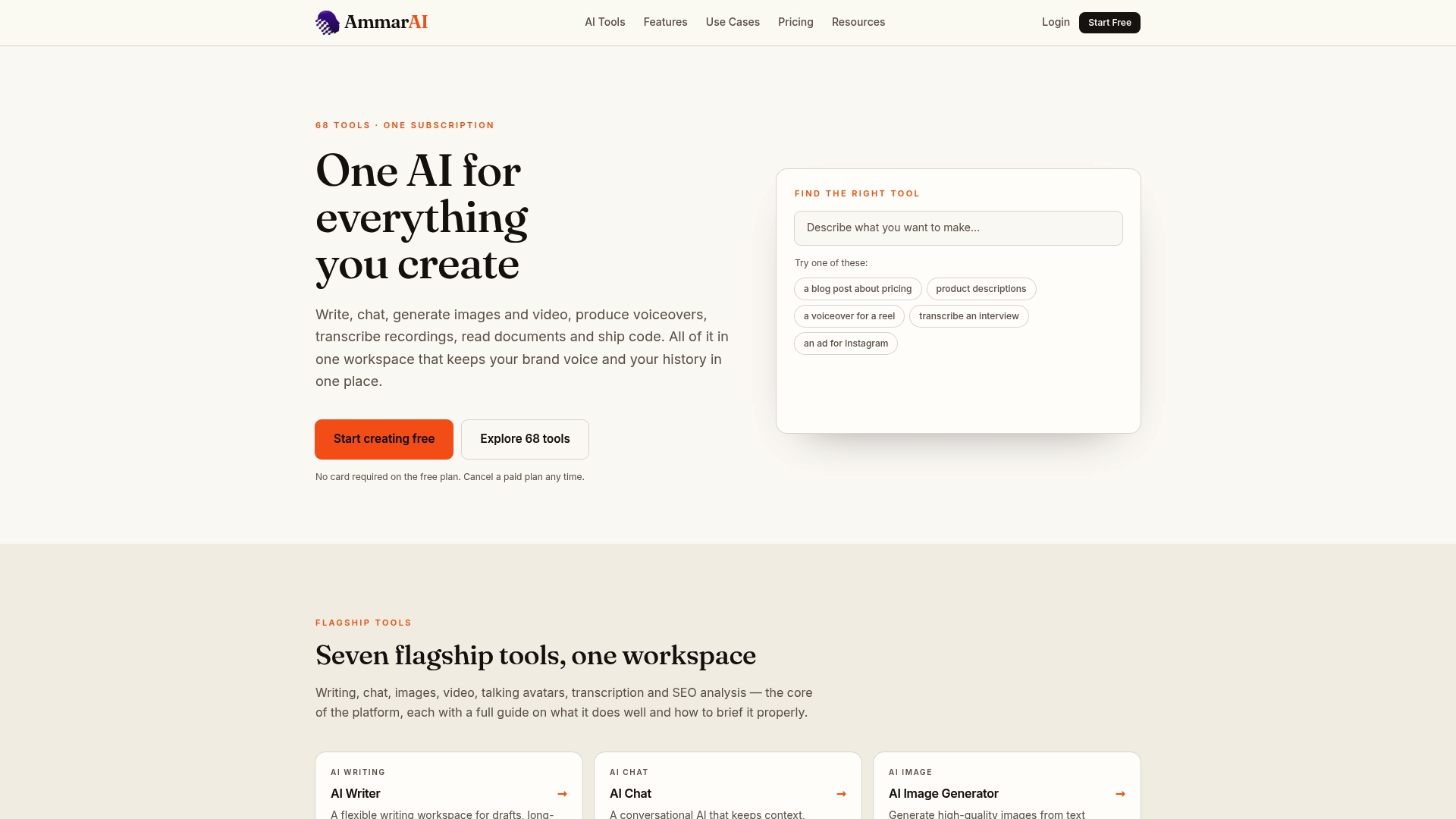
If you want to draft, vary and store your onboarding emails in one place, AmmarAI gives you a workspace for it. Start on the Free plan at $0 per month to build your first welcome email and brand voice. Paid plans are Starter at $9.99 per month, Professional at $29.99 per month and Ultimate at $59.99 per month, each with larger generation allowances. See the current limits on the pricing page.
SaaS and product teams can also see how we approach AI for SaaS companies, and developers writing docs and onboarding material can look at AI for developers.
A one-week plan to launch
- Day 1. Write down your activation event and three to five milestones.
- Day 2. Save your brand voice and the prompt skeleton above.
- Day 3. Draft the five emails, with five subject lines each.
- Day 4. Review for accuracy, links, voice and one action per email.
- Day 5. Set exit rules and caps in your email platform, then send test emails to yourself.
- Day 6 to 7. Go live to new signups and watch the welcome email first.
- Week 3. Test one subject line change and keep what wins.
For more on which marketing jobs to automate and which to keep human, see our guide to AI tools for marketers.
FAQ
How many emails should an onboarding sequence have?
There is no fixed number. Most teams start with three to five emails: a welcome, a quick win, a stage-based tip, a stall-recovery message and a closing next step. Add more only if your activation takes longer than a week, and stop the sequence when the user activates.
Can AI write onboarding emails that sound like my brand?
Yes, if you give it a clear voice description and examples, and reuse them every time. Save the voice and prompt once rather than retyping it. A human should still read each draft, because AI can drift in tone or invent product details.
Is it safe to give AI my customers’ data?
Give it as little as possible. Use labels such as role and completed steps instead of names and full records, and check the provider’s data retention and training terms. Merge real names in your email platform afterward, and keep a person responsible for the final email.
Do onboarding emails have to follow CAN-SPAM?
If an email’s primary purpose is commercial, yes, and the FTC says the law applies to business-to-business email too. Purely transactional messages are treated differently, but the categories are narrow. If a message mixes setup help with promotion, include an unsubscribe option and ask your legal advisor if unsure.
Sources
- Strategic SaaS Onboarding Emails (Userpilot)
- Onboarding flows: signup to activated (Orbit Guides)
- AI Agent Onboarding Emails: The Complete Guide
- Onboarding Sequence Design
- SaaS Onboarding Email Sequence guide
- Set Up Onboarding Emails With an AI Assistant
- Write onboarding emails with AI prompts
- How to use ChatGPT to write onboarding emails
- Email Personalization in Signup Onboarding Journeys
- The Art of Effective Onboarding Emails
- AI privacy challenges in enterprise email marketing
- Guide on the use of Generative AI (Government of Canada, 2023)
- CAN-SPAM Act: A Compliance Guide for Business (FTC)
- Email Marketing for Events: Local Organizer Playbook
- The Role of Digital Signage in Onboarding Employees
Recommended
Recommended for you
- AI Editorial Guidelines: How to Write Your Own
AI editorial guidelines set who is accountable, what to disclose, how to fact-check and what never goes into a tool. Here is how to write yours, with examples.
- AI Content Quality: Check Claims Before You Trust Detector Scores
Learn how to judge AI content quality with Google’s people first standards, NIST evaluation metrics, claim checks, and human editorial review.
- AI Keyword Clustering for SEO Teams: Check 3 Shared Ranking URLs
See how AI keyword clustering helps SEO teams validate intent with shared SERP URLs, map clusters to pages, and move them into a publishing workflow.
Tools to try next
- AI SEO Analyzer
Find current keyword and search-question ideas while planning an article, then generate focused metadata for your site and blog posts.
- Brand Voice
Define how your brand sounds once, and have every writing tool follow it.
- AI Agent Builder
Build agents that run real workflows on a schedule or trigger — reading, deciding and acting without you.