
Automation
How to create an AI phone agent
AI Phone Agent lets you create a voice agent for repeatable customer conversations such as enquiries, appointment requests and routine support calls.
A useful agent starts with a narrow job, a clear welcome message and instructions that explain what it may do, what it must not claim and when it should hand the conversation to a person.
When to use this
- You receive recurring calls that follow a predictable structure.
- You want a voice agent to collect details or help with appointment requests.
- You need a consistent first response outside your staffed hours.
Create the agent
Open AI Phone Agent
Open AI Phone Agent and choose Add New Agent. Existing agents remain visible on the page, so you can return to one later to refine its instructions or training.
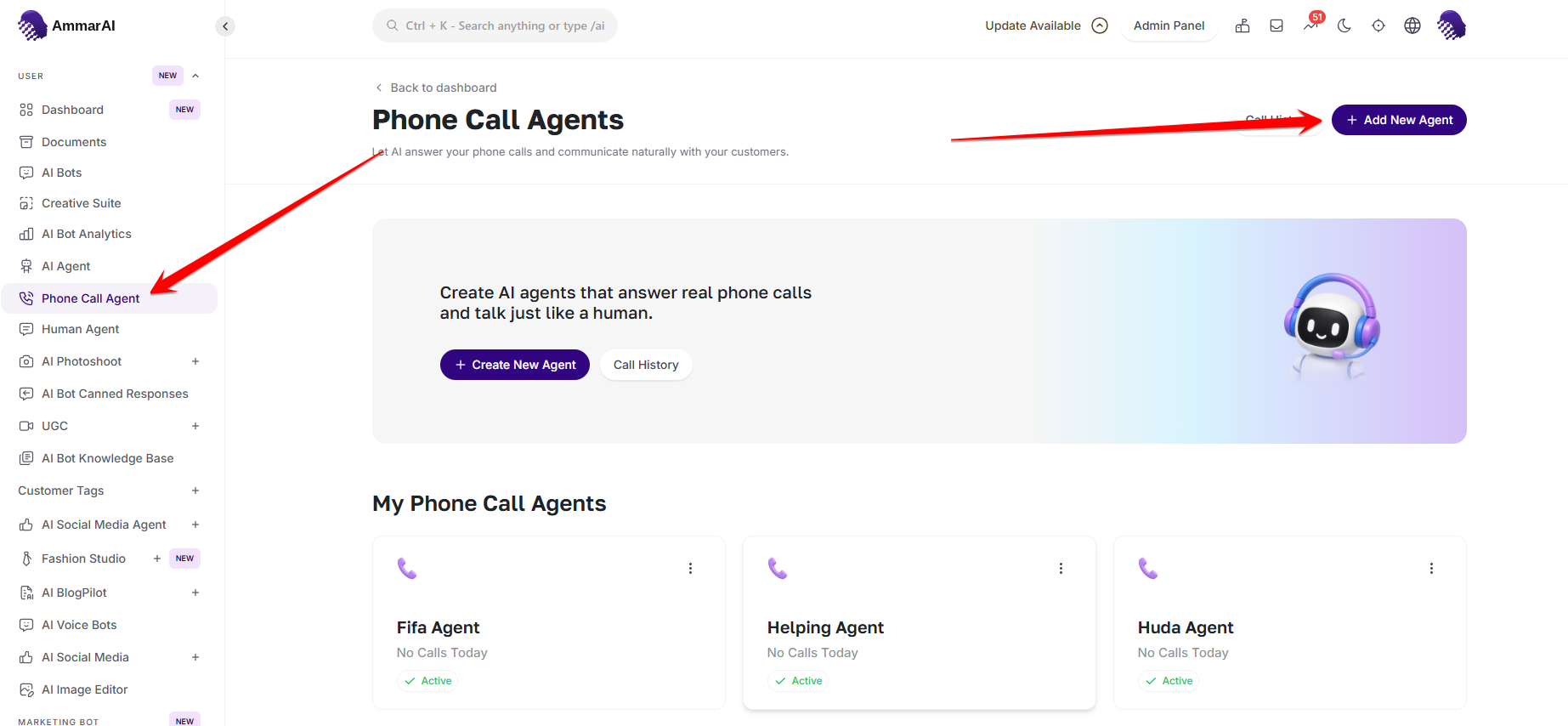
Start a new voice agent or open an existing one. Define the conversation
Give the agent a recognizable title, write the greeting callers hear first and add instructions for its role and behaviour. Choose the language, maximum call duration and voice. If the agent handles bookings, enable the booking option only when that belongs in its job.
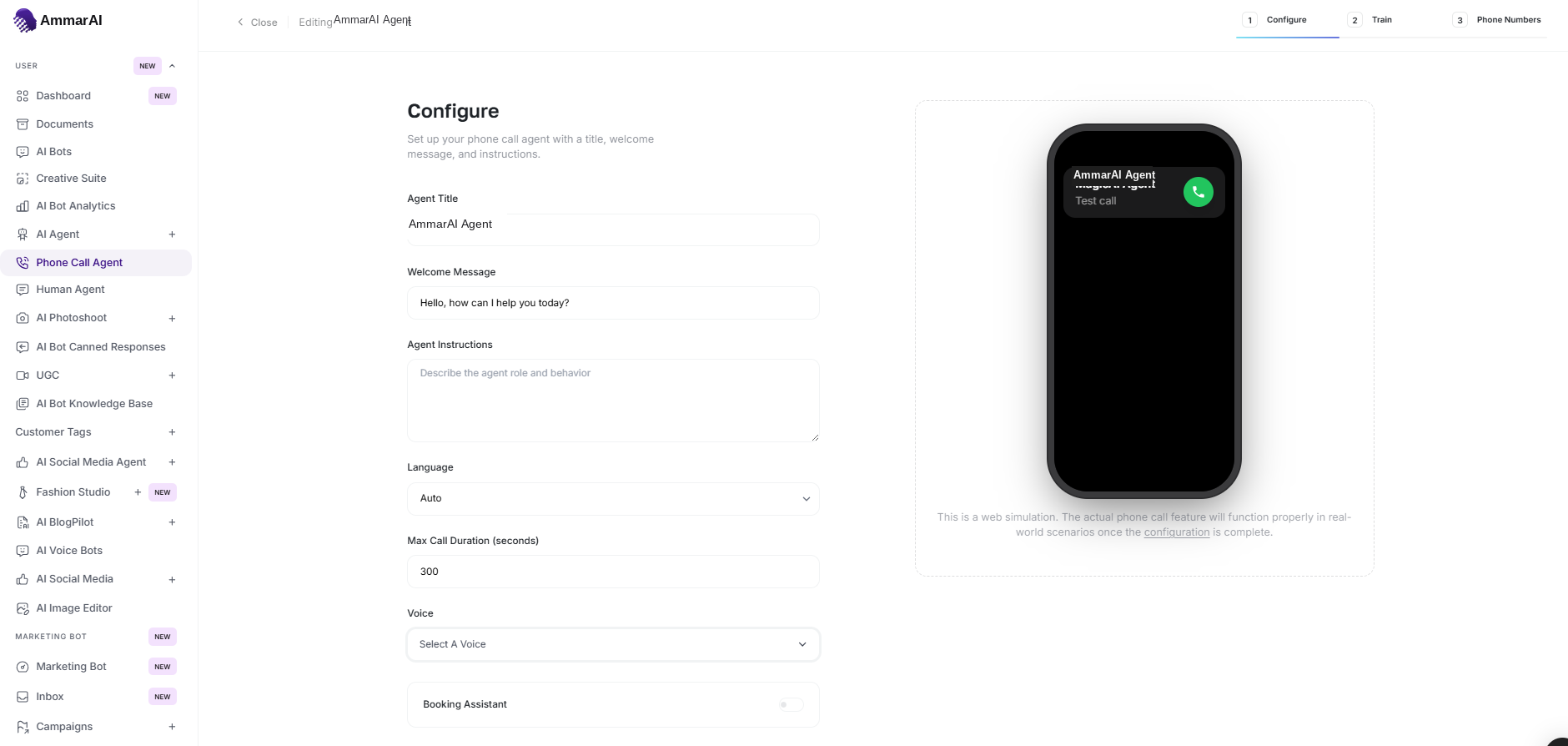
Define the role, greeting, limits and voice before training the agent. Train it with approved information
Add a website URL, PDF or text source that contains the information the agent may use. Prefer a focused FAQ, policy or service page over a broad source with unrelated material, then continue when the training source is ready.
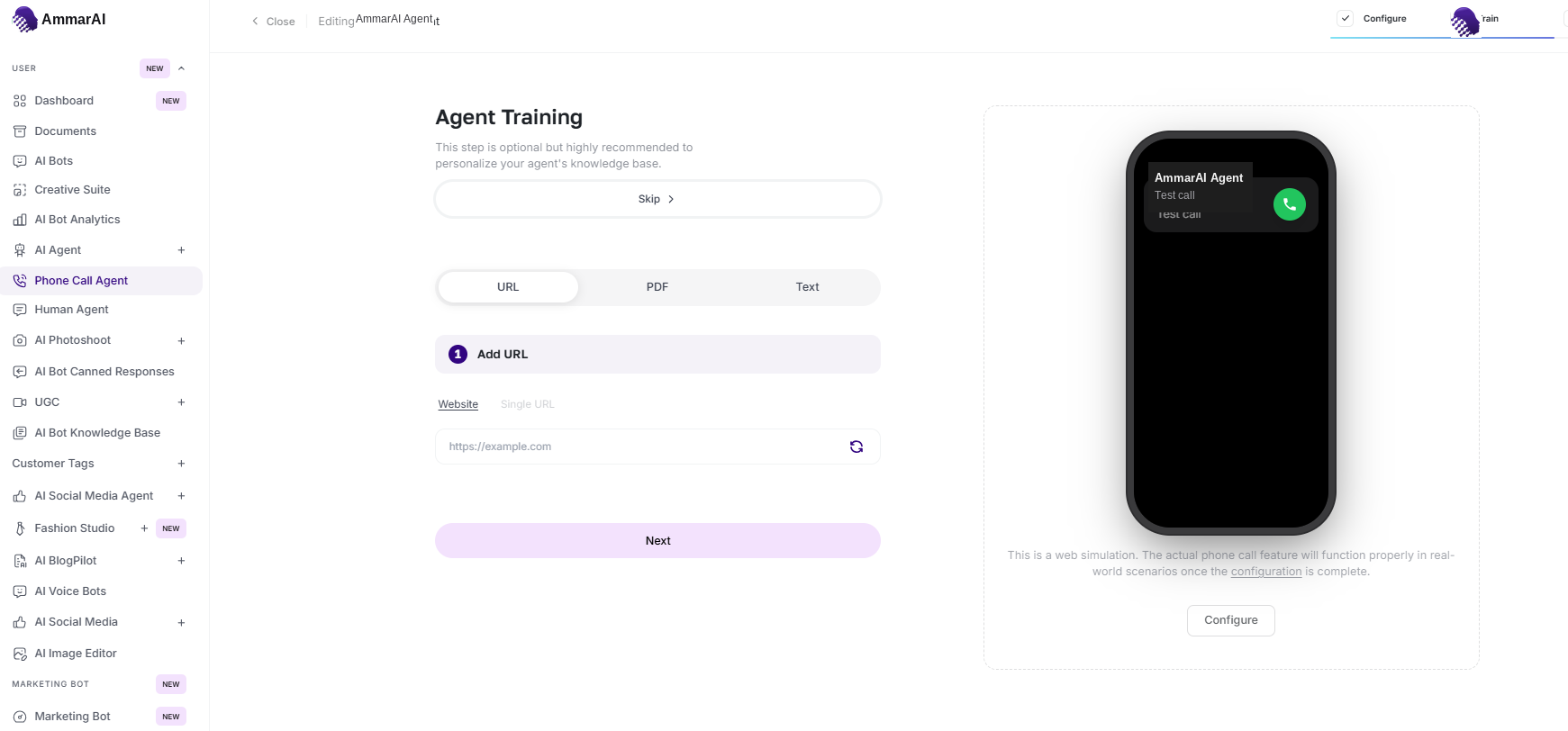
Use focused, current sources for the agent's answers. Return to the agent list
After saving, return to My Phone Call Agents to confirm the new agent appears with the expected voice and status. Open it again whenever the greeting, instructions or source material changes.
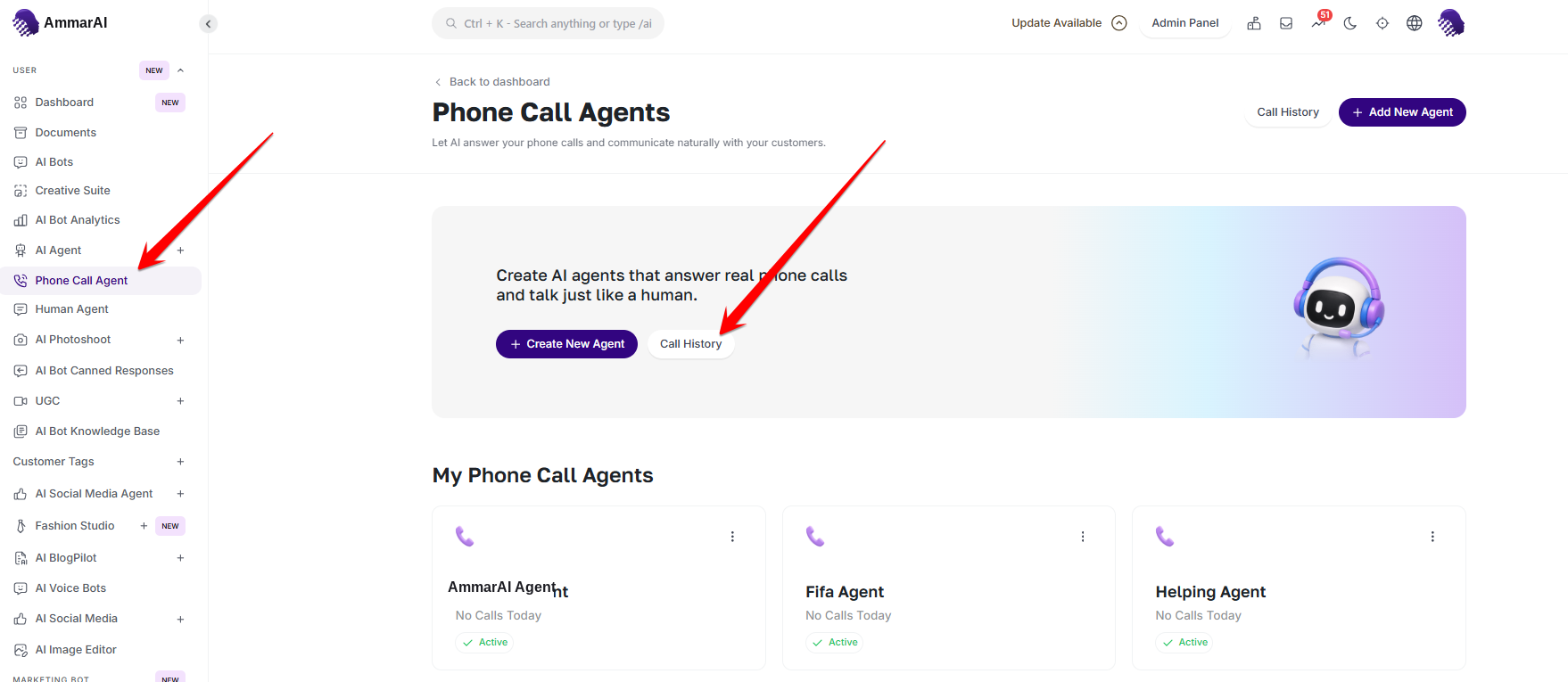
Saved agents remain available for review and refinement.
Review the conversation settings
The phone preview updates the agent name and greeting as you edit. Read both back before continuing. Training is optional: choose URL, PDF or Text for business-specific answers, then use Next or Skip as appropriate.
| Field | What to check |
|---|---|
| Agent Title | Use an internal name that makes the agent’s purpose recognizable in the list. |
| Welcome Message | Write the first spoken line: identify the business and ask one clear opening question. |
| Agent Instructions | Define the job, permitted answers, information to collect and when a person should take over. |
| Language | Choose the conversation language, or use Auto when that option is available and language detection is appropriate. |
| Max Call Duration | Check the per-call limit before saving so a routine conversation has enough time to finish. |
| Voice | Choose an available voice that callers can understand clearly. Available voices depend on the workspace configuration. |
| Booking Assistant | Enable it only for an agent intended to handle appointments and with a configured booking destination. |
Review calls after saving
Open Call History
From the Phone Call Agent dashboard, choose Call History. Review the assigned agent, call status, duration and start/end times, then read the transcript to confirm how the conversation was handled. Use a completed call to refine unclear instructions, and investigate failed calls before sending more customers to the agent.
Write safer instructions
- State the agent's purpose in one sentence before adding detailed rules.
- Tell it which details to collect and which details it must never request.
- Include a clear handoff rule for emergencies, complaints and questions outside its knowledge.
- Do not train it on confidential files unless every caller is authorised to receive that information.
- Test the greeting, interruptions, silence and an out-of-scope question before using the agent with customers.
Ready to try it?
Try AI Phone Agent in AmmarAI