
Chat & Documents
How to answer shop questions with your chatbot
Most store enquiries are the same few questions: where is my order, is this in stock, what does delivery cost. The shopping assistant lets your website chatbot read that information from your store and answer it in the conversation.
You choose which store it reads from and which parts of the shop it is allowed to talk about.
When to use this
- Order status and tracking questions take up your support time.
- Shoppers ask about stock, shipping or returns before buying.
- You want answers that reflect the store right now, not a static FAQ.
Connect the store
Switch on Shopping Assistant
Open the chatbot configuration and turn on the Shopping Assistant switch, below the booking and voice options.
Pick the shop source
Open the Shop Source list and choose the platform your store runs on. The fields underneath change to match the platform you pick, asking for your own store address and its connection details.
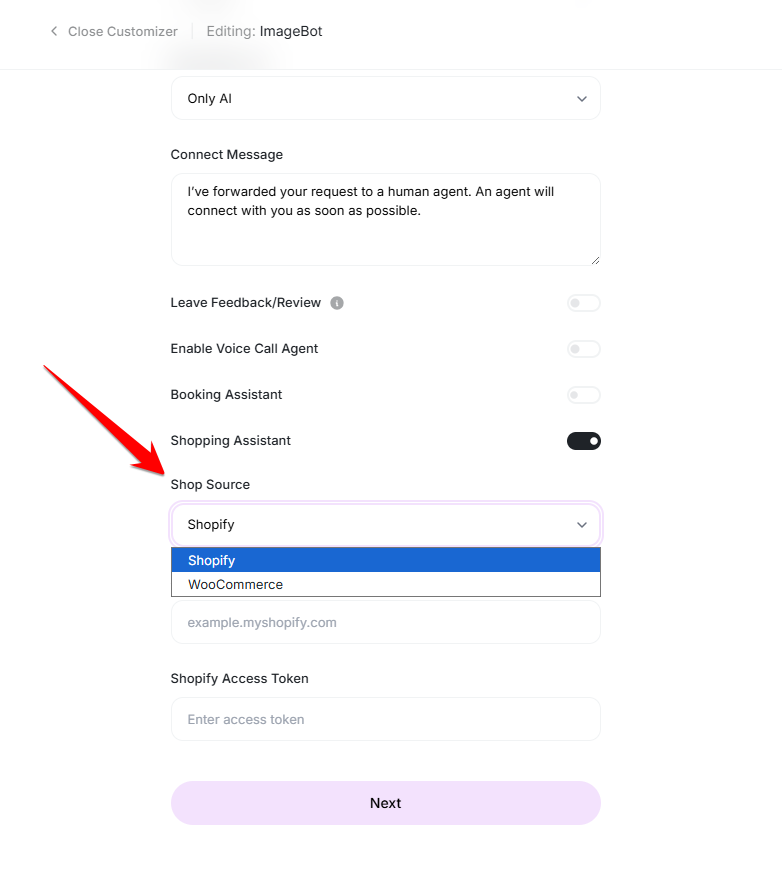
Choose the platform your store runs on. Enter your store connection details
Fill in your store address and the access details it issues for read access. These belong to your own shop, so generate them from your store admin and keep them private.
Choose what the assistant may discuss
Open Shop Features
Select Edit next to Shop Features. This is where you decide how much of the shop the assistant may pull into a conversation.
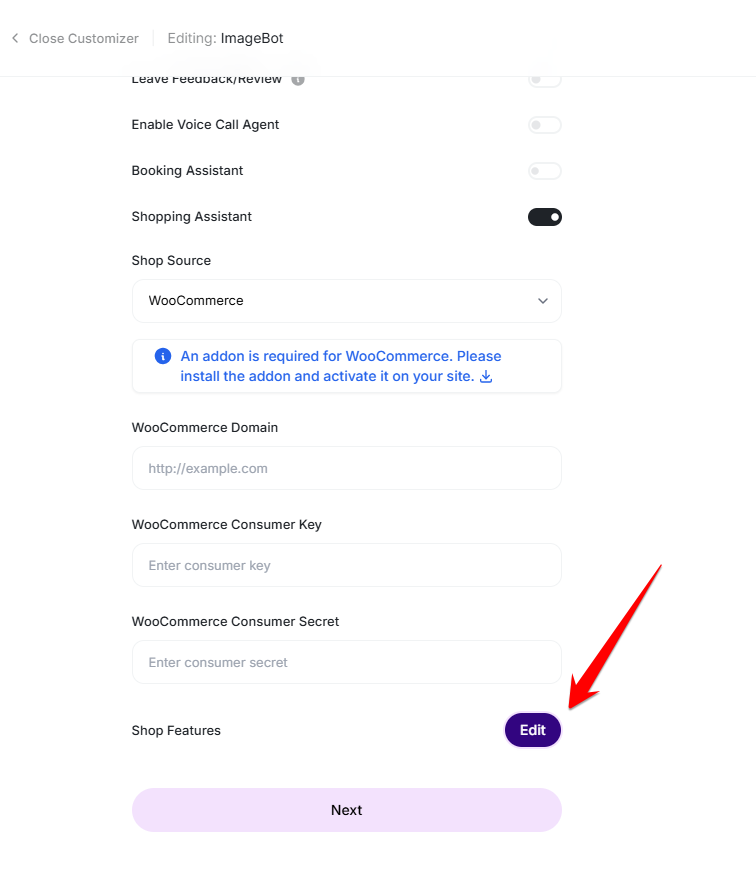
Shop Features controls what the assistant may use. Select the shop details to expose
Tick the areas you want available — payment methods, shipping methods, coupons and product reviews are each optional. Leave anything off that you would rather answer yourself, then save the features.
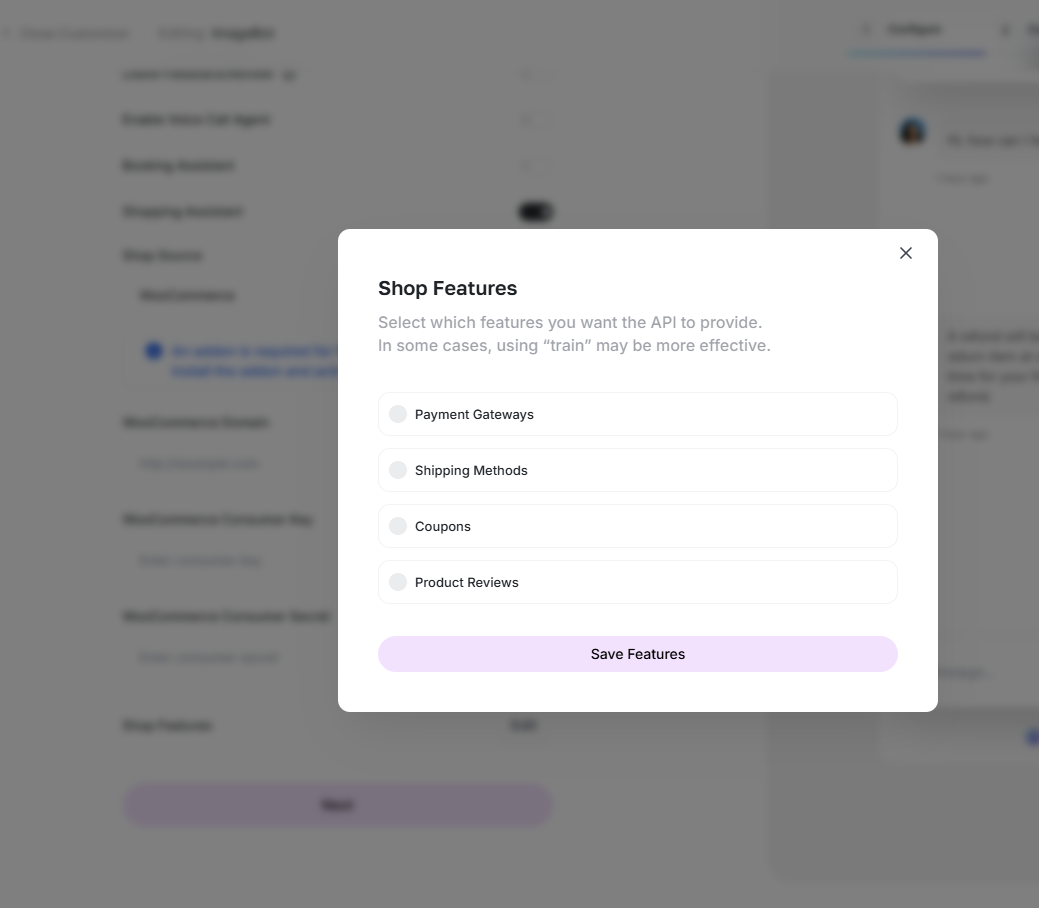
Only the ticked areas are available to the assistant. Test with a real order
Save the chatbot, open the preview and ask about a genuine order number and a product you stock. Confirm the reply matches what your store shows before you put the chatbot in front of customers.
Good practice
- Grant read access only — the assistant never needs to change orders.
- For anything wordy, such as a returns policy, training the chatbot on that page often reads better than pulling raw shop data.
- Re-test after a store change; renamed fields or revoked access stop the answers silently.
Ready to try it?
Try External Chatbot in AmmarAI