
Chat & Documents
How to connect your chatbot to messaging channels
A chatbot that only lives on your website misses everyone who messages you on WhatsApp or replies to a story on Instagram.
The Channel step of the chatbot builder points the bot you already trained at those apps, so the answers are identical wherever the question arrives — and every conversation still lands in your inbox.
When to use this
- Customers reach you on messaging apps more often than through the website.
- You want one trained bot answering everywhere instead of a different script per app.
- You want channel conversations to arrive in the same inbox as website chats.
Open the Channel step
Edit the bot you want to connect
Go to your chatbots, open the bot you have already configured, styled and trained, and move through the builder to the final Channel step.
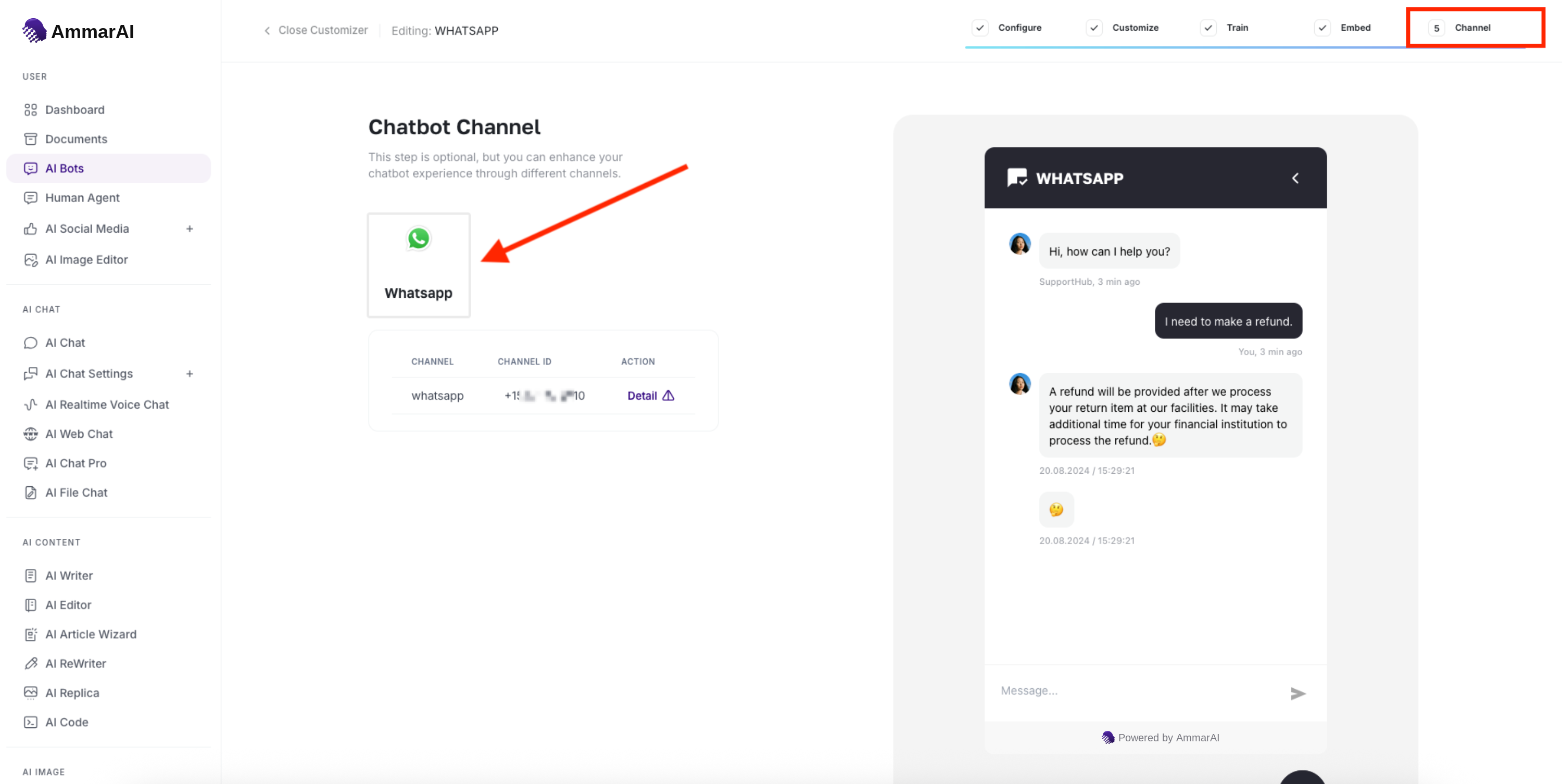
The Channel step sits at the end of the builder, after Configure, Customize, Train and Embed. Pick a channel
Choose the app you want the bot to answer in — WhatsApp, Telegram, Messenger or Instagram. The step is optional, so a website-only bot can skip it entirely.
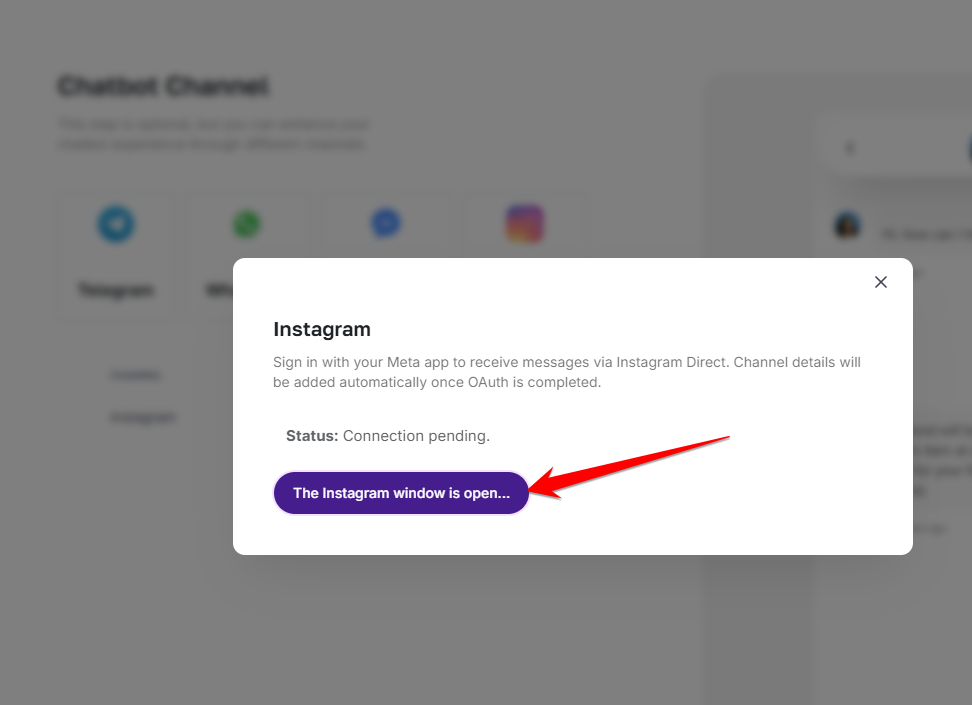
Each channel opens its own short connection dialog. Complete the short connection dialog
Some channels ask you to sign in to the account you want to answer from; others ask for the identifier of the number or account. Fill in what the dialog asks for and save.
Confirm the channel is live
A connected channel appears in the list underneath with its status. If it shows as pending, the connection has not finished — reopen it and complete the sign-in.
Work the conversations that arrive
Read them in one place
Messages from connected channels flow into the Smart Inbox alongside website chats, each thread labelled with the app it came from.
Take over when it matters
With human handover enabled, a visitor can ask for a person on any channel and the conversation moves to you with the full transcript attached.
Keep improving the training
Messaging apps surface phrasing your website visitors never use. Feed the questions the bot could not answer back into its training every week.
Ready to try it?
Try External Chatbot Builder in AmmarAI