
Video Marketing
How to create viral clips from a long video
Viral Clips turns long-form footage into shorter moments for social publishing. Use it to repurpose webinars, interviews, podcasts and other extended videos into focused clips.
This guide follows the complete regular-user workflow for starting a project, supplying the source video and choosing the clip settings.
When to use this
- You want to repurpose a webinar, podcast or interview for social channels.
- You need short highlights from an existing long-form video.
- You have either a public video URL or a video file to upload.
Generate clips from a long video
Start a new viral-clips project
Open AI URL to Video & Influencer, choose the viral-clips option and select Generate New.
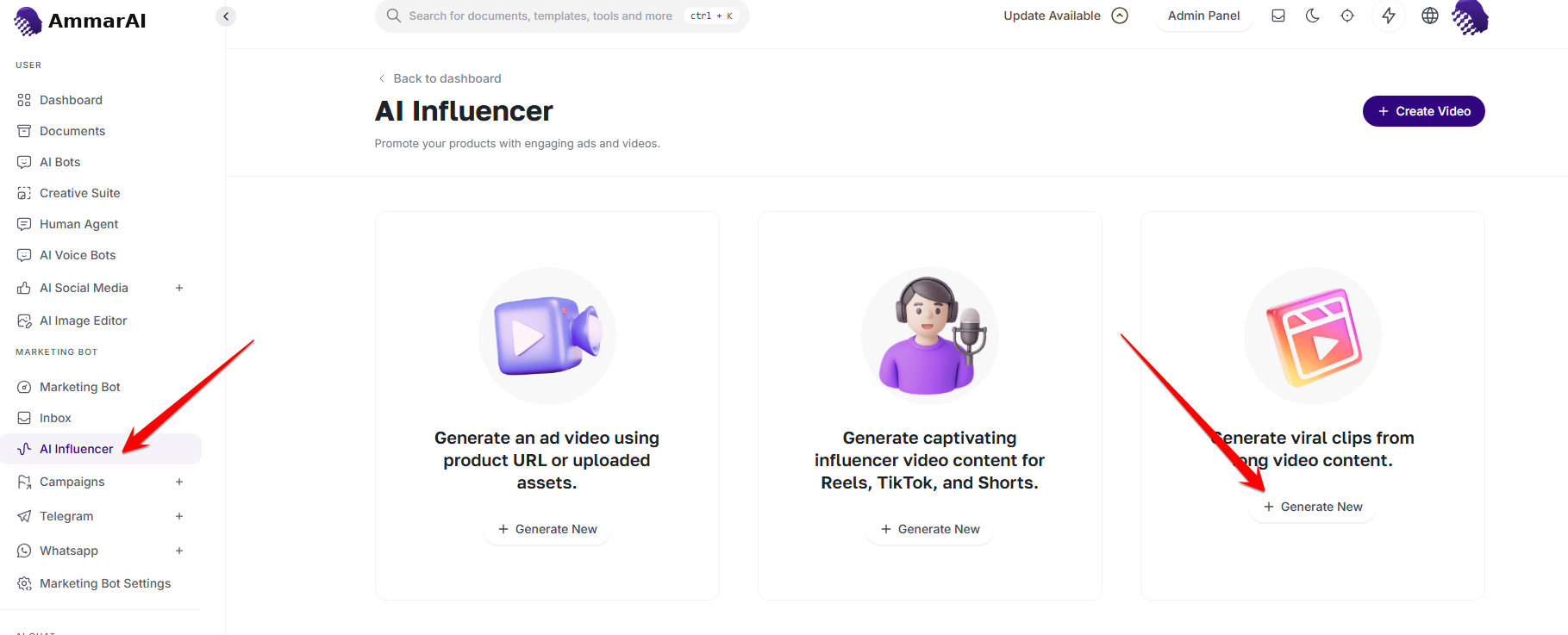
Choose the viral-clips workflow and start a new project. Enter the video URL and details
Paste the source video URL, complete the required fields and select Next to continue.
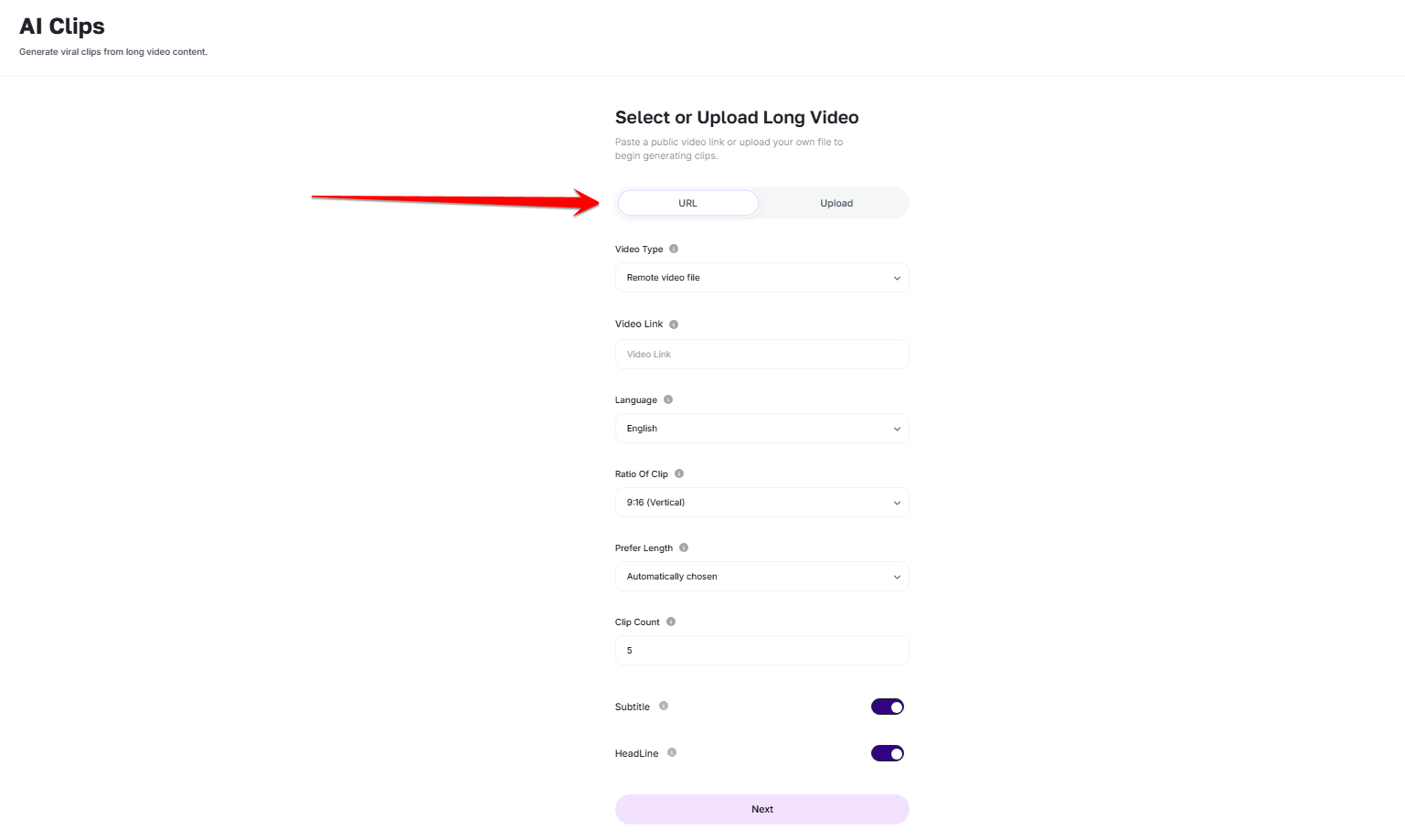
Add the source URL, complete the required options and continue. Upload the video instead
If you do not want to use a URL, switch to the upload option and add the source video file manually, then complete the same clip settings.
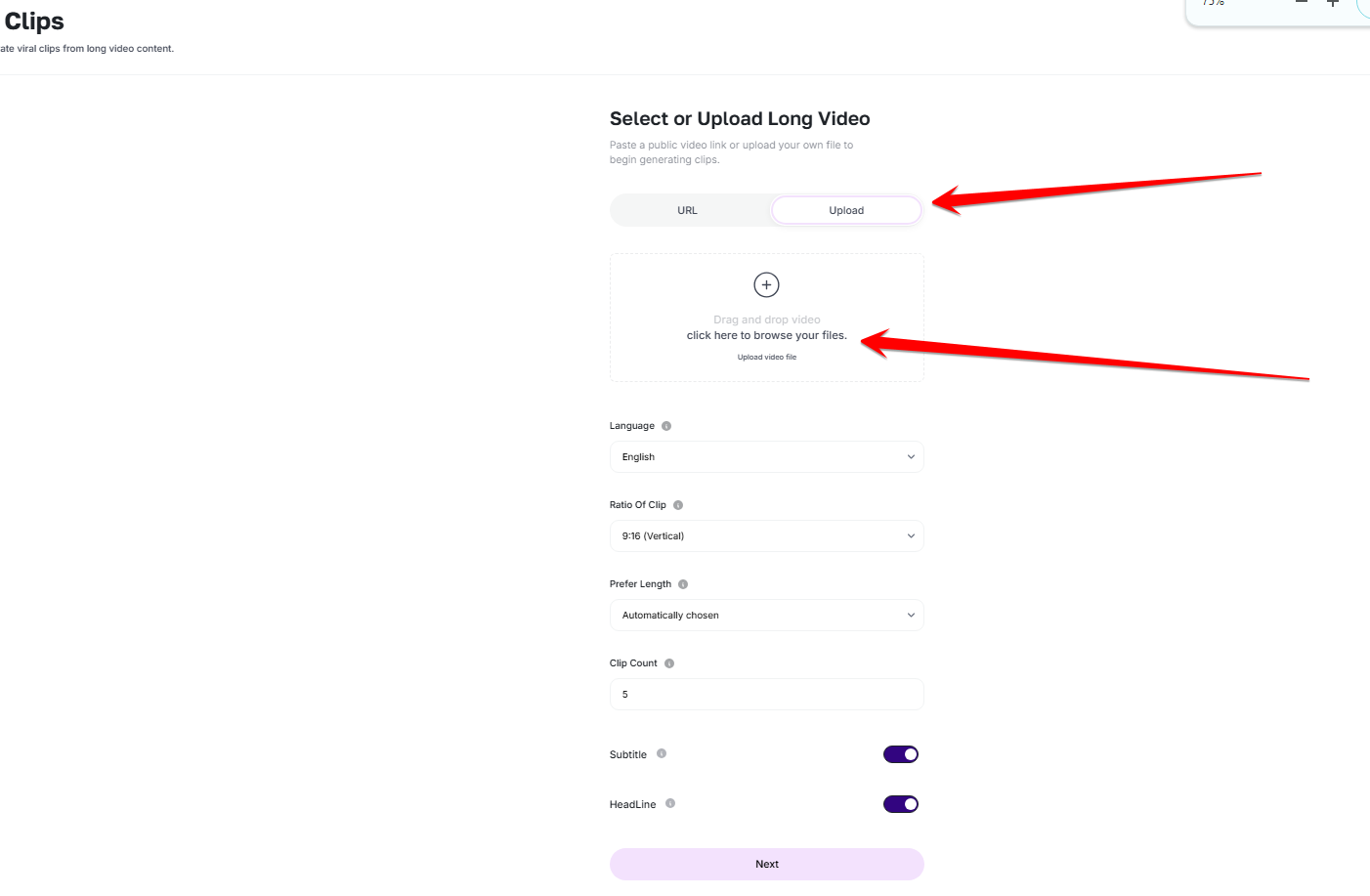
Upload a source file when a video URL is not available.
Before you generate
- Use a clear source with intelligible speech and a stable picture.
- Choose a target language and clip duration suited to the destination.
- Review each extracted moment before publishing it out of its original context.
Ready to try it?
Try AI URL to Video in AmmarAI