
Automation
How to read WhatsApp and Telegram messages in one inbox
Messages arrive everywhere: the website chat, a WhatsApp number, a Telegram account, social replies. Checking four apps is how a good lead goes cold.
The Smart Inbox pulls those conversations into one threaded list. You can look at everything together or narrow it to a single channel, and reply from the same screen.
When to use this
- Customers message you on more than one platform.
- Two people share the replying and nobody is sure what has been answered.
- You want one place to catch questions instead of a phone, a laptop and a browser tab.
Open the inbox and pick a channel
Open Inbox
Choose Inbox from the left-hand menu. Every conversation from your connected channels appears in the middle column, newest first.
Filter by channel
Use the channel selector at the top of the list. Leave it on all channels for the full picture, or pick WhatsApp or Telegram when you want to work through one platform at a time.
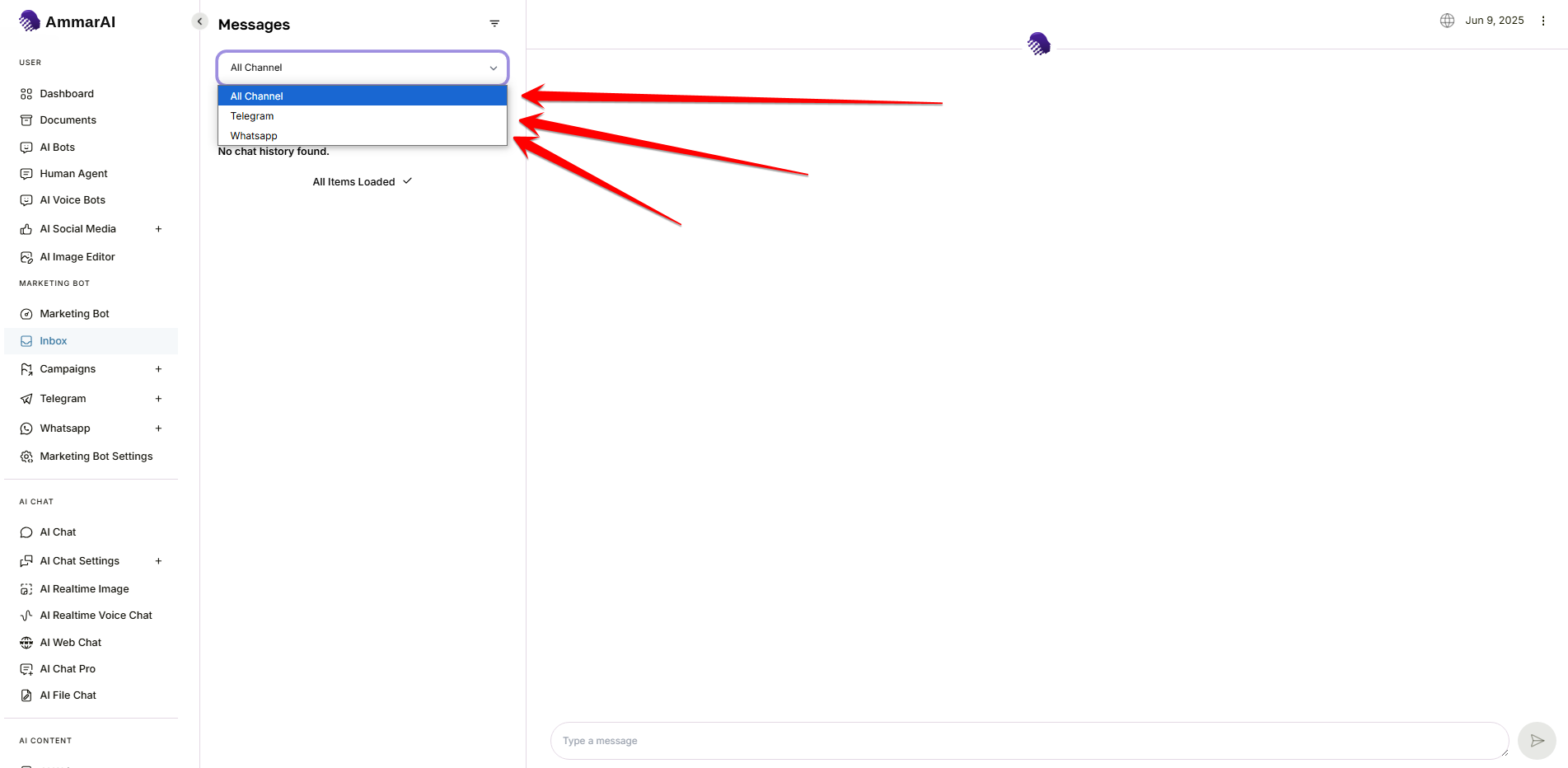
The channel selector switches between all conversations and a single platform. Open a conversation
Select a thread to see its whole history in the panel on the right, including which channel it came from and who you are talking to.
Reply and keep the queue moving
Write your reply
Type in the message box at the bottom of the thread and send. The reply goes out on the channel the person used, so they receive it where they wrote to you.
Let the AI take the routine ones
Opening hours, prices, delivery times and other repeat questions can be answered automatically, with a draft waiting for your approval on anything less obvious.
Hand over what needs a person
Complaints, refunds and real buying signals are worth taking over yourself. Assign the thread to a teammate with a note so it is picked up rather than passed around.
Ready to try it?
Try AI Smart Inbox in AmmarAI