
Automation
How to create outbound AI calls
Outbound Calls lets an existing AI Phone Agent place a single call or work through a contact list. It is designed for specific, permission-based tasks such as reminders, requested follow-ups and customer qualification.
Before starting, decide the purpose of the call, the information the agent needs and what outcome should be recorded. A short, explicit call brief produces a more predictable conversation than a broad sales prompt.
When to use this
- A customer has requested a callback or follow-up.
- You need to send appointment or service reminders to an opted-in list.
- You want to qualify a known set of leads using the same approved questions.
Place an outbound call
Open Outbound Calls
Open Outbound Calls from AI Phone Agent. The page separates batch calls from individual outbound calls and keeps the call history below the creation controls.
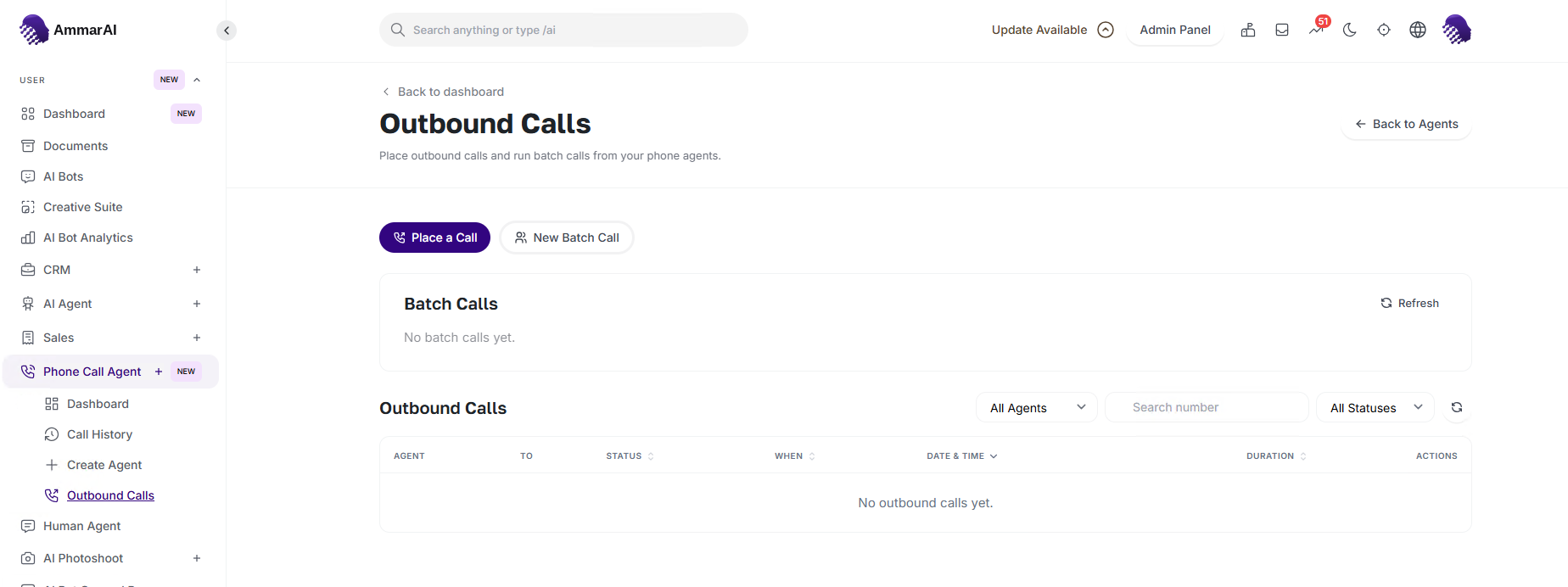
Choose a single call or a batch according to the job. Place a single call
Choose Place a Call, select the phone agent, enter the destination number and write a concise instruction for this conversation. Review the number and the brief, then create the call.
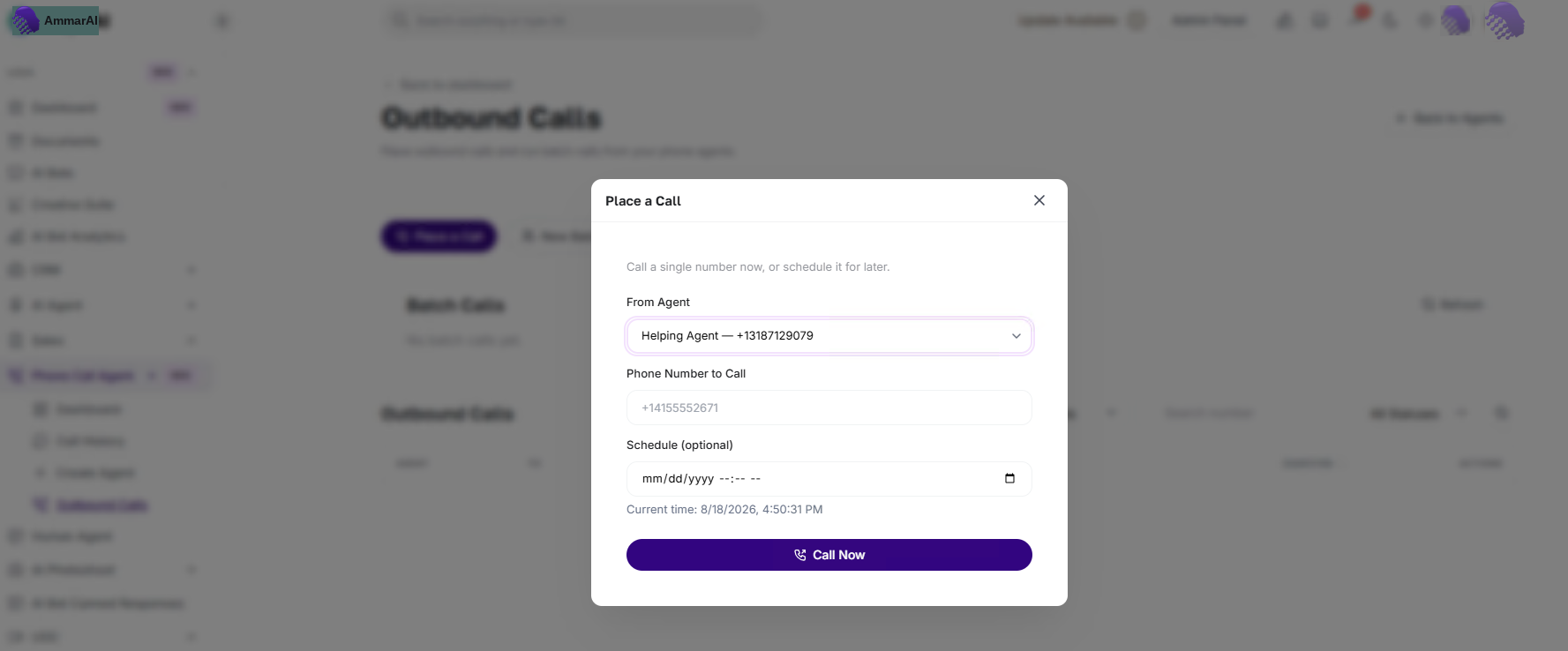
A single call needs an agent, a destination and a clear brief. Create a batch call
Choose New Batch Call when the same approved workflow applies to several recipients. Name the batch, choose the agent, add the contact source and write the shared instruction. Check the list before starting so every recipient belongs in this campaign.
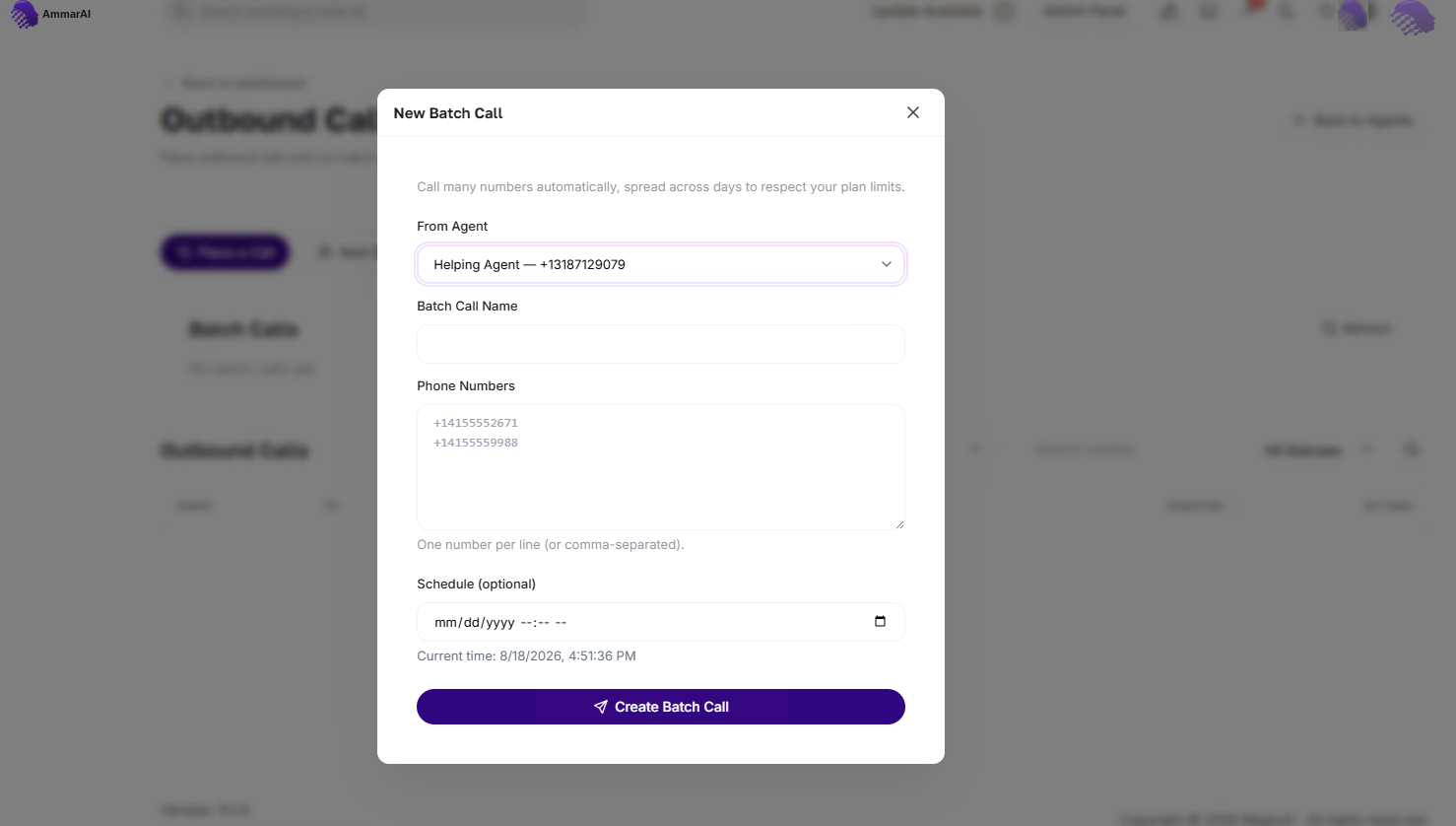
Use a batch only when one call brief fits every selected recipient. Monitor the call history
Return to Outbound Calls to review batch progress and individual call status. Use the history to identify completed, unanswered or failed calls before deciding whether a person should follow up.
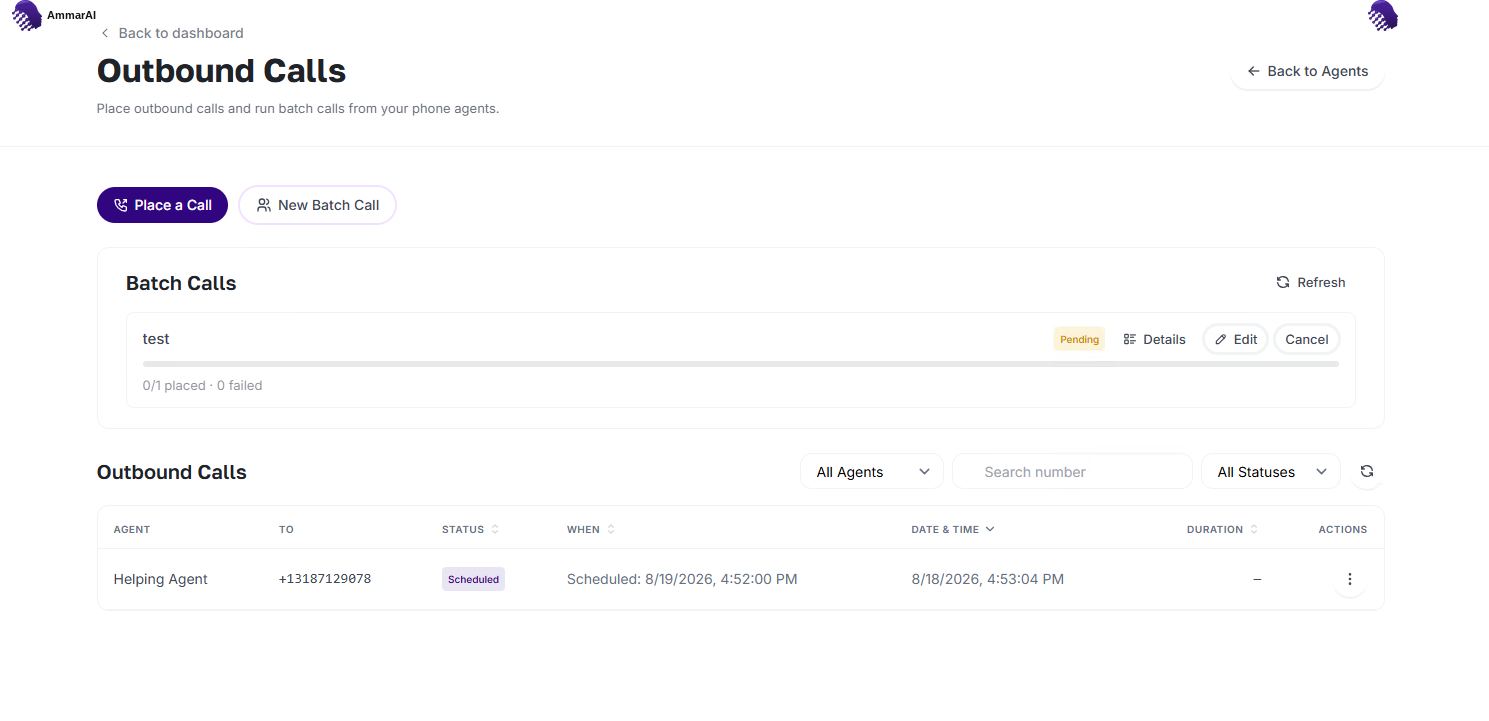
Review call status before scheduling any further contact.
Before calling
- Call only people you are permitted to contact and honour opt-outs immediately.
- Use the recipient's local time and avoid inappropriate calling hours.
- Make the AI nature and purpose of the call clear where law or good practice requires it.
- Never put secrets, payment credentials or unnecessary personal data in the call instruction.
- Review recordings, transcripts and retained call data according to the laws that apply to your business and recipients.
Ready to try it?
Try AI Phone Agent in AmmarAI