
Productivity
How to publish a post to WordPress
Writing the article is only half the job. Getting it onto the blog — with the headings, links and formatting intact — is where most of the fiddling happens.
Connect your WordPress site to AmmarAI once and every finished draft can be sent to your blog with a single button, exactly as it was written.
When to use this
- Your blog runs on WordPress and you publish regularly.
- You are tired of pasting drafts into the WordPress editor and re-fixing the formatting.
- You want your AI Blogger Agent articles to land on the live site automatically.
Connect your WordPress site
Open the integrations page
In your AmmarAI account, open Integrations from the left-hand menu. This is where the blog connections live.
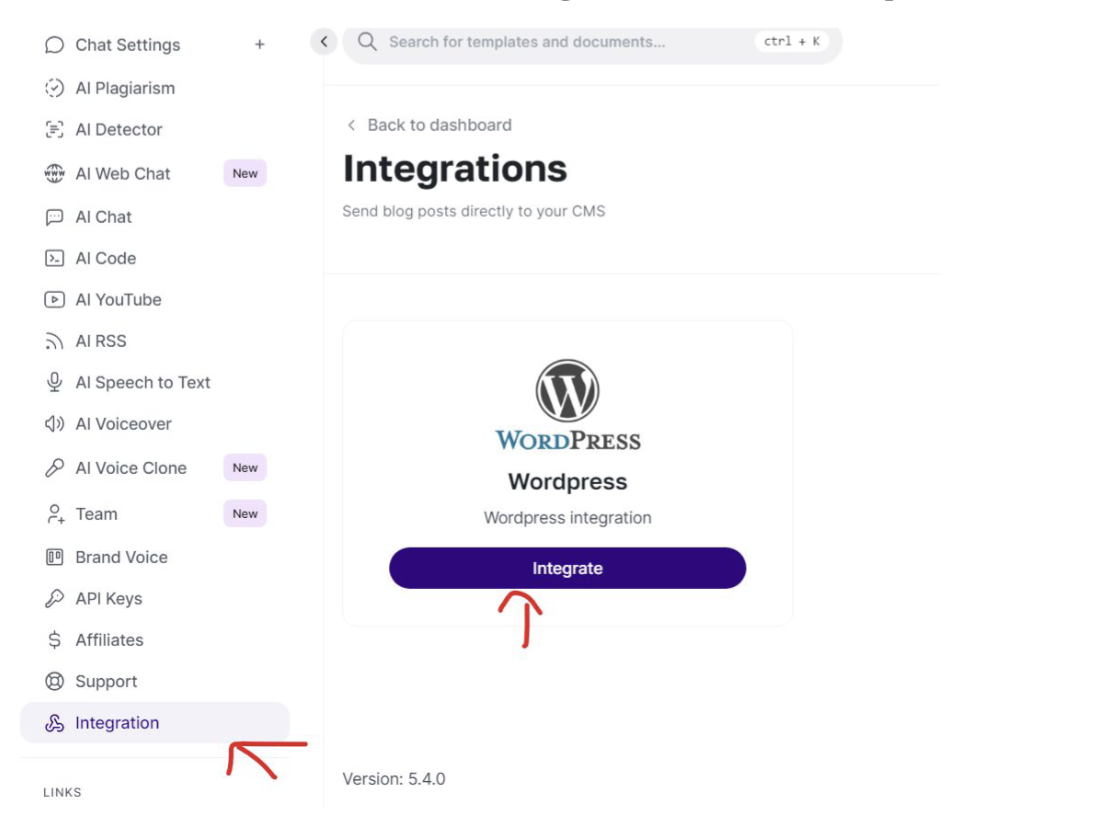
Open Integrations, then press Integrate on the WordPress card. Add your site details
Press Integrate on the WordPress card and enter your blog address together with the username and application password of the account that is allowed to publish. Save to finish the connection.
Check the connection
Once saved, the card shows the site as connected. If it does not, the usual cause is a mistyped address or a password that belongs to an account without publishing rights.
Send an article to your blog
Open the finished document
Go to your documents and open the article you want to publish. Everything you wrote — headings, lists and links — travels with it.
Read it through and press Share
Make any last edits in the editor, then press Share. The article is sent to your connected WordPress site as a new post.
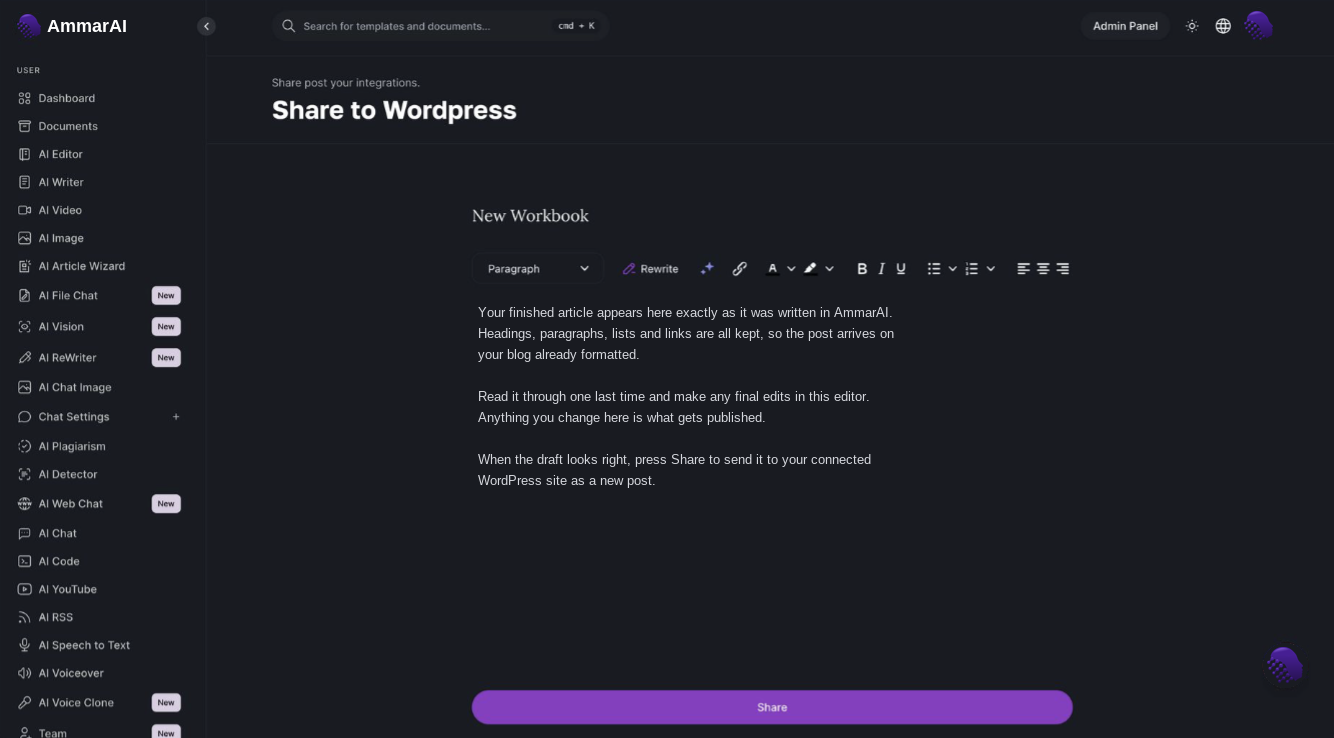
The finished article, ready to send to WordPress with the Share button. Review it on your blog
Open the post in WordPress to set the category, featured image and publish time. Publishing from AmmarAI gets the writing in place; the final presentation is still yours to decide.
Ready to try it?
Try AI Blogger Agent in AmmarAI